ISDN TEST FUNCTION
SM 33 B547
Fax Option
B547
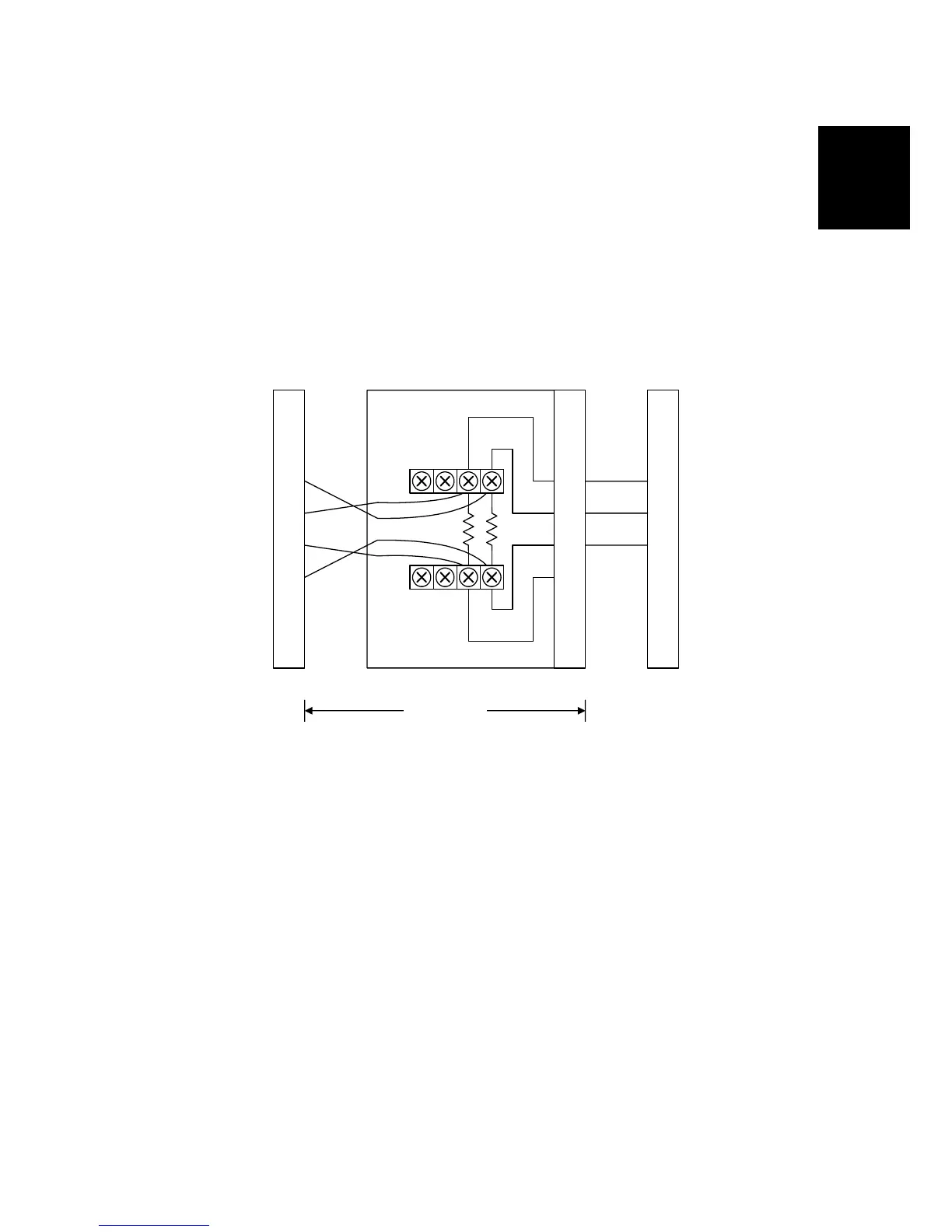
2.4.2 BACK-TO-BACK TEST
To make a back-to-back test, you need:
• Two machines, with different types of CiG4 option boards.
NOTE: You cannot make a back-to-back test using two machines with
identical type CiGH option boards.
The procedure is as follows.
1. Switch off the machines
2. Connect two machines back-to-back using a cross rosette as follows.
3. Make the following bit switch adjustments:
• In the machine acting in NT mode (CiG4 board), set bits 0 and 1 of G4
parameter switch 0D to 1.
• In the machine acting in TE mode (SiG4 board) set bit 0 of G4 parameter
switch 0D to 0 and bit 1 to 1.
4. Reset the machines by switching them off, waiting a few seconds, then
switching back on.
5. Place a document in one of the machines, dial a number, then press Start.
6. After you have finished the test, set bits 0 and 1 of G4 parameter switch 0D
back to 0, then reset the machine.
NOTE: The following cannot be tested using this procedure:
• ISDN G3 communication
• Point to Multi (Like a broadcasting test, from one point to many places.)
1
2
3
4
5
6
7
8
1
2
3
4
5
6
7
8
1
2
3
4
5
6
7
8
Cross Rosette
Machine A Machine B
H535T601.WMF












 To Next Page