LCT INSTALLATION (B543)
B079/B082 1-50 SM
1.11.2 LCT INSTALLATION PROCEDURE
CAUTION
Unplug the main machine power cord before starting the following
procedure.
NOTE: The Paper Tray Unit (B542) must be installed before installing the LCT.
1. Unpack the LCT and remove the tapes.
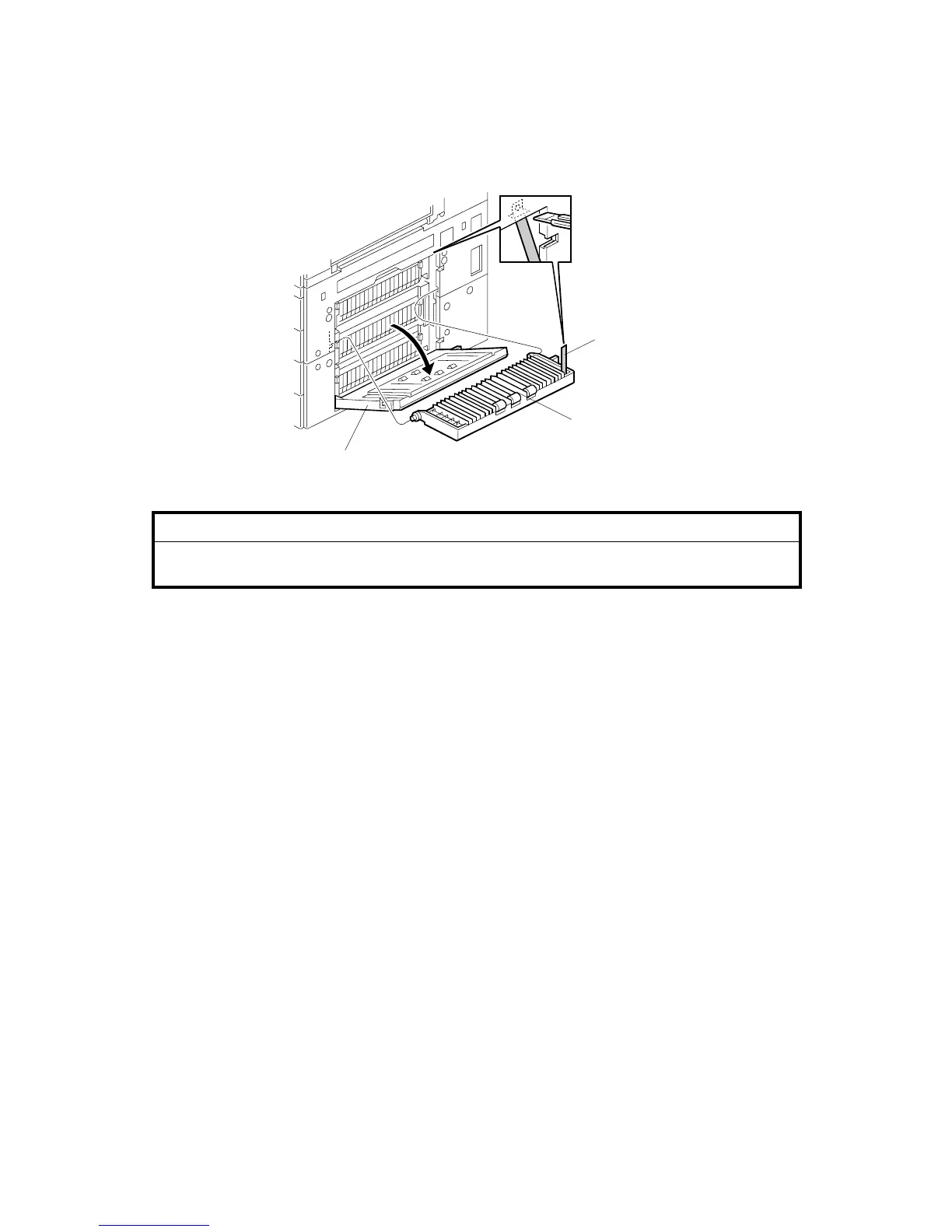
2. Open the right cover of the paper tray unit [A].
3. Open the lower right cover [B] and cut the holding band [C].
NOTE: When cutting the holding band, the upper part of the band should be
cut as shown. Otherwise, paper jams may occur.
4. Remove the lower right cover.
B543I504.WMF
[C]
[B]
[A]












 To Next Page