MAIN MACHINE INSTALLATION
B079/B082 1-12 SM
Toner Bottle
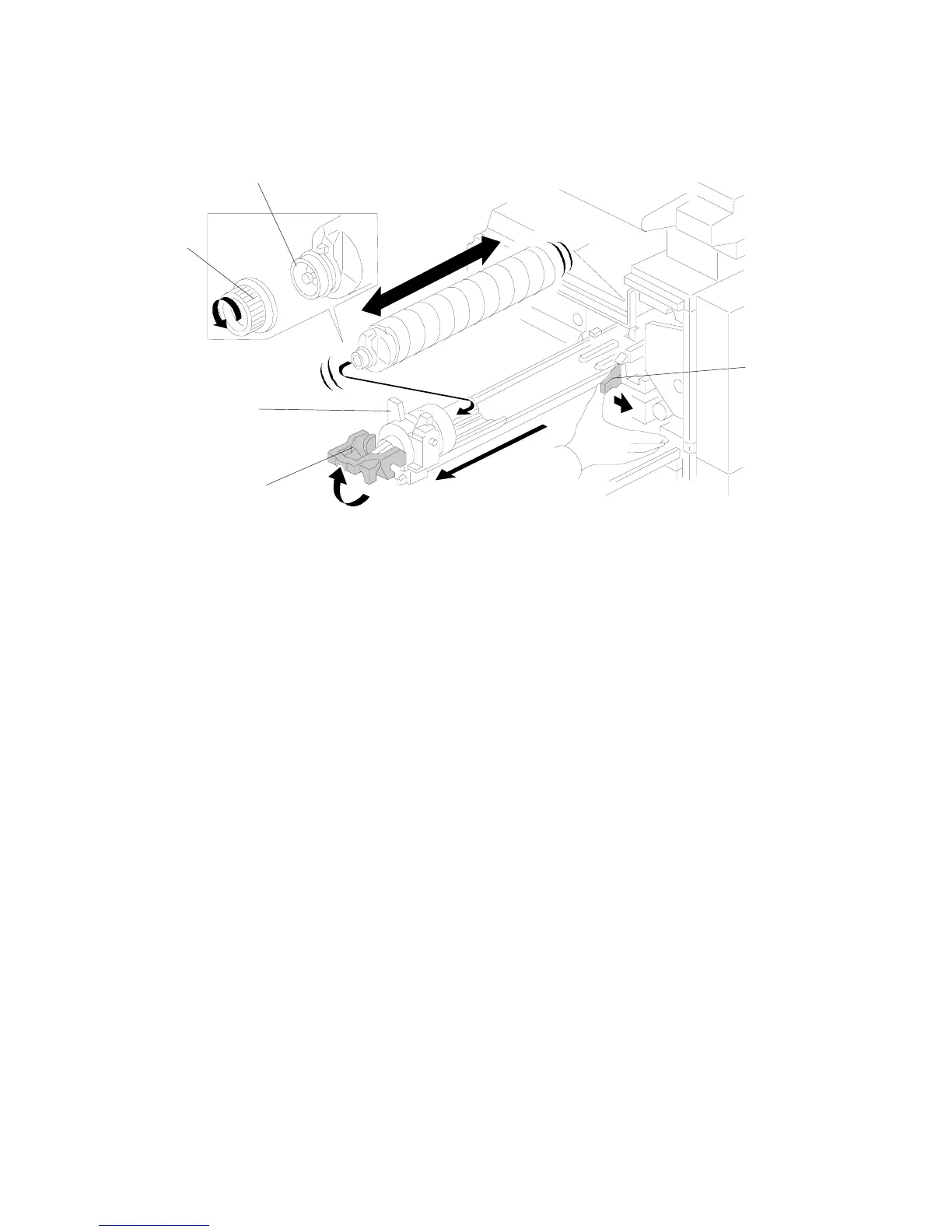
1. Raise the toner bottle holder lever [A], push the lever [B] to the side, and then
pull the toner bottle holder [C] out.
2. Shake the new toner bottle well.
NOTE: Do not remove the toner bottle cap [D] until after shaking.
3. Unscrew the bottle cap and set the bottle in the holder.
NOTE: Do not touch the inner bottle cap [E].
4. Push the toner bottle holder into the main machine until it locks in place, and
then lower the holder lever to secure the toner bottle.
NOTE: The holder lever cannot be lowered unless the toner bottle is installed.
B079I514.WMF
[B]
[D]
[A]
[C]
[E]












 To Next Page