PRINTER INSTALLATION PROCEDURE
SM 5 B548
Printer Option
B548
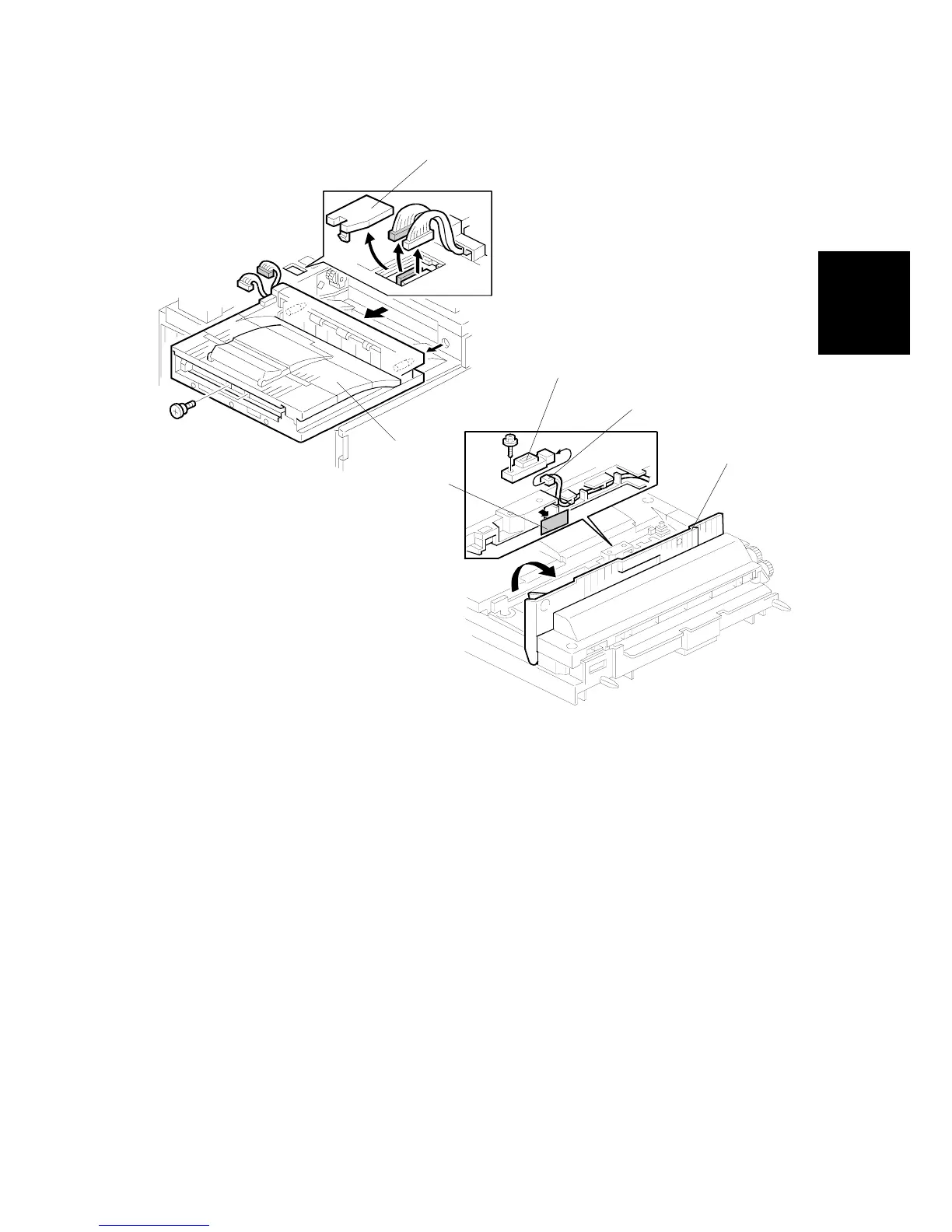
Paper Sensor Installation
NOTE: Install the paper sensor only if the optional Bridge Unit has been installed.
If the bridge unit is not installed, go to the next section.
1. Remove the connector cover [A] and bridge unit [B] ( x 2, x 2).
2. Open the right cover [C] of the bridge unit and peel off the black tape [D]
3. Pull out the connector [E].
4. Install the paper sensor [F] ( x 1, x 1) then reinstall the bridge unit.
B548I903.WMF
B548I904.WMF
[A]
[B]
[C]
[D]
[E]
[F]












 To Next Page