KEY COUNTER INSTALLATION (A674)
B079/B082 1-64 SM
1.15 KEY COUNTER INSTALLATION (A674)
CAUTION
Unplug the machine power cord before starting the following procedure.
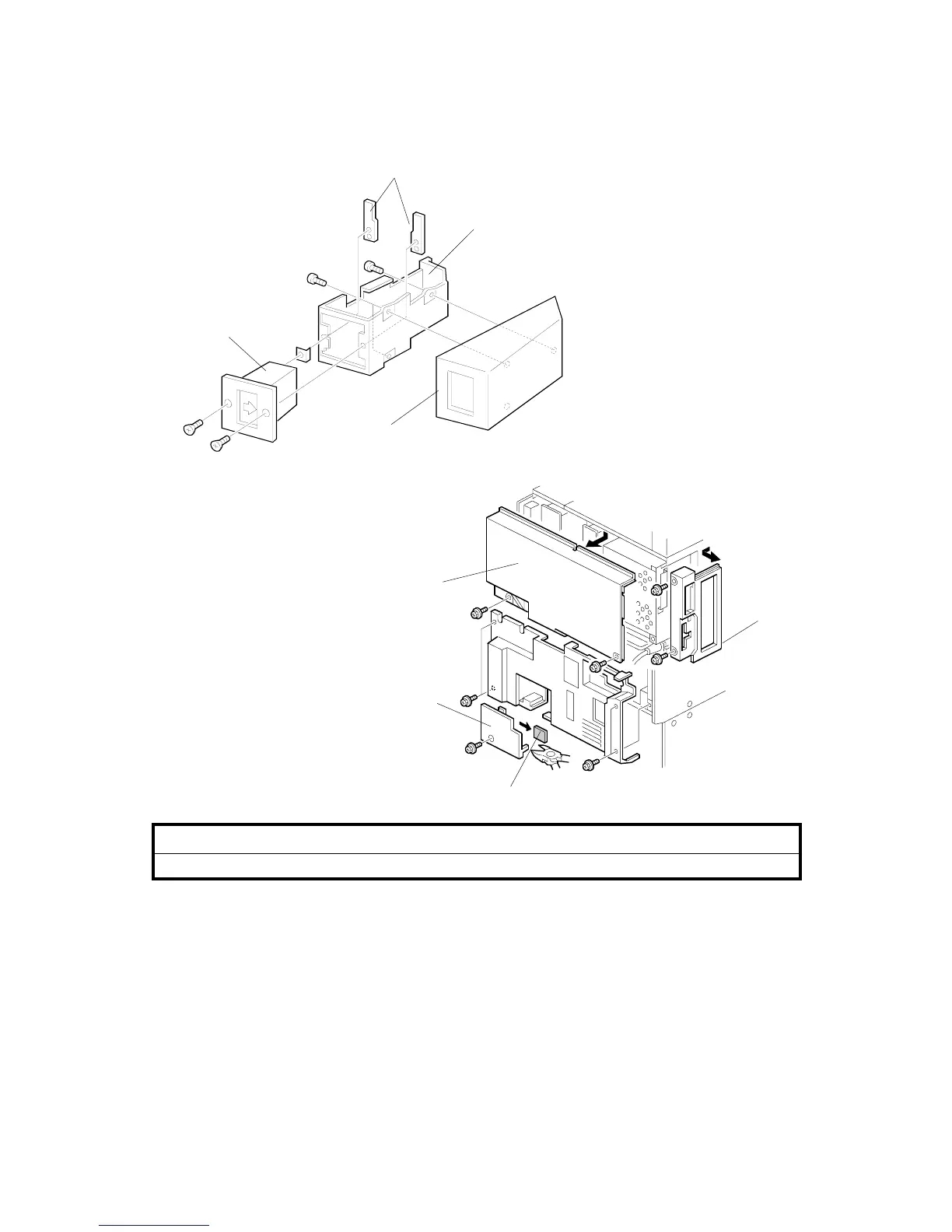
1. Hold the key counter plates [A] on the inside of the key counter bracket [B] and
insert the key counter holder [C]
2. Secure the key counter holder to the bracket ( x2).
3. Attach the key counter cover [D] ( x2).
4. Remove the connector cover [E].
5. Remove the knockout [F] from the connector cover.
6. Remove the rear upper cover [G] ( x4) and left corner cover [H] ( x2).
A683I001.WMF
A683I518.WMF
[E]
[F]
[G]
[H]
[B]
[C]
[D]
[A]












 To Next Page