Installation
KEY COUNTER INSTALLATION (A674)
SM 1-65 B079/B082
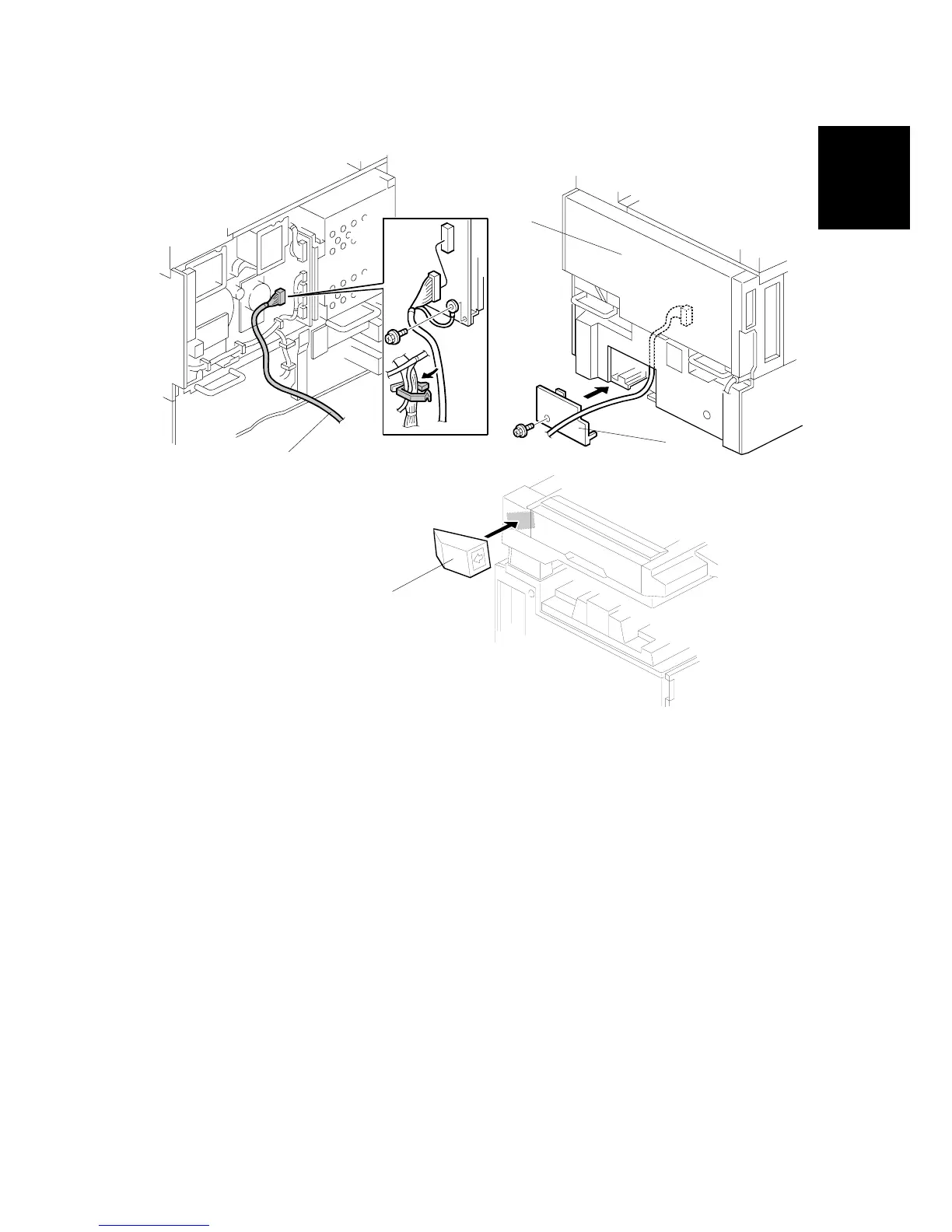
7. Connect the key counter connector [A] to CN211 on the I/O board.
8. Reinstall the covers [B] and [C].
9. Attach the double-sided tape to the key counter bracket.
10. Peel off the backing of the double-sided tape and attach the key counter
assembly [D] to the left side of the scanner unit.
NOTE: When attaching the key counter assembly, press the assembly hard
against the scanner cover. Otherwise, the key counter assembly may
come off easily.
11. Set “User Tools”, “System Settings”, “Key Operator Tools”, and “Key Counter
Management” to restrict access to each available function mode.
A683I003.WMF












 To Next Page