Installation
BRIDGE UNIT INSTALLATION (B538)
SM 1-35 B079/B082
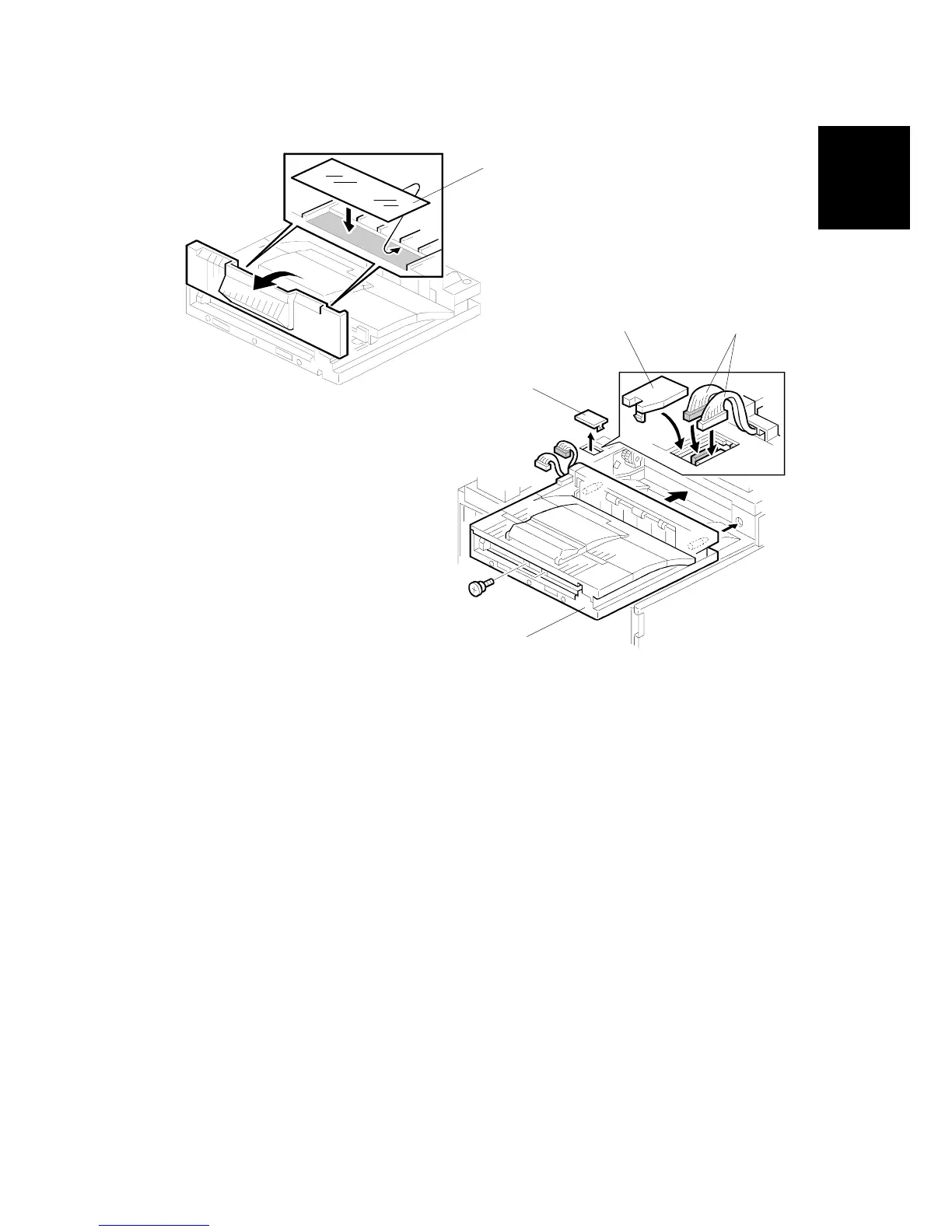
7. If an optional finisher is to be installed, attach two mylars [A] to the bridge unit.
8. Remove the cover [B].
9. Install the bridge unit [C] ( x 2).
10. Connect the bridge unit I/F harnesses [D] ( x 2).
11. Install the connector cover [E].
12. Turn on the main switch and check the bridge unit operation (make sure that
there are no paper jams).
B538I402.WMF
B538I404.WMF
[A]
[B]
[D]
[C]
[E]












 To Next Page