RTC6 boards
Doc. Rev. 1.0.21 en-US
7 Basic Functions for Scan Head Control and Laser Control
148
Variable Jump Delays
With short jumps, the scan head often does not reach
the full jump speed. Then shorter Jump Delays are
sufficient for settling of the mirrors:
• “Variable Jump Delays“
For this, there is:
• “Variable Jump Delays“ mode
“Variable Jump Delays“ mode is switched on by
JumpLengthLimit
> 0 (at set_delay_mode and
set_delay_mode_list).
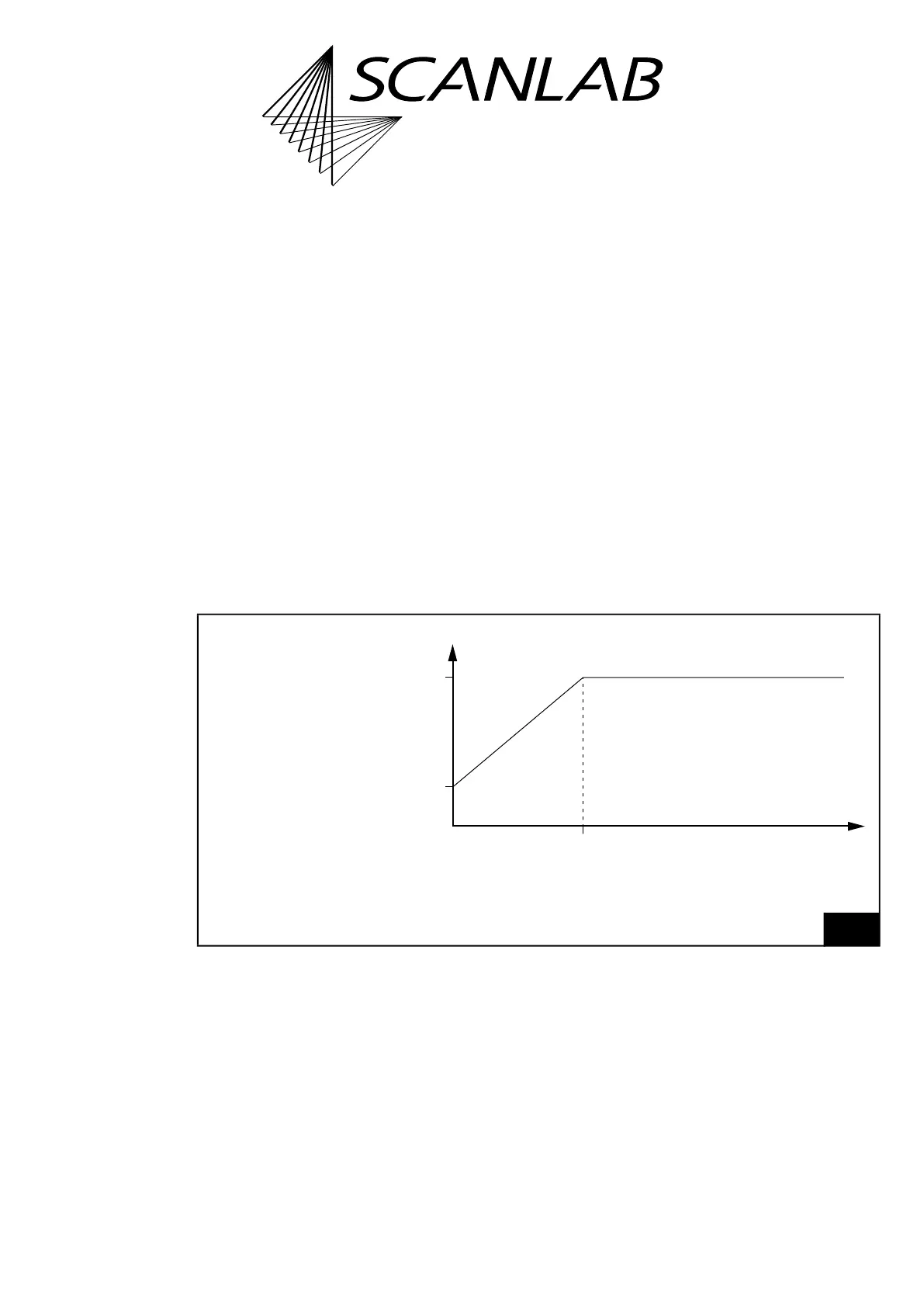
Then the RTC6 PCIe Board inserts a linearly
interpolated Jump Delay between
MinJumpDelay
(from
set_delay_mode or set_delay_mode_list) and
Jump
(Jump Delay from set_scanner_delays) for
jump lengths between 0 and Jump length limit, see
Figure 36.
With jump lengths larger than
JumpLengthLimit
a
“full” Jump Delay is always inserted.
Notes
• With “Variable Jump Delays“ mode, total
marking time is reduced, especially when there
are many short jumps.
• “Variable Jump Delays“ mode is switched off by
JumpLengthLimit
= 0 (at set_delay_mode and
set_delay_mode_list).
• After jump vectors of length 0, the duration of
“Variable Jump Delays“ is 0.
• The “minimum” Jump Delay should not be larger
than the “normal” Jump Delay. Otherwise,
“Variable Jump Delays“ can become very large.
36
“Variable Jump Delays“ mode: Jump Delay value depending on the jump length.
“Full” Jump Delay
=
Jump
value of set_scanner_delays
“Minimum” Jump Delay
=
MinJumpDelay
value of
set_delay_mode or
set_delay_mode_list
Jump length limit
=
JumpLengthLimit
value of set_delay_mode or
set_delay_mode_list
Jump Delay = constant



 To Next Page