RTC6 boards
Doc. Rev. 1.0.21 en-US
7 Basic Functions for Scan Head Control and Laser Control
149
Mark Delay
The Mark Delay is specified by set_scanner_delays
with the
Mark
parameter.
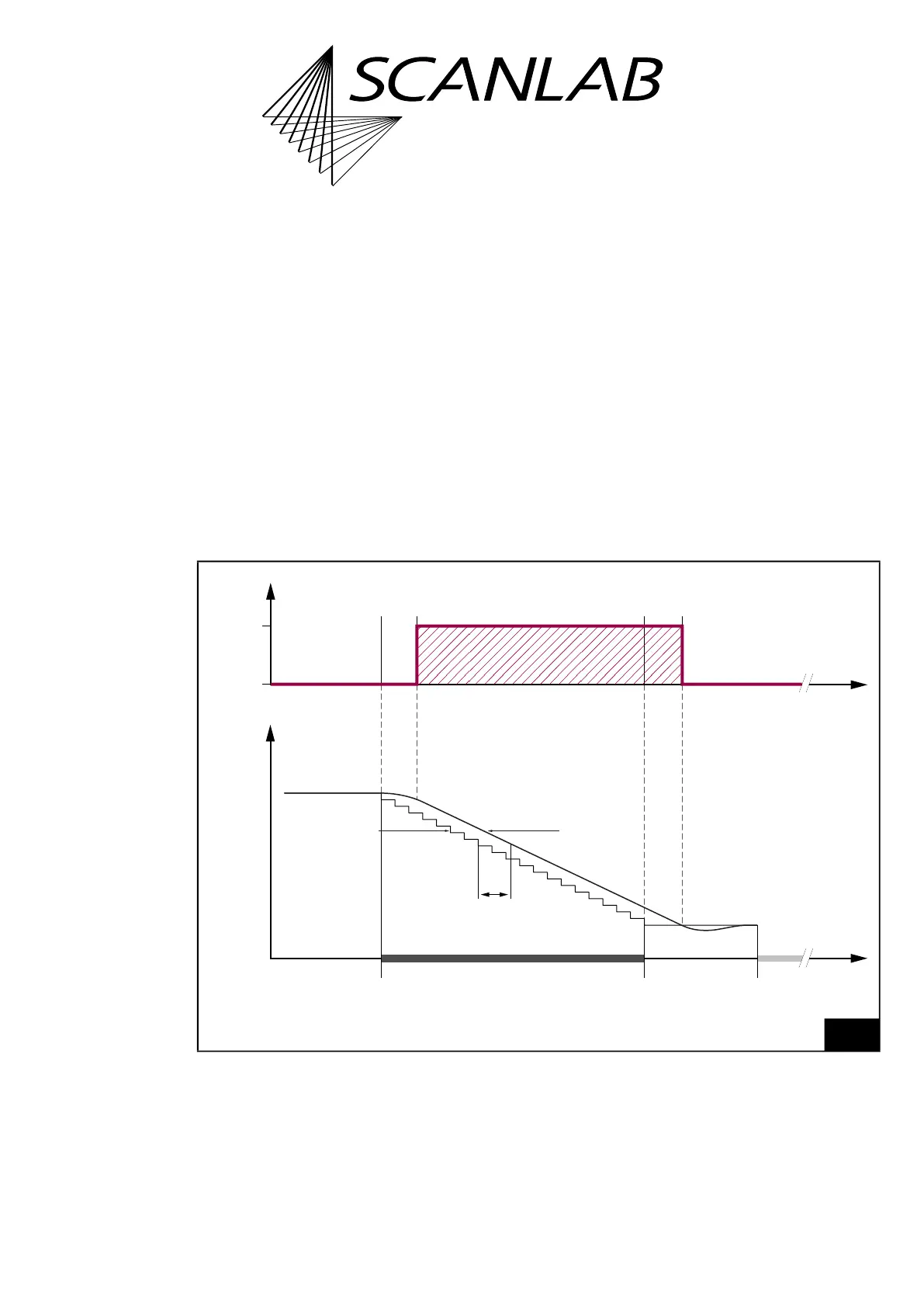
A typical course for a single Mark Command with the
and the belonging Laser Delays is shown in Figure 37.
The duration of the Mark Delay should suit the
dynamic properties of the scan head (Tracking Error,
tuning) and the mark speed set.
(1)
Notes
• If no further Mark Command follows a
Mark Command, a Mark Delay is inserted
automatically and the laser is switched off after a
LaserOff Delay.
• If a further Mark Command follows a
Mark Command (= ”Polyline”), a (variable)
Polygon Delay is inserted and the laser remains
switched on, see Section ”Variable
Polygon Delays”, page 151.
• Short list commands do not lead to insertion of a
Mark Delay or Polygon Delay and not to a laser
switch off.
• Note that a Mark Command of length 0
corresponds to a list_continue, if it is not timed,
see Chapter 8.9 ”Timed Commands”, page 274.
(1) About the interaction of Laser Delays and
Scanner Delays in DSP mode < 3 (see set_dsp_mode),
see Section ”Automatic Delay Adjustments”, page 155.
37
Scan head control and laser control timing during a Mark Command or “Arc” Command with a Mark Delay.
The laser is on in the hachured period.
…
Position
0
1
Laser
Time
Mark command Mark delay
Tracking
error
Real PositionSet Position
Time
LaserOff
Delay
LaserOn
Delay
Jump
command
etc.



 To Next Page