RTC6 boards
Doc. Rev. 1.0.21 en-US
4 RTC6 PCIe Board – Layout and Interfaces
66
4.3 Interface to the PC
The interface to the PC is the PCIe-x-1 connector of
the RTC6 PCIe Board, see Figure 5.
The RTC6 PCIe Board can be installed into any
Windows PC with a PCI-Express bus interface and at
least one free PCI-Express slot.
4.4 Master Socket Connector,
Slave Socket Connector
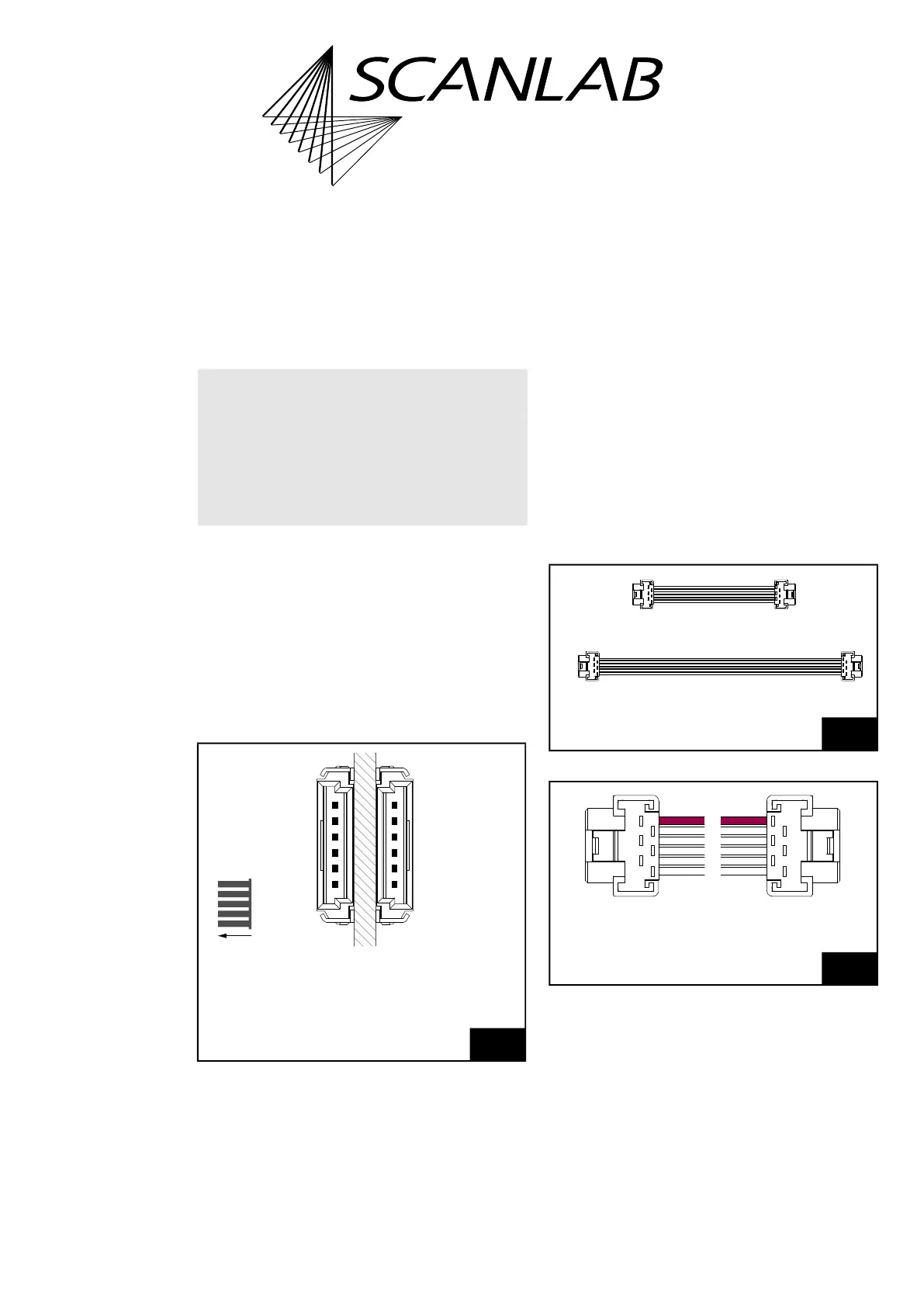
The Slave socket connector as well as the Master
socket connector have 6 pins, see Figure 7. The Slave
socket connector is located on the upper side of the
RTC6 PCIe Board, see Figure 5. The Master
socket connector is located on the lower side, see
Figure 6
(1)
.
Purpose of the both socket connectors is to make a
clock cycle synchronization of several RTC6 Ethernet
Boards possible. Then they must be connected
pairwise with each other by the Master and Slave
socket connectors. Always connect a Master
connector of a board to the Slave connector of
another board by a suitable cable (available from
SCANLAB, see Figure 8). The necessary information
for assembling your own cables is shown in Figure 9.
Interconnected RTC6 PCIe Boards should
(recommended) be plugged into adjacent PCIe slots.
Important: In order to use the master/slave
functionality, see prerequisites in Chapter 6.6.3
”Master/Slave Operation”, page 124.
See also Chapter 9.3.1 ”Starting and Stopping Lists
by External Control Signals and Master/Slave
Synchronization”, page 289.
Notes
• With master_slave_config the master/slave
interface properties can be configured
individually for each RTC6 board.
Notice!
• The RTC6 PCIe Board does not support power-
saving modes that switch off power to the PCIe
bus. Accordingly, you must disable standby or
sleep modes of the operating system. See also
Section ”Notes”, page 37.
(1) Vice versa with RTC6 Ethernet Boards.
7
Master socket connector and Slave socket connector.
The pitch of the pins is 1.27 mm.
Slave
(on upper side
of board =
Master
(on lower side
of board)
Manufacurer: ERNI.
Artikle number: 214013 (2×).
side with
cooling element)
8
SCANLAB Master/Slave connecting cable.
9
Cable to connect the Master socket connector and Slave
socket connector: requirements. Keep length as short as
possible!
#117241 l = 50 mm
#141553 l = 100 mm
(04)
(05)
(06)
(01)
(02)
(03)
Wire
Pin
(03)
(02)
(01)
(06)
(05)
(04)
Pin
MiniBridge 1.27 mm (female) connector (2×),
Flat ribbon cable 6× AWG26/7



 To Next Page