RTC6 boards
Doc. Rev. 1.0.21 en-US
8 Advanced Functions for Scan Head Control and Laser Control
233
For optimum marking results, the wobbel frequency
and mark speed must complement each other, see
Chapter 8.4.1 ”Wobbel Shapes – Important Notes on
Choosing Appropriate Parameter Values”, page 234.
For many welding applications, the default set of
“classic” wobbel shapes (circle, ellipse, sine, figure-8)
does not produce optimal results in the area of the
weld seam. For example, high-speed motion occurs
parallel to translation movements and low-speed
motion occurs in the opposing direction.
set_wobbel_vector lets you define a wobbel shape
customized for your user program, consisting of up
to 1023 piecewise linear sections, while also
specifying variation of laser power along that shape
(see also set_wobbel_control). By create_dat_file,
this “freely definable wobbel shape” is saved, see
comment on page 349.
However, set_wobbel_vector cannot be combined
with automatic or vector-based laser control.
The present wobbel excursion from set_wobbel or
set_wobbel_mode can be recorded by
set_trigger/set_trigger4/set_trigger8 (signal 53).
The format of the data is
((transversal << 16) + longitudinal).
Example Code (C++)
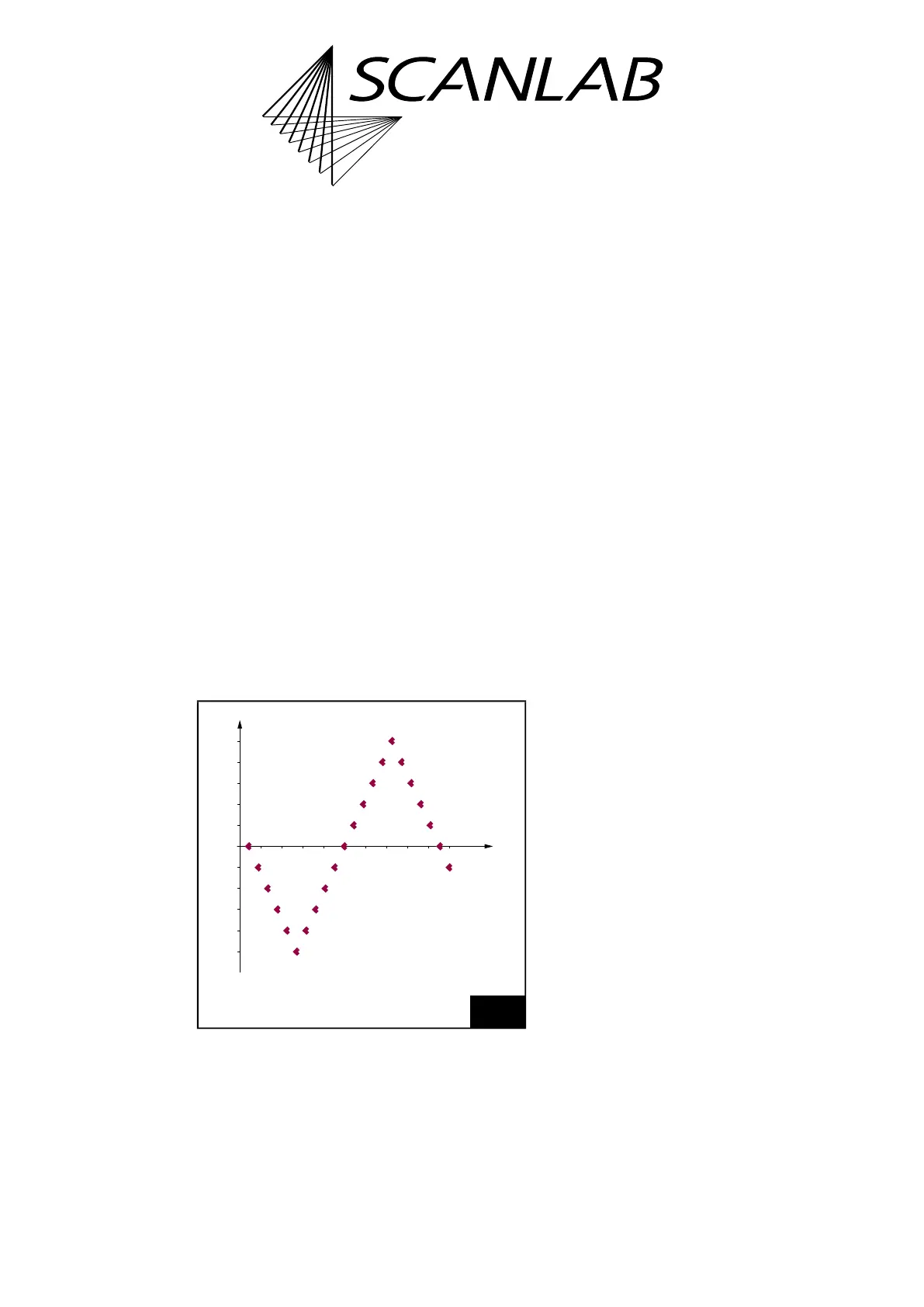
The following example C++ source code shows
a zigzag pattern, see Figure 63.
The code must be included in a user program, see
Chapter 6.2.5 ”Example Code (C)”, page 100.
// Zigzag pattern
// Transversal micro step
const double dTrans( 100.0 );
// Longitudinal micro step
const double dLong( 0.0 );
// Number of steps
const uint16 Period( 5 );
// Start a new wobbel shape
set_wobbel_vector( 0, 0, 0, 0);
// 1st wobbel vector
set_wobbel_vector( dTrans, dLong,
Period, 0.0 );
// 2nd wobbel vector
set_wobbel_vector( -dTrans, dLong,
Period * 2, 0.0 );
// 3rd wobbel vector
set_wobbel_vector( dTrans, dLong,
Period, 0.0 );
// if laser power variation is needed,
include here
// set_wobbel_control( Ctrl, Value,
MinValue, MaxValue );
// Activate freely definable wobbel shapes
set_wobbel_mode( 100, 0, 100, 2 );
// Mark a vector
timed_mark_rel( 1000, 0, 22*10 );
63
See Section ”Example Code (C++)”, page 233.
-400
-200
200
400
0
200 400 600 800 1000
x
y



 To Next Page