FERTILISER DISTRIBUTOR, REI
β
l TEEJET 5000 OPERATORS MANUAL
4.130
TON LEFT
The amount filled into the hopper must be encoded here; to be able to see how
much fertiliser is left in the hopper.
NOTE! If there is some fertiliser left in the hopper before refilling, then this
amount must be added to the amount filled thus:
Amount left in hopper + filled amount = Kg. Left.
HA LEFT
Encode the size of the field to be spread here. END TIME is calculated from this
encodement.
CALIBRATION
Particular attention must be paid to the calibration procedure, as this is the basis
for correct operation.
The amount is measured via a pulse generator mounted on the floor chain.
The system must be calibrated to ensure correct operation. There are 2 methods
available to find the calibration figure, an automatic method and a manual method.
AUTOMATIC CALIBRATION:
This calibration procedure is carried out at the same time as the normal spreader
calibration. The principle works by counting the number of pulses given from the
sensor during spreader calibration. When the calibration is finished the amount
released is weighed and encoded, the computer can now calculate the amount
released per pulse.
Procedure:
Prepare the spreader for calibration.
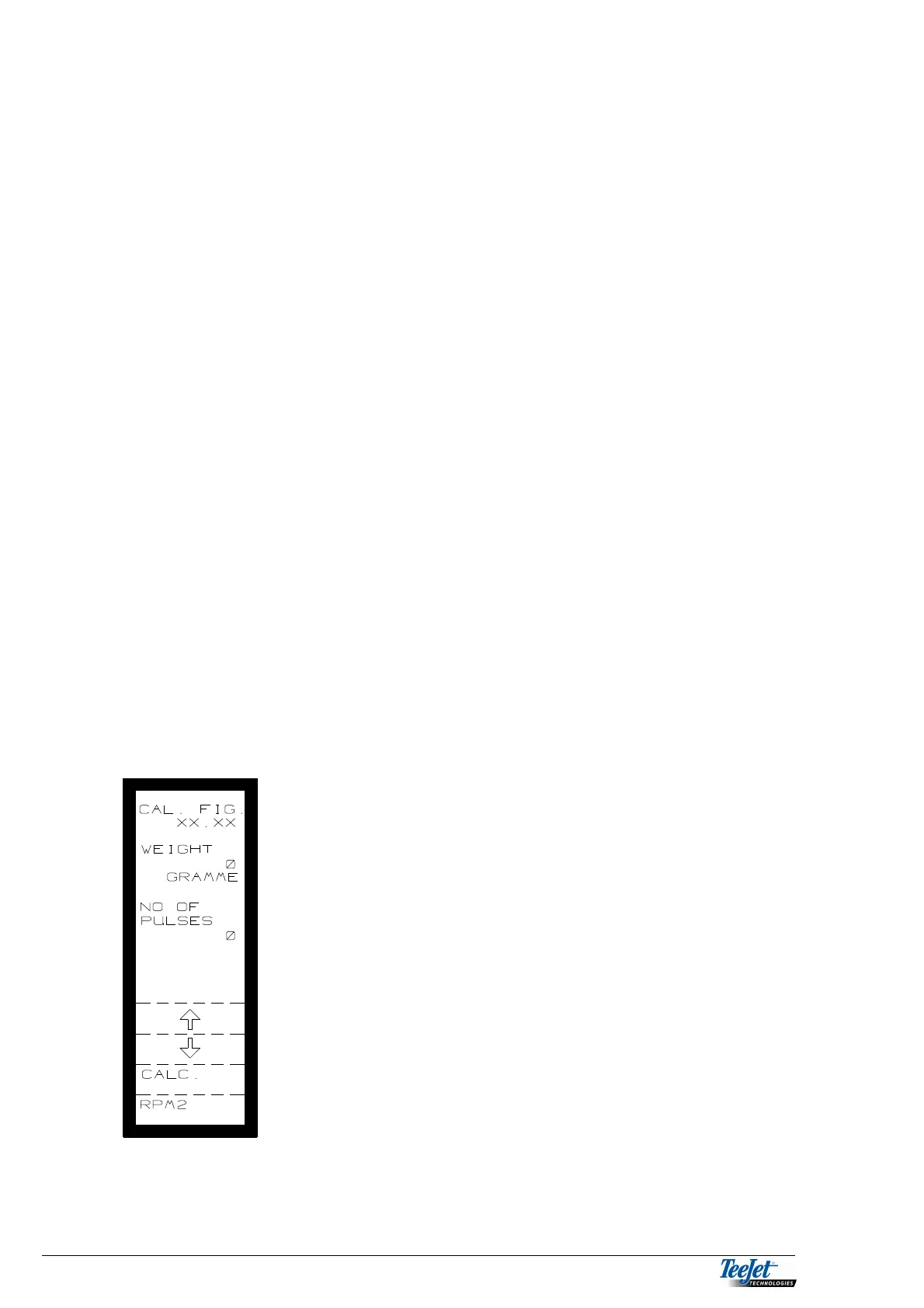
1. The picture to the left is displayed when CALIB.
PROCED. has been selected.
2. NO OF PULSES must be 0 before the calibration
procedure is continued. If the number is higher then
press the RETURN key and select CALIB. PROCED.
again.
3. Pressing the ”RPM 2” key allows you to adjust the
speed of the motor that drives the floor chain,
pressing the ”+” key increases the chain speed and
pressing ”-” reduces the chain speed. The speed of
the floor chain is displayed.
4. Set the chain speed to 0 using the “-“ key when a
suitable amount has been released and press “OK”.
Move the cursor to WEIGHT and encoded the
amount released using the numerical keys.
NOTE! The pulse counter must have counted a
number of pulses.
5. Press the flashing “CALC.” Key and the calibration
procedure is finished. The CAL. FIG., which is
displayed at the top of the screen, can be noted.



 To Next Page