SLURRY SPREADER, HORSCH TEEJET 5000 OPERATORS MANUAL
7.38
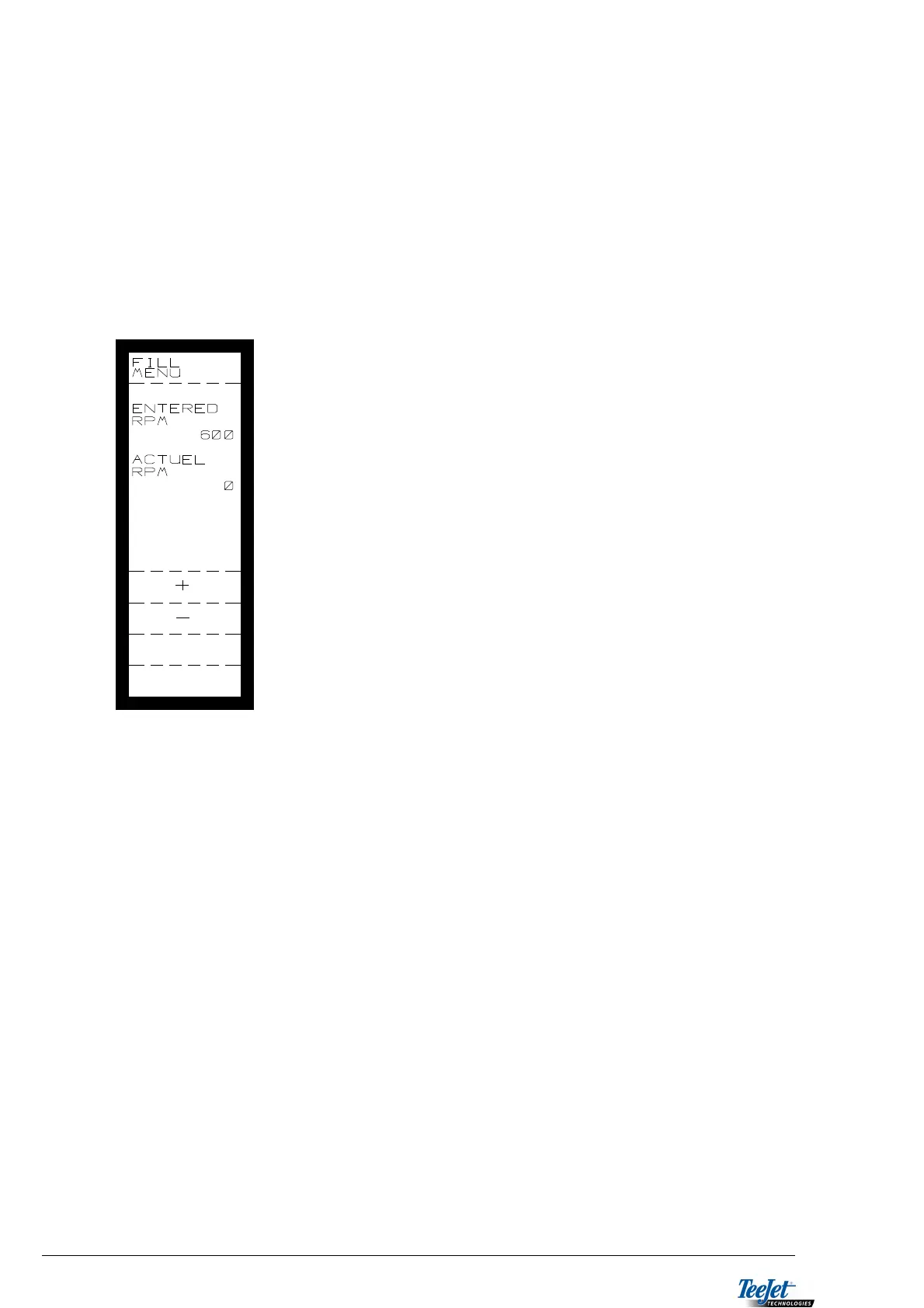
FILL MENU
Before the slurry spreader is used a PWM calibration of the proportional
valve MUST be carried out. This PWM calibration is normally carried out by
the engineer when fitting the system to the slurry spreader. The procedure
for this calibration is described in the PWM section under ENCODE.
It is possible to use a fixed displacement pump for filling the slurry spreader. When
the fill signal and the implement signals are active the pump will run at a pre-
encoded speed.
1. Set the spreader to fill.
2. Press the ”+” and ”-” keys to adjust the required
pump speed.
3. The pump speed will change and the actual RPM is
displayed.
4. When the required pump speed has been reached
press the ”RETURN” key.
REG. BREAK
This menu allows for selection between regulation stop ACTIVE or regulation stop
INACTIVE by the implement sensor.
If INACTIVE is selected, the slurry will run via the return to the tank, but the pump
will still regulate. When spreading recommences the application rate will be
correct, as the pump was regulating whilst the implement sensor was activ, i.e.
turning.
If INACTIVE is selected, the pump must alter speed (application rate) from 0 each
time the implement sensor has been activated. The pump will not regulate whilst
turning.



 To Next Page