SLURRY SPREADER, ZUNHAMMER TEEJET 5000 OPERATORS MANUAL
7.48
TANK VOLUME
Encode the effective size of the tank here.
Check, if possible, by weighing a few loads to establish the effective TANK
VOLUME.
FILLED VOLUME
Encode the amount filled into the tank if FX. the tank is only filled half way up.
Needs only to be encoded if the amount filled differs from the TANK VOLUME.
Remember! Encode the amount filled before leaving encode.
HA LEFT
Encode the size of the field to be spread here. END TIME, is calculated from this
encodement.
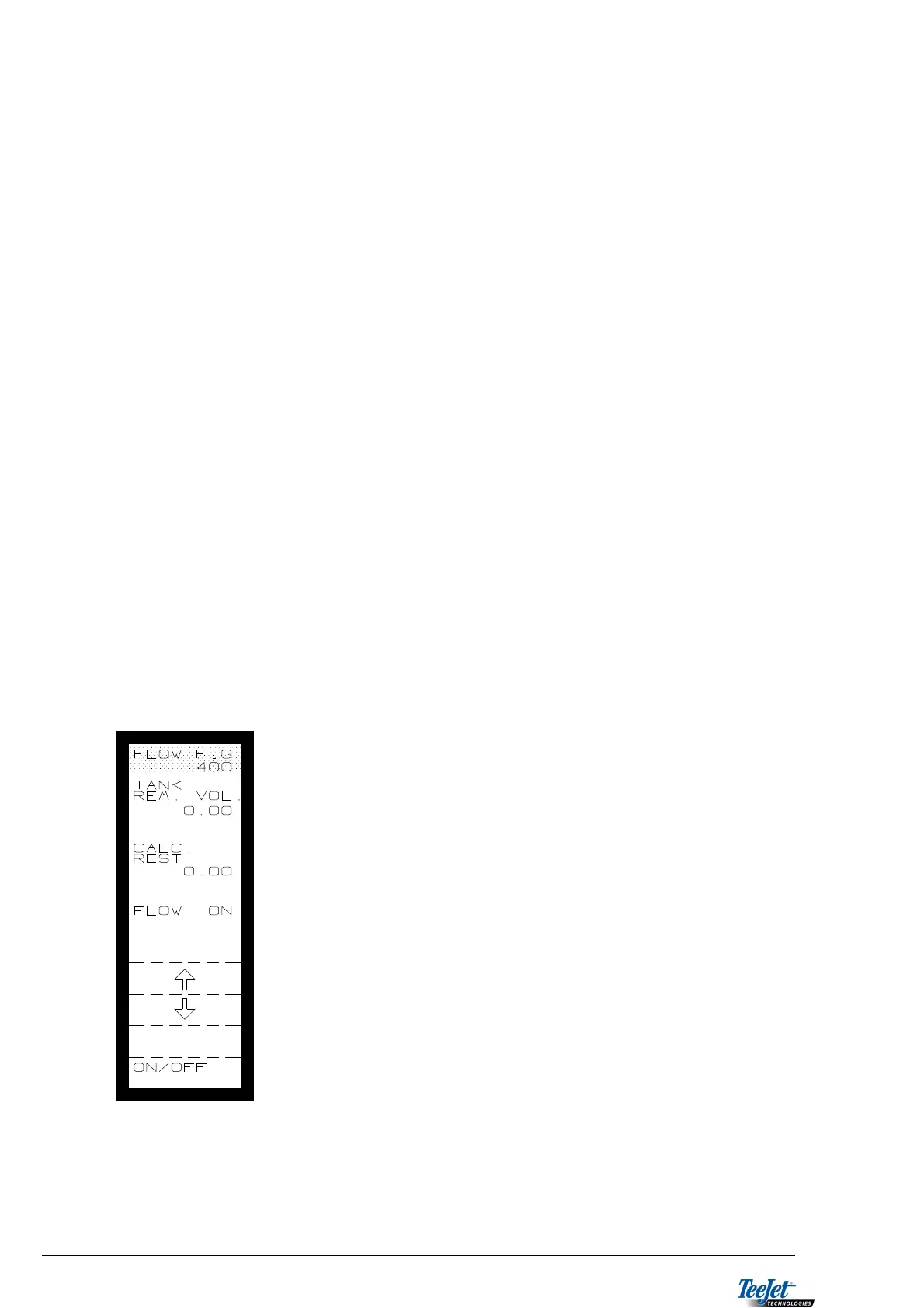
FLOW FIGURE
FLOW ON/OFF:
Without flowmeter: Set flow to OFF and the application rate is calculated after
each load.
With flowmeter: Set to ON and the flowmeter must be calibrated.
CALIBRATION: NOTE: Encode a “start value” of 500.
Automatic calibration:
1. Fill the slurry spreader to the top, so that you know
the exact amount.
2. Encode the amount in “FILLED VOLUME”.
3. Empty the tank completely, but be sure to stop
emptying as soon as the tank is empty, as air going
through the flowmeter can cause false readings.
4. Encode 0.00 using the numerical keypad under
“TANK REM. VOL.
5. Press the flashing “CALC. FLOW” key.
6. The flow figure is calculated.
NOTE: Greater accuracy can be achieved by
weighing the loads. A new flow figure is
calculated each time “CALC. FLOW” is
pressed.



 To Next Page