TEEJET 5000 OPERATORS MANUAL FERTILISER DISTRIBUTOR, BREDAL
4.37
BREDAL FERTILISER DISTRIBUTOR
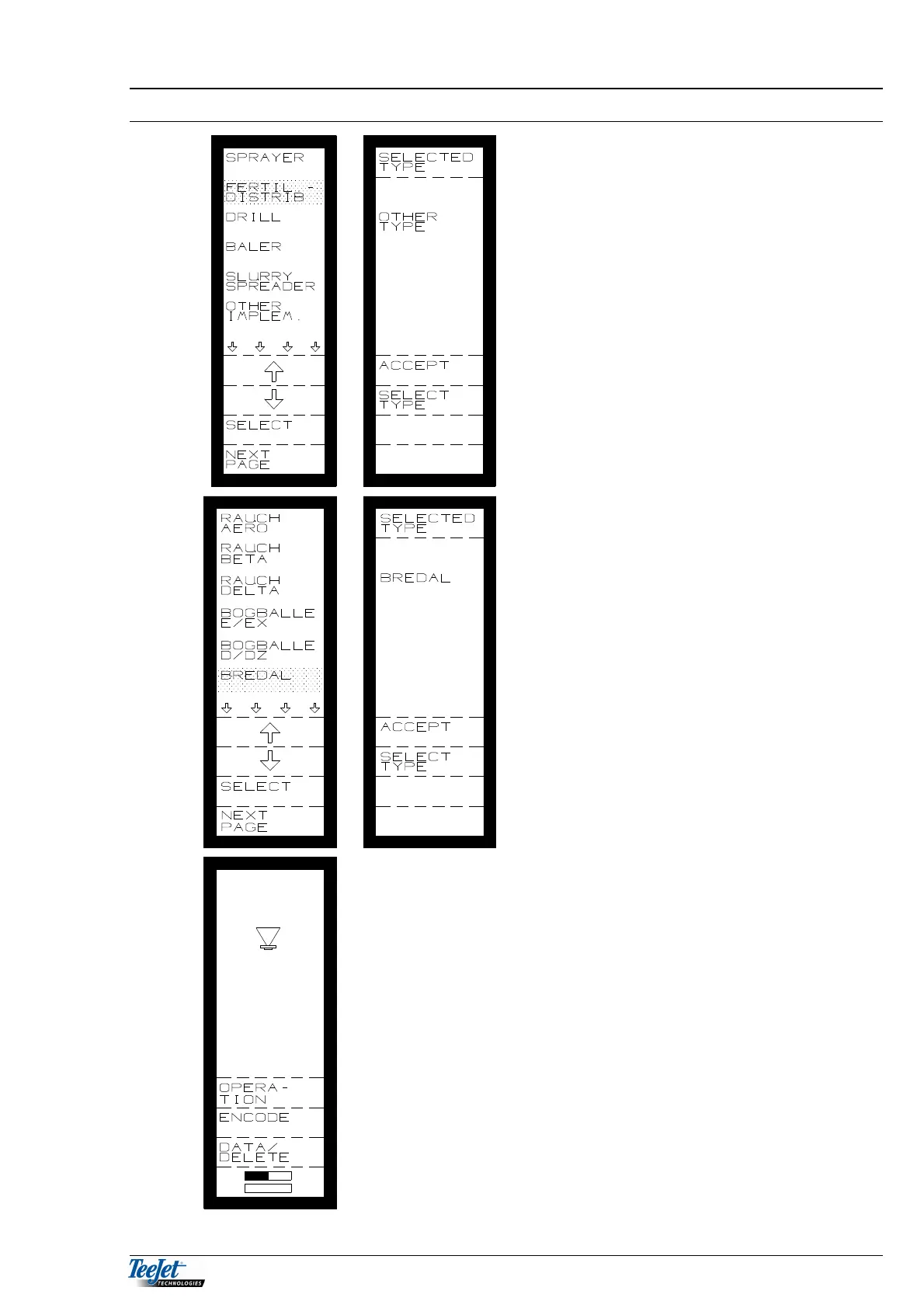
Select fertiliser distributor from the main
menu as follows:
1. Move the cursor, using the arrow keys,
to “FERTIL. DISTRIB.” Press the
“SELECT” key.
2. Main menu
– select fertiliser distributor.
3. “ACCEPT” or “SELECT TYPE”.
4. Select type.
5. It is now possible to choose between
the displayed types.
6. Select fertiliser distributor type.
7. Accept type
It is now possible to select between the
following functions:
OPERATION
ENCODE
DATA/DELETE
TASK OPERATION.
TASK OPERATION is described in
General Functions (section 2) together with
the functions that are available in all of the
programs (area, time & tractor functions)
all of the other functions will be described
one by one.



 To Next Page