TEEJET 5000 OPERATORS MANUAL SPRAYER
3.9
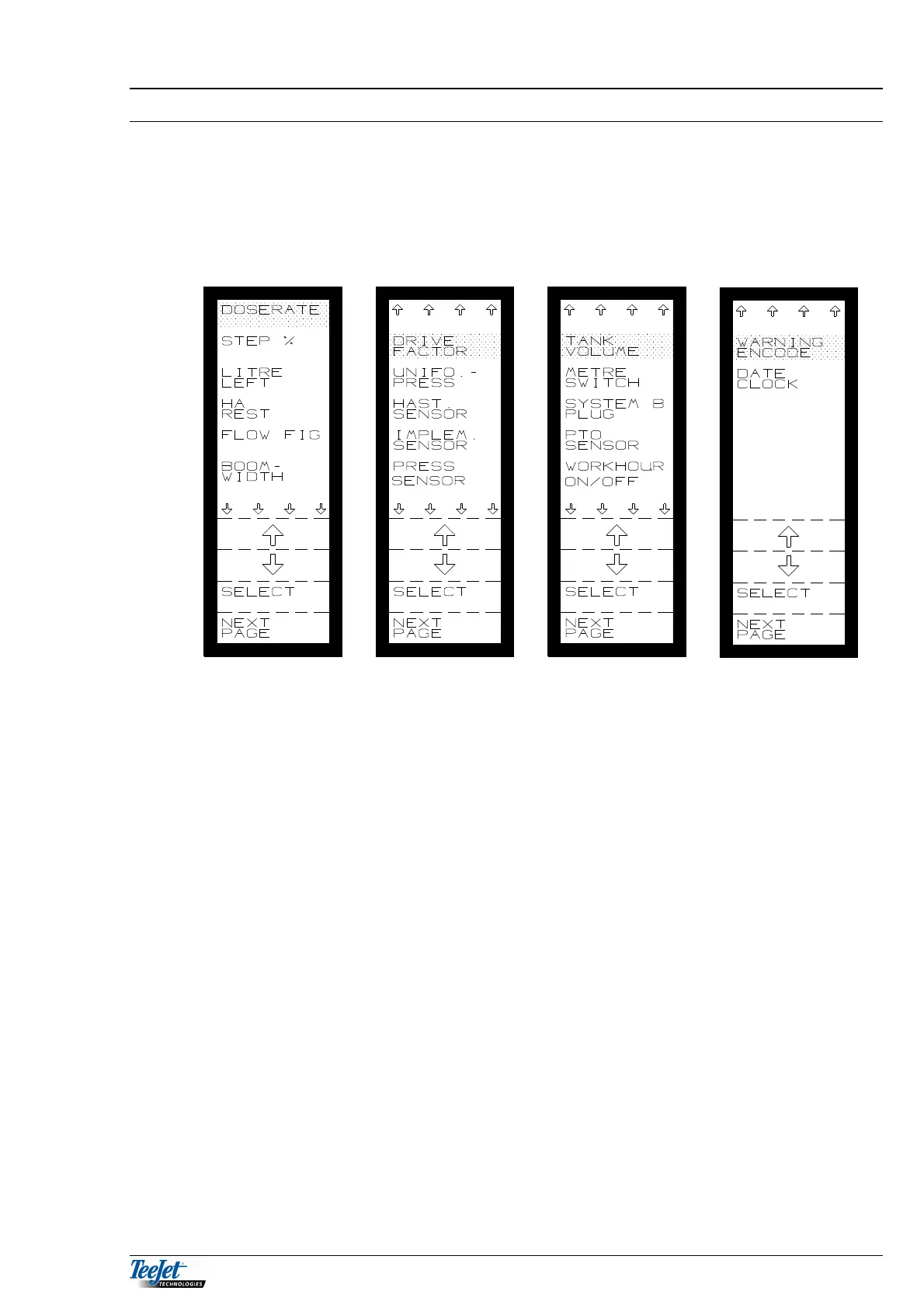
SPRAYER ENCODE
This menu allows the operator to encode the various settings that are necessary
for spraying. Each implement has it’s own set of encodements. Encodements such
as speed sensor (and its calibration) have their own values under each implement.
Always check these encodements in the status screen each time you change
implements.
DOSERATE
Encode the required application rate here if automatic rate control equipment is
fitted to the sprayer, or if you want an alarm to sound with incorrect application
rates. The application rate is encoded in whole litres per hectare. The maximum
application rate that can be encoded is 9999 l/ha.
NOTE: The required application rate can also be encoded in the “SPRAYER
OPERATION” screen.
STEP%
Encode the size of the steps for the “STEP” function. This % value is the same for
both + and -. The maximum step size is 99%.
LITRE LEFT
To see how much is left in the tank, the amount filled must be encoded here.
If there is some liquid left in the tank before filling, then this amount must be added
to the amount filled thus:
Amount left in tank + filled amount = Litre left.
NOTE: LITRE LEFT is calculated automatically if a filling flowmeter is fitted.



 To Next Page