TEEJET 5000 OPERATORS MANUAL SPRAYER
3.3
SPRAYER (OTHER TYPE)
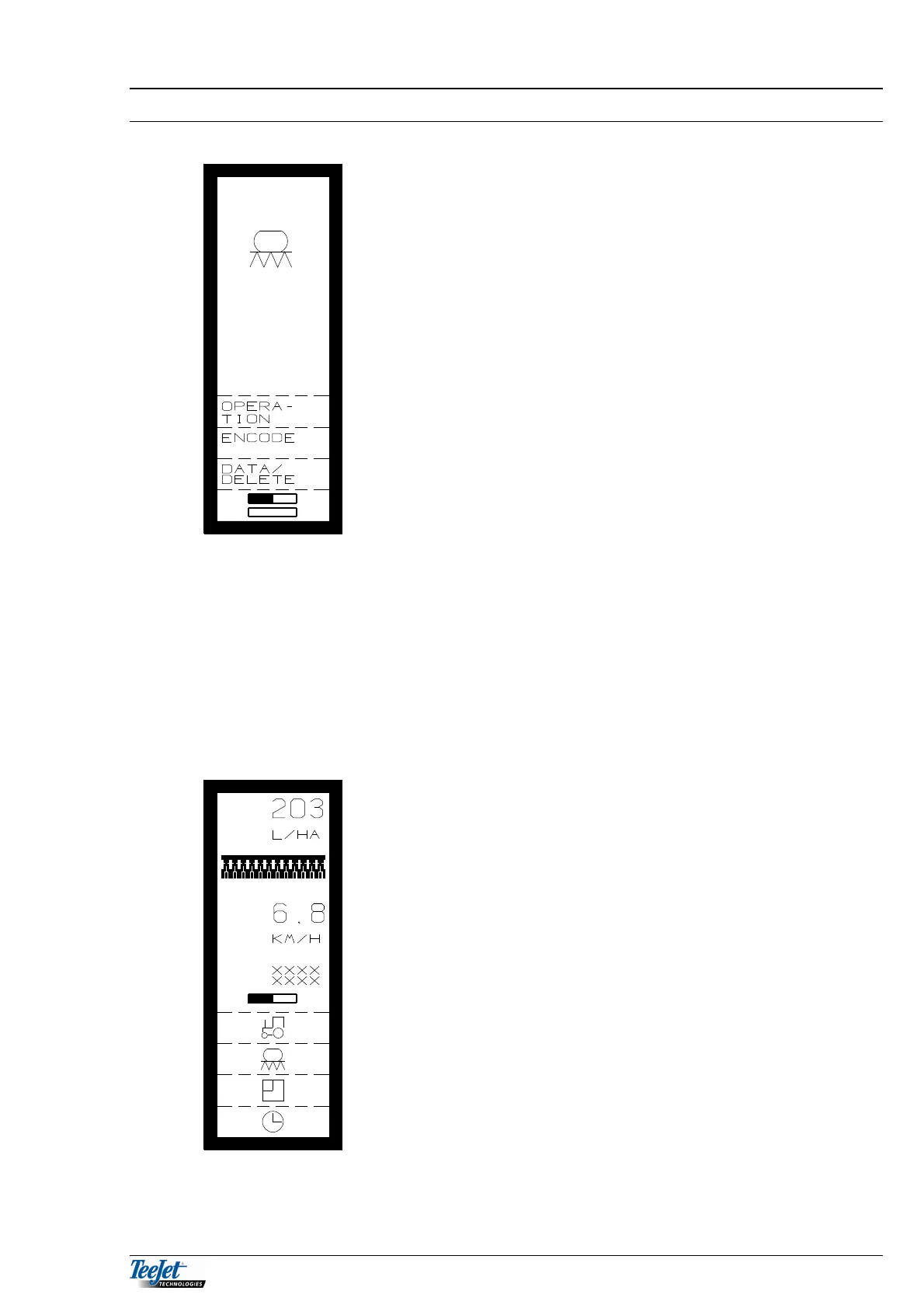
It is now possible to select between the following
functions:
OPERATION
ENCODE
DATA/DELETE
TASK OPERATION
TASK OPERATION is described in General Functions (section 2) together with the
functions that are available in all of the programs (area, time & tractor functions) all
of the other functions will be described one by one.
SPRAYER OPERATION
Once the 2 status screens, that show all the encodements, have been accepted,
the following is displayed:
APPLICATION RATE:
The primary function under sprayer is application.
The application rate is shown in litres per hectare
based on the flow through the flow meter and the area
meter (speed and working width). So driving forward or
speed simulation and flow through the flow meter is
necessary to get a reading.
NB: The correct flow figure, forward speed calibration
and the correct working width are important to
gain the correct application rate.
FORWARD SPEED:
The forward speed is displayed with 1 decimal.
Forward speed is calculated from the signal from the
speed sensor selected in encode (wheel tractor, wheel
sprayer or radar)



 To Next Page