DGPS TEEJET 5000 OPERATORS MANUAL
9.8
TASK MODE
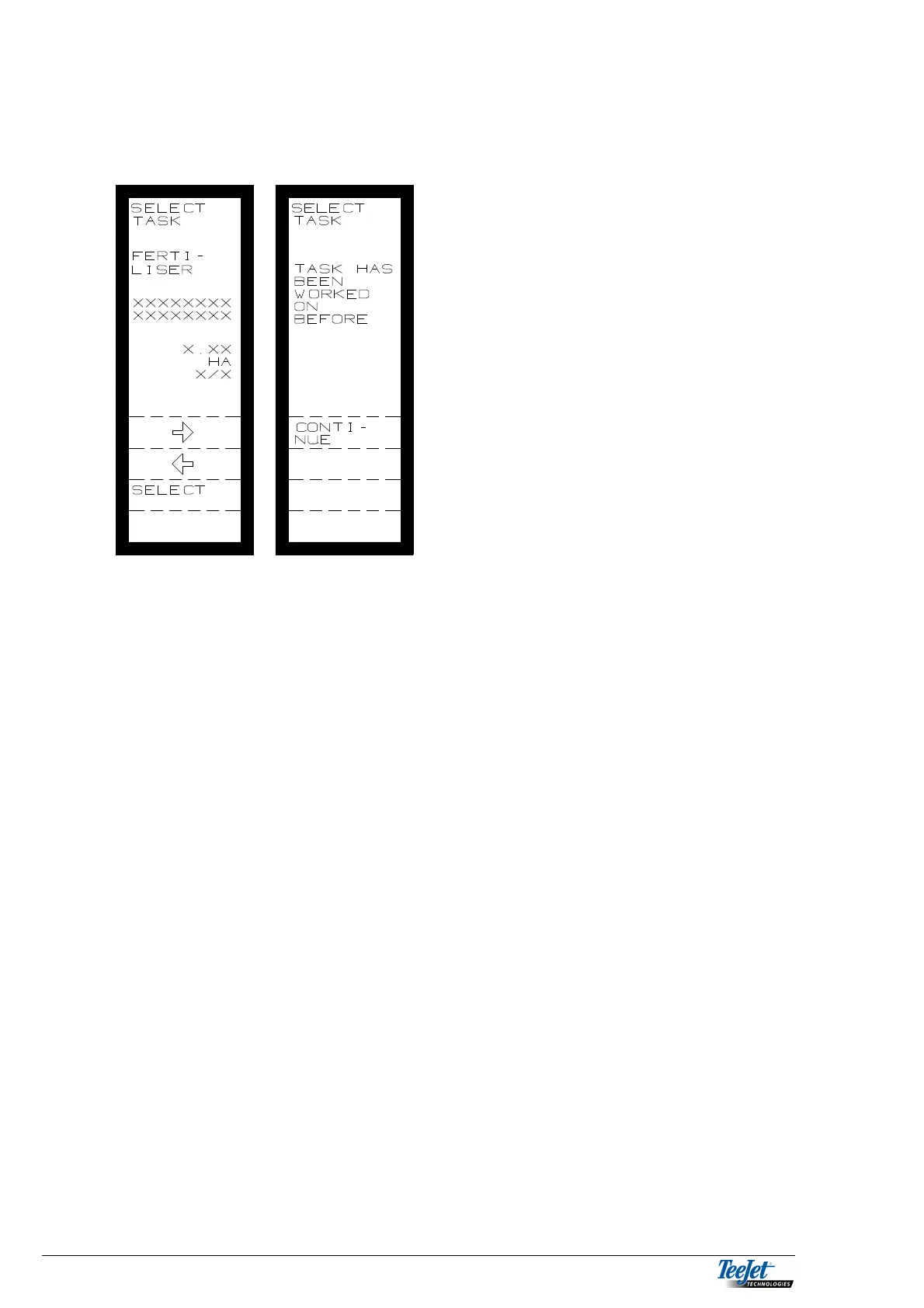
Select TASK MODE from the main DGPS menu.
Select the task for the field to be worked. It
is possible to page through the tasks
available on the PCMCIA data card by
using the horizontal arrow keys.
The task shown is “FERTILISER”.
The task information is determined by the
PC program used to create the task
(application map) “XXXXXXXX”.
The area to be worked “XX.XX HA”
The task number out of the number of
available tasks “X/XX”.
If the task was been worked on before a
small asterisk is shown on the bottom left
hand side of the screen “*”.
Press “SELECT” when the correct task
has been chosen.
The TeeJet 5000 will notify the operator if
the task has been worked on before, it is
possible to continue with the task by
pressing the “CONTINUE” key or cancel
by pressing the “RETURN” key.
When a task has been selected the TeeJet
5000 will change to the normal operating
screen for the correct implement.
NOTE!
Two new function keys will appear in the operation screen for the
implement. One of the keys allows the operator to switch between
DGPS and manual application rate. The other key displays the
required application rate according to the present task
(application map).
If there is any doubt about whether the DGPS application is
correct or not, we recommend using MANUAL APPLICATION.
TEEJET 5000 DATALOG
When this function is selected, the TeeJet 5000 changes to the normal
TeeJet5000 implement selection screen. Operation of the computer is now as for a
standard TeeJet 5000 as described in each individual implement’s section in this
manual. In TeeJet 5000 DATALOG MODE all alterations to the application rate will
be recorded together with the position onto the PCMCIA card thus enabling the
user to create a map of what has actually happened in the field.



 To Next Page