TEEJET 5000 OPERATORS MANUAL SEED DRILL, NORSTEN
5.19
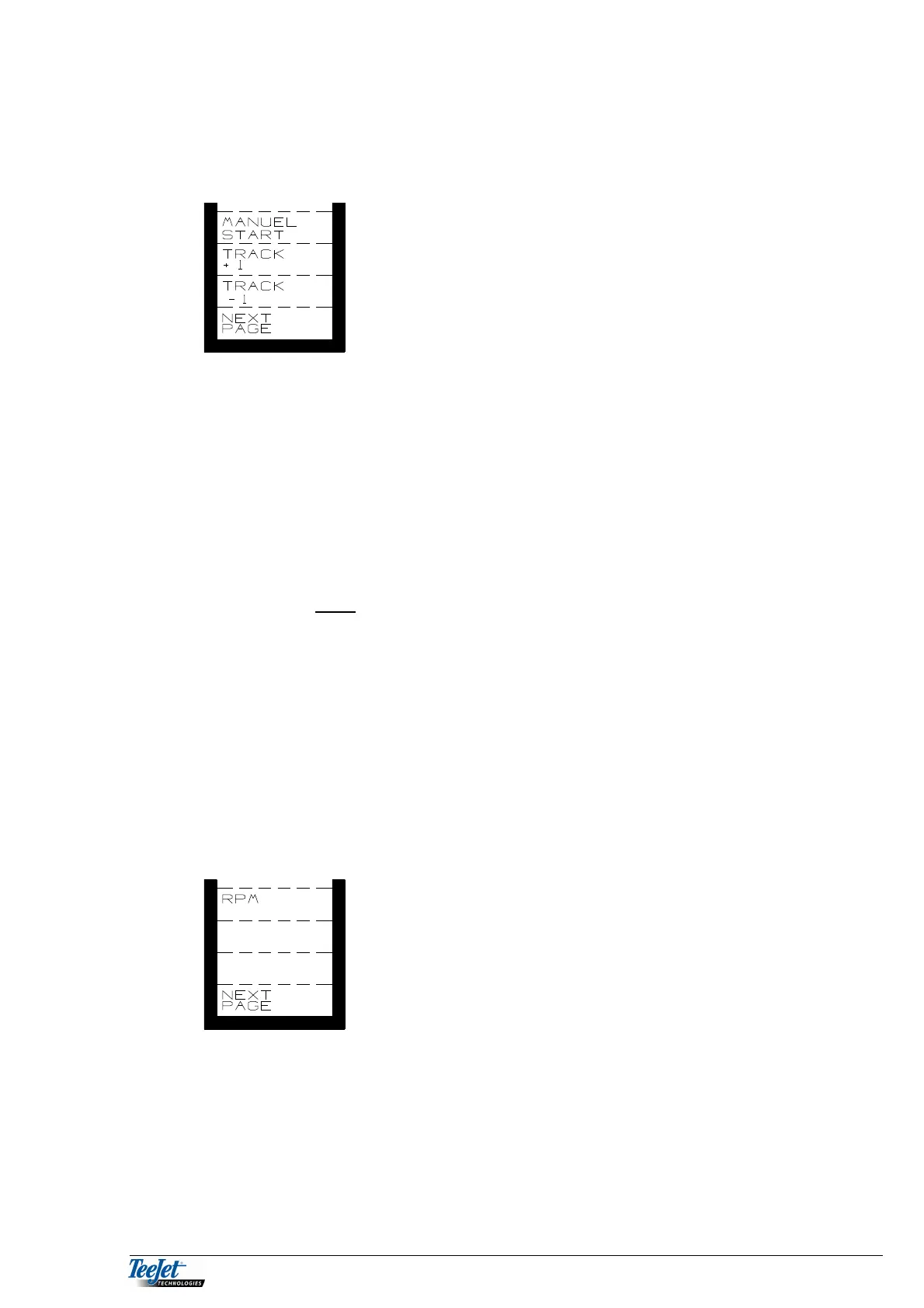
Pressing the “NEXT PAGE” key displays the next available functions:
MANUAL START/STOP
This function is used to start or stop the drill shaft motor
manually.
“MANUAL START” can only be used if the machine is
at a standstill. The display will change to “MANUAL
STOP” as soon as the computer receives a signal from
a forward speed sensor.
Manual start can be used in difficult conditions, i.e. corners, etc. and ensures total
coverage of the field. Pressing the key turns the drill shaft for a number of seconds
(each key press turns the drill shaft for the number of seconds encoded under
“ENCODE” max. 20 seconds).
Pressing the “MANUAL STOP” key stops the drill shaft from rotating instantly.
This function can be used on pneumatic seed drills where the seed route is so
long that the tubes are not empty before the drill is raised.
The seed drill must be raised each time “MANUAL STOP” has been used.
MANUAL TRACK ADJUSTMENT
TRACK+1: Moves one step forward in the tramline rhythm.
TRACK-1: Moves one step backwards in the tramline rhythm.
Pressing the “NEXT PAGE” key displays the next available functions:
RPM
NB: RPM is only displayed if it is selected under
“ENCODE” (pneumatic machines).
Displays RPM for the fan on pneumatic machines (if a sensor is fitted).
Pressing the “RETURN” key displays the menu for the selectable functions.



 To Next Page