TEEJET 5000 OPERATORS MANUAL SEED DRILL, SIMBA
5.71
KG LEFT
To see how much seed is left in the hopper, the amount filled into the seed drill
must be encoded here.
NOTE: If there is some seed left in the hopper before refilling, then this amount
must be added to the amount filled thus:
Amount left in hopper + filled amount = Kg. left.
HA LEFT
Encode the size of the field to be sown before work commences. This encodement
is also used to calculate end time.
TRACK NUMBER
Encode the tramline rhythm here.
Example: The working width of the seed drill is = 3 m.
The working width of the fertiliser spreader/sprayer is = 15 m.
Track number = 15/3 = 5.
The tramlining method to be used is also selected here (A & B). The methods are
described in the seed drill operation section.
SOW-FIGURE
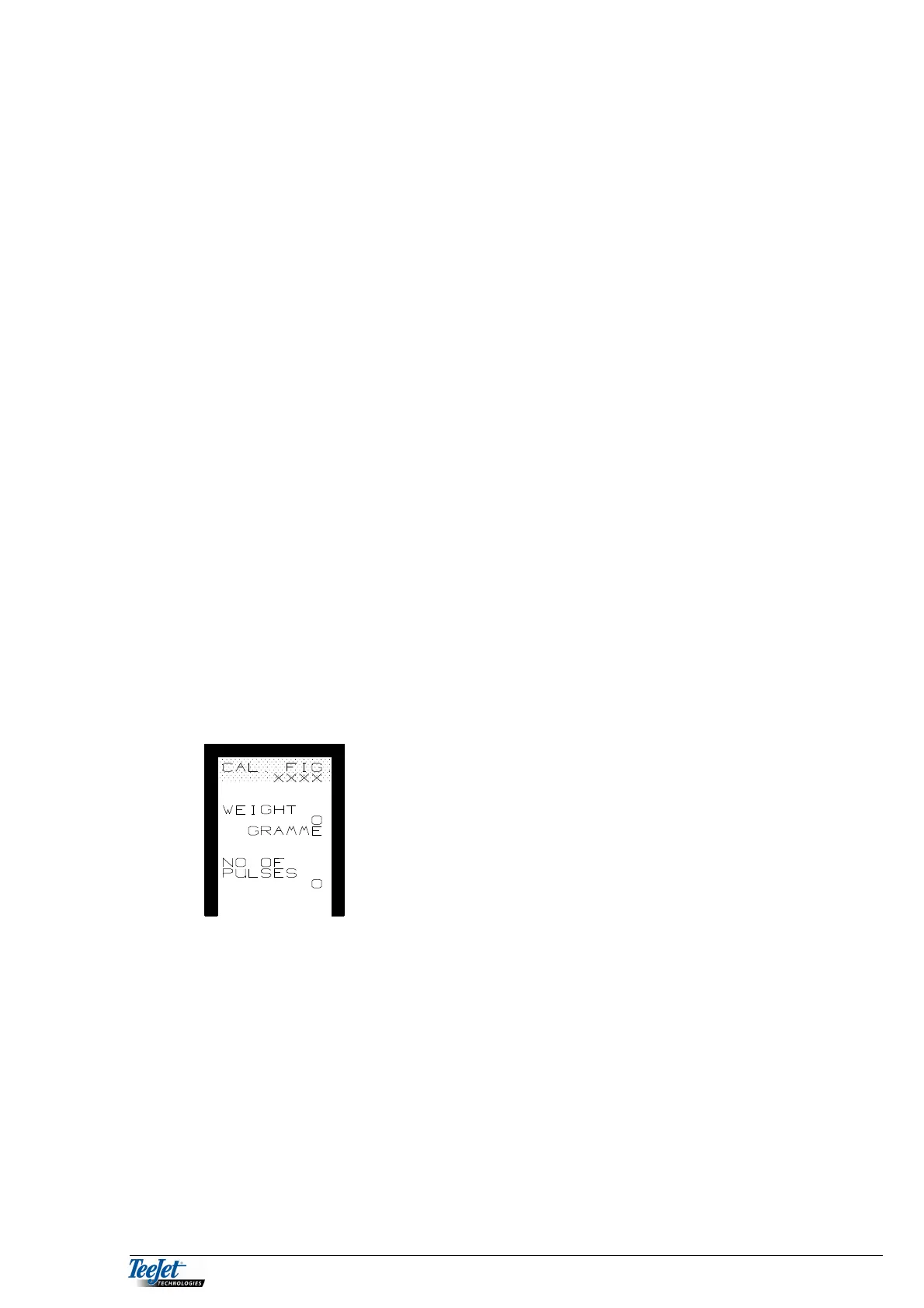
The seed drill must be ready for calibration before pressing this key (remember to
turn the drill shaft a few times to fill the feed rollers). Press the key and the
following is displayed.
NB: All counters used for calibration are zero set
when this screen is displayed. Never turn the
drill shaft until you are completely ready to
calibrate the drill. “NO. OF PULSES” must be
0 before starting calibration.
1. Select the “SOW-FIGURE” menu. If any pulses have been counted, press the
“RETURN” key and select ”SOW-FIGURE” again.
2. Turn the drill shaft as described in the calibration table for the seed drill.
3. When the manual calibration is finished, weigh the amount released.
4. Using the arrow down key move the cursor to “WEIGHT”, and encode the
weight of the released amount using the numerical keypad.
5. Press the flashing “CALC.” Key.
The computer divides the weight released by the number of pulses counted
and the calibration procedure is finished. The calculated value is displayed at
the top of the screen, note this figure if the computer is to be used with other
seed drills using other calibration figures. The value can be encoded directly
using the numerical keypad.



 To Next Page