TEEJET 5000 OPERATORS MANUAL SPRAYER
3.7
METRE START/METRE STOP
Manual start or stop of the metre counter. These function keys appear instead of
“METRE” when manual control of the metre counter is selected.
BOOM SECTION ON/OFF
The picture to the left shows a sprayer with 2 sections,
where one is open and one is closed. The total number
of boom sections is set under encode.
I
When the area override sensor is activated (not counting
area) “I” is displayed and all boom sections will
disappear.
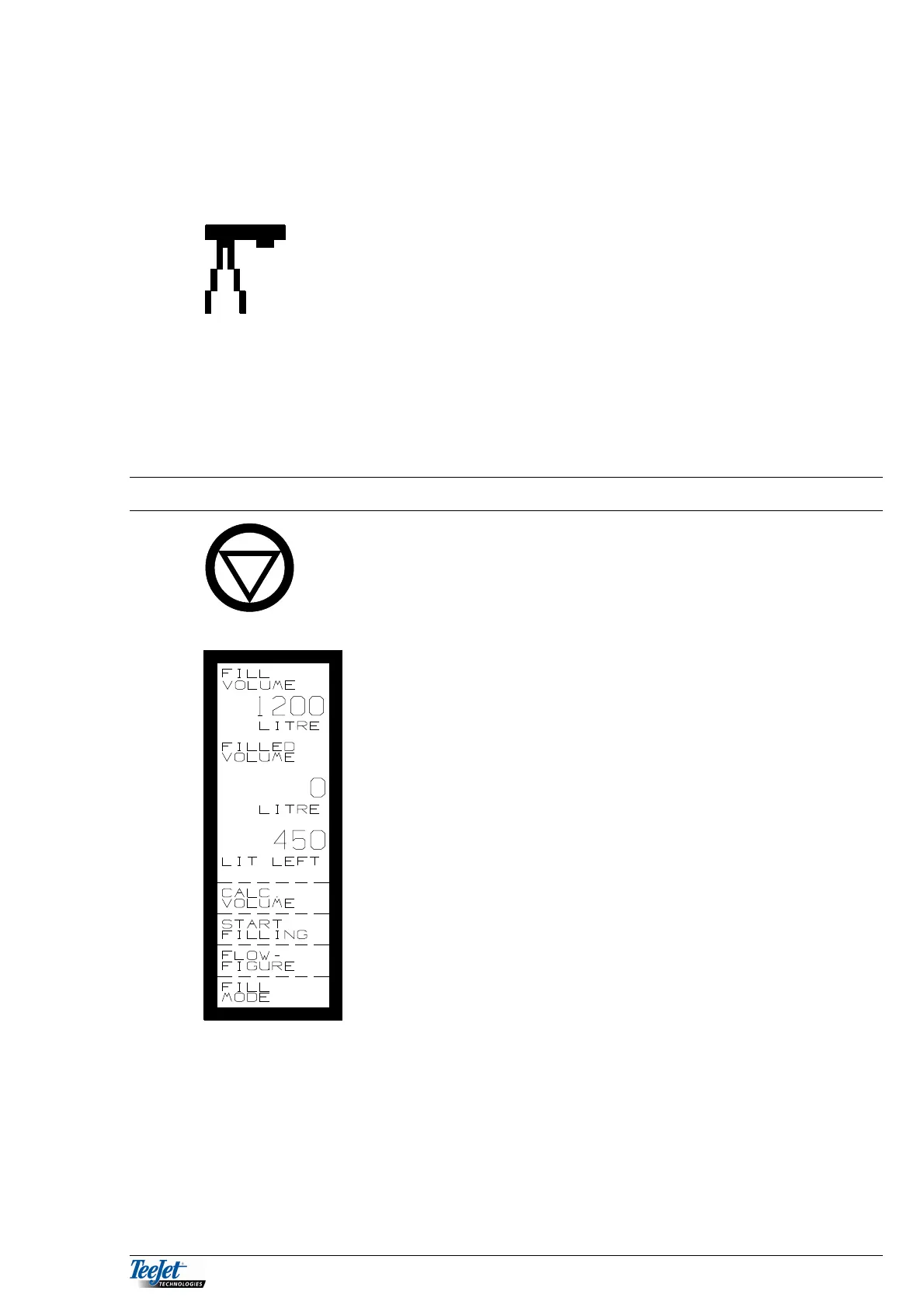
FILLING FUNCTION
Pressing the Hold key selects the filling function. The
amount to be filled in the sprayer can be seen.
FILL
VOLUME: The amount to be filled in to the sprayer,
calculated from LITRE LEFT, HA LEFT,
TANK VOLUME and the required
application rate.
FILLED
VOLUME: The amount metered by the flowmeter.
LITRE
LEFT: Calculated LITRE LEFT in the sprayer.
NOTE: If the calculated LITRE LEFT is not the
same as the actual amount left in the
sprayer, then the sprayer flowmeter should
be calibrated.
CALC.
VOLUME: Fill volume is calculated when this key is
pressed.
START
FILLING: Pressing this key starts filling and the
amount is metered through the filling
flowmeter.
FLOW
FIGURE: This value is the calibration figure for the
filling flowmeter. (Filling flowmeter)



 To Next Page