TEEJET 5000 OPERATORS MANUAL DGPS
9.7
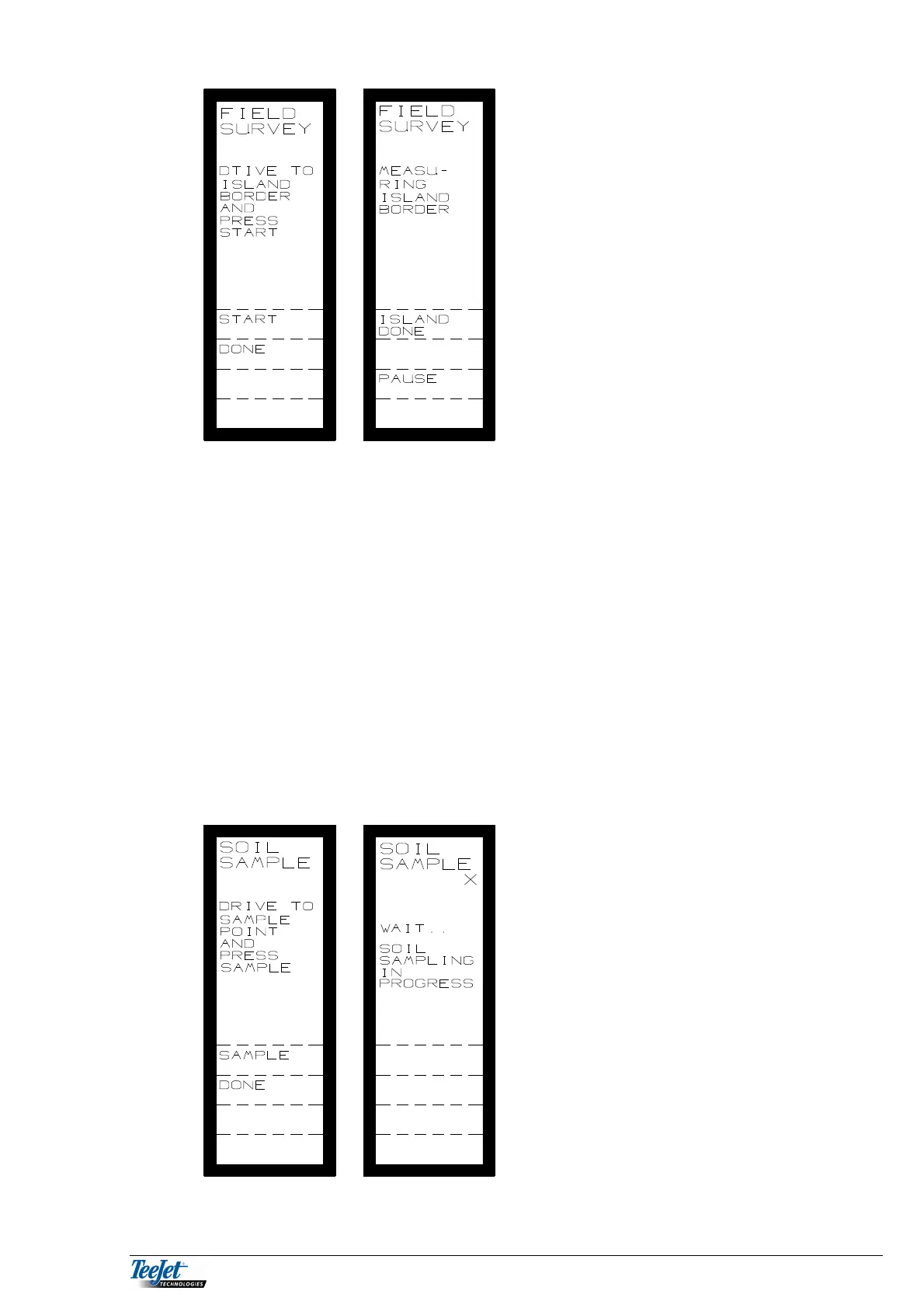
If island survey has been selected the
picture to the left will be displayed.
START: Start island measurement.
DONE: When there are no more
islands.
ISLAND
DONE: When the island is measured.
PAUSE: If a break in island
measurement is required.
START: Drive to the start of the island and press ”START”, drive
around the island.
DONE: If there are no more islands to be measured, press “DONE”.
ISLAND DONE: When the island is finished, press this key.
PAUSE: Pressing this key allows for a break in island measurement.
Drive back to the position that island measurement was
stopped before pressing “RE-START”.
It is possible to measure more islands by driving to the island boundary and
pressing the “START” key.
SOIL SAMPLING
Select SOIL SAMPLING from the main DGPS menu.
Select which field the samples are to be
taken from, the field number can be altered
using the numerical keypad. The picture to
the left is displayed.
Drive to the first sample point and press
“SAMPLE”.
After a short wait it is possible to drive to
the next sample point.
When no more samples are required press
the “ DONE” key.



 To Next Page