DGPS TEEJET 5000 OPERATORS MANUAL
9.6
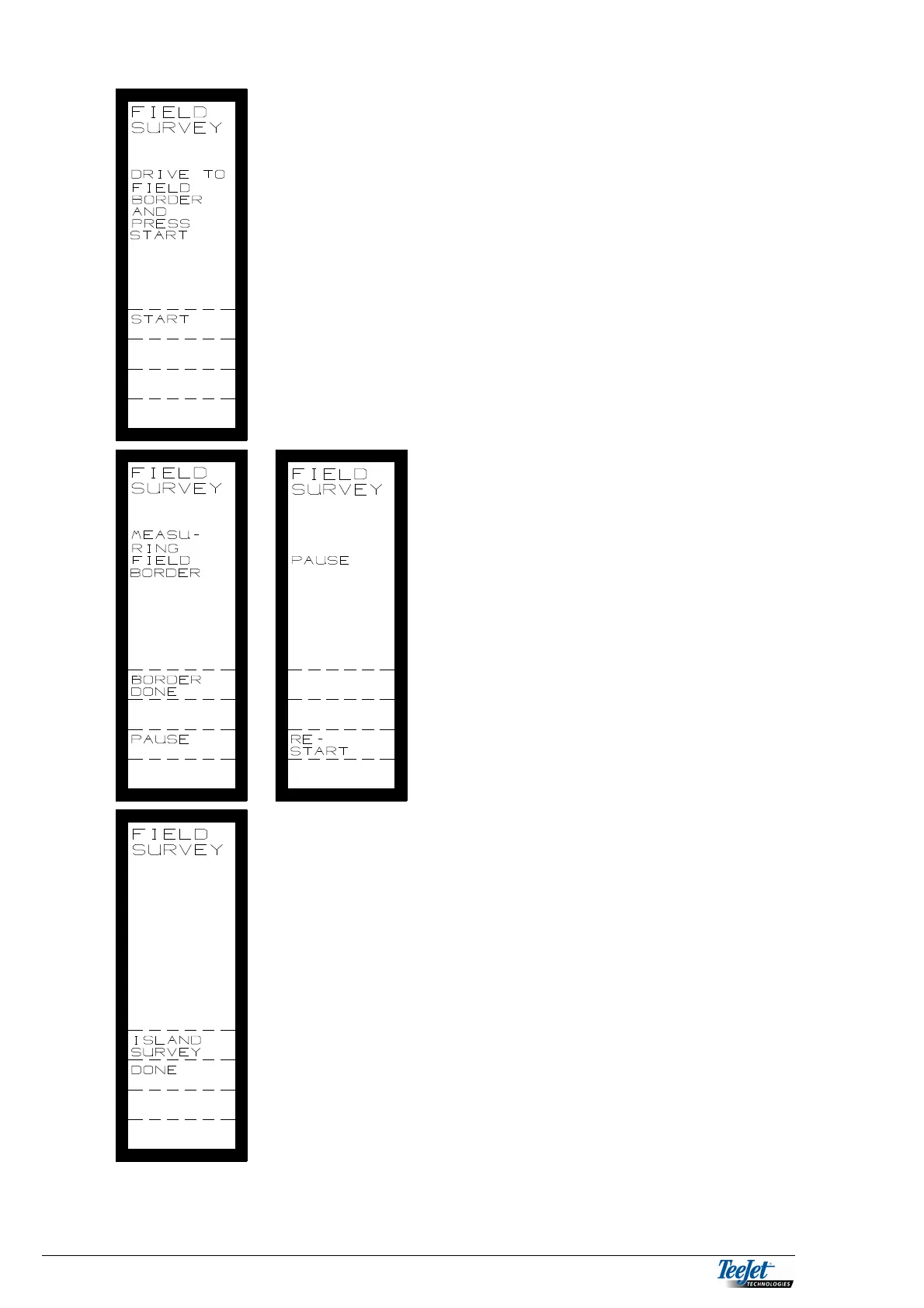
The picture to the left is displayed once the
field has been selected.
Drive to the field boundary start point and
press ”START”.
START: Start field boundary
measurement.
Drive around the field boundary.
Pressing the ”PAUSE” key allows for a
break in the field boundary measurement.
Pressing ”RE-START” resumes boundary
measurement.
When the boundary is finished, pressing
”BORDER DONE” displays the following
picture:
If there are any islands in the field, i.e. lime
pits, trees, etc. These can be measured
and added to the field survey.
ISLAND
SURVEY: Selects the island
measurement function. If there
are islands in the field then
pressing ”ISLAND SURVEY”
will display the island
measurement screen.
DONE: If there are no islands in the
filed, pressing ”DONE”
returns the screen to the main
DGPS menu.



 To Next Page