TEEJET 5000 OPERATORS MANUAL DGPS
9.5
DGPS FUNCTIONS
FIELD MEASUREMENT
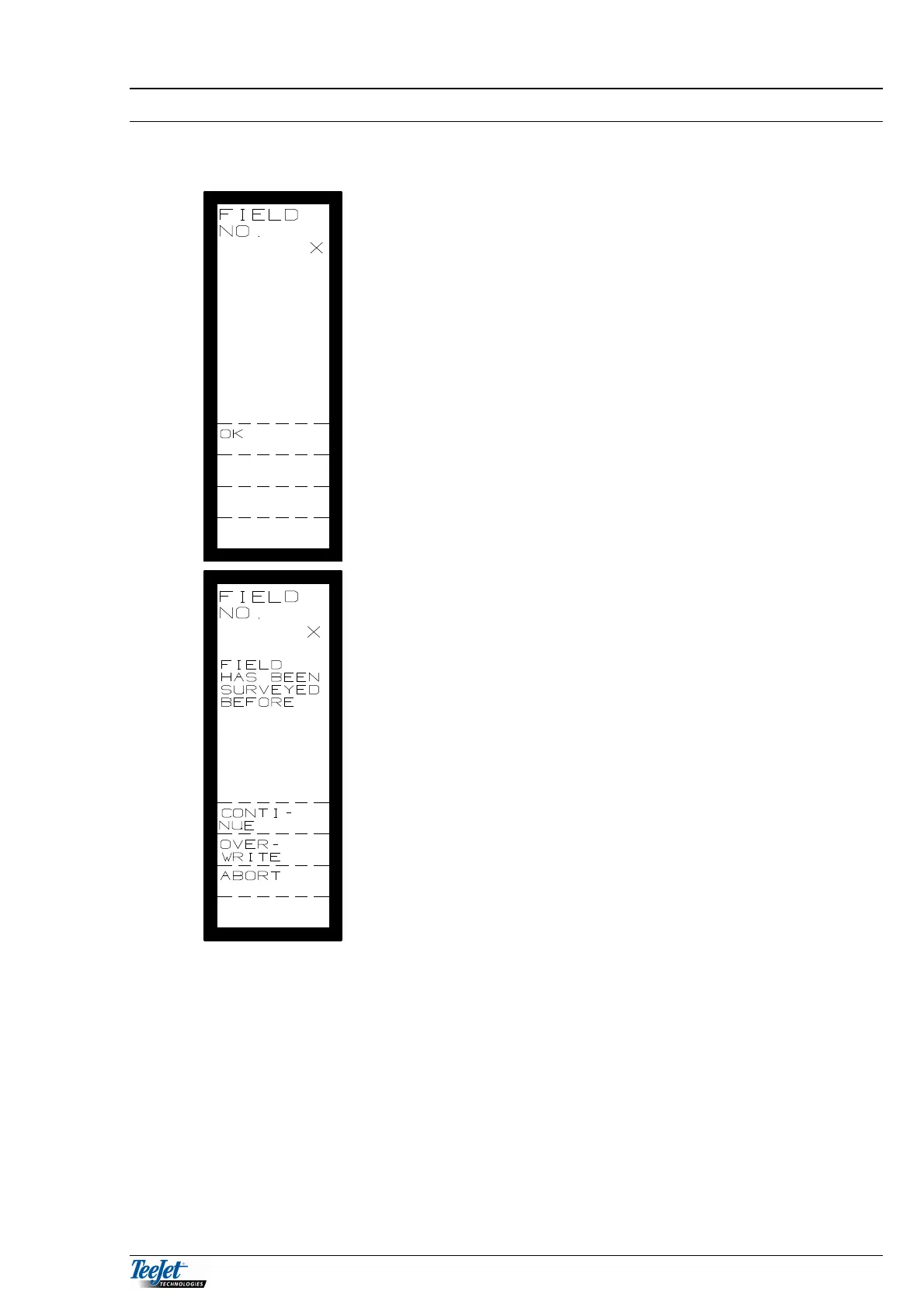
Select the field to be surveyed by entering
the field number using the numerical
keypad. Press “OK” thereafter.
The picture to the left is displayed if the field
has been measured before.
CONTINUE: Continue with the
previously surveyed field.
OVERWRITE: The existing field
measurements are
overwritten.
ABORT: Abort the present survey.
CONTINUE: Pressing this key continues the field survey.
OVERWRITE: Pressing this key overwrites the previously measured field
and starts the field from new.
ABORT: Pressing this key returns the screen to SELECT DGPS
FUNCTIONS.



 To Next Page