SEED DRILL, NORDSTEN TEEJET 5000 OPERATORS MANUAL
5.16
NORDSTEN ELECTRONIC SEED DRILL
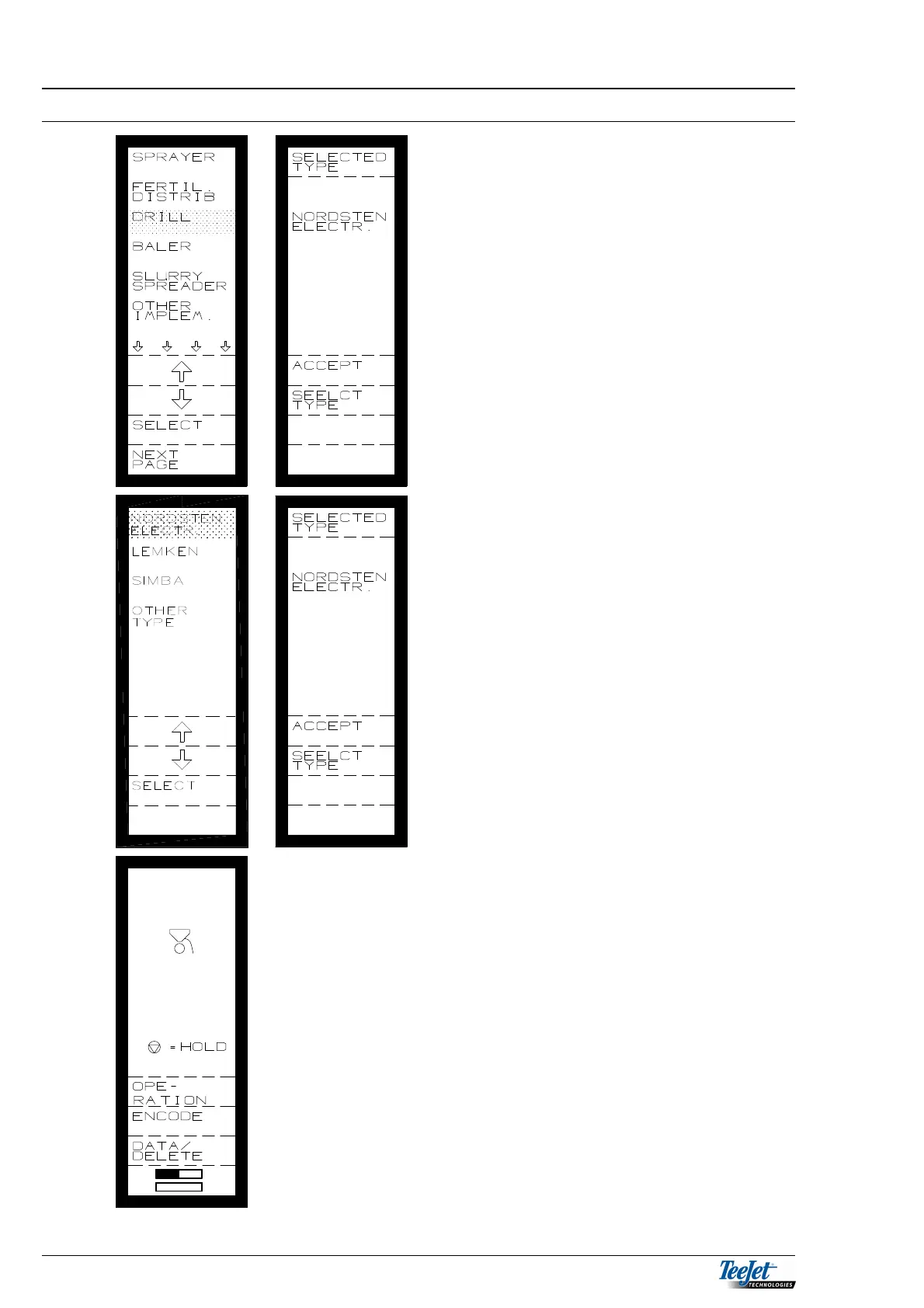
1. Select drill from the main menu:
2. Move the cursor using the arrow keys
to “DRILL” when this is done press the
“SELECT” key.
3. Main menu: Drill.
4. “ACCEPT” the selected type or choose
another type.
5. Select type.
6. It is now possible to choose between
the displayed types.
7. Select the drill type.
8. ACCEPT
NOTE: NORDSTEN ELECTR. Is only
for NORDSTEN drill with
electronic gearboxes.
It is now possible to select between the
following functions:
OPERATION
ENCODE
DATA/DELETE
TASK OPERATION.
TASK OPERATION is described in
General Functions (section 2) together with
the functions that are available in all of the
programs (area, time & tractor functions)
all of the other functions will be described
one by one.



 To Next Page