BALER TEEJET 5000 OPERATORS MANUAL
6.6
Method:
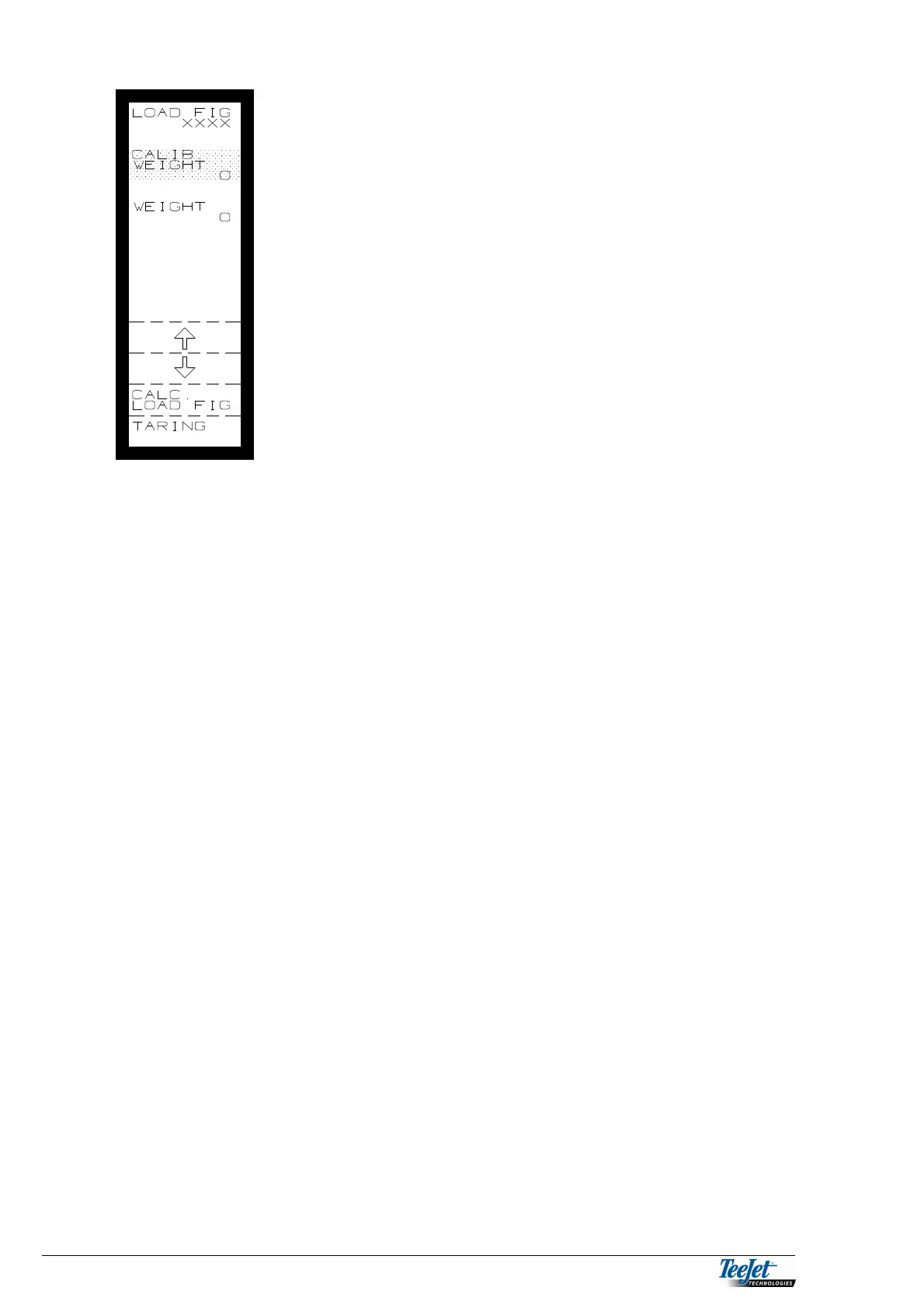
Without anything on the weighing system, press
“TARRING”
Place a known weight on the weighing system, the
weight must be at least half of the weighing capacity of
the system (the more the better).
Using the arrow keys, move the cursor to “CALIB.
WEIGHT” and encode the weight in KG using the
numerical keypad.
Press the flashing “CALC: LOAD FIG” key. The
calculated load figure is displayed at the top of the
screen, note this figure in case the value is deleted by
mistake.
RPM3: If no weighing system is fitted, it is possible to see the shaft speed
of an axle (RPM 3). Regardless of which of these 2 functions has
been selected it will always be displayed as one of the 2 fixed
functions under “OPERATION”
FORWARD SPEED SENSOR
The TeeJet 5000 V.4 baler program gives the option of choosing between 2
different speed sensors (Wheel tractor, Radar).
WHEEL TRACTOR
The speed signal can come from a sensor fitted in the gear box, or on a drive
shaft, or from a sensor fitted on a wheel, depending on the make and model of the
tractor used for baling.
RADAR
If the tractor is fitted with radar then select “RADAR” and forward speed will be
measured from the radar. Radar and the number of pulses per metre will be
displayed at the top of the screen.
Please refer to chapter 2 for forward speed calibration.



 To Next Page