TEEJET 5000 OPERATORS MANUAL GENERAL FUNCTIONS
2.13
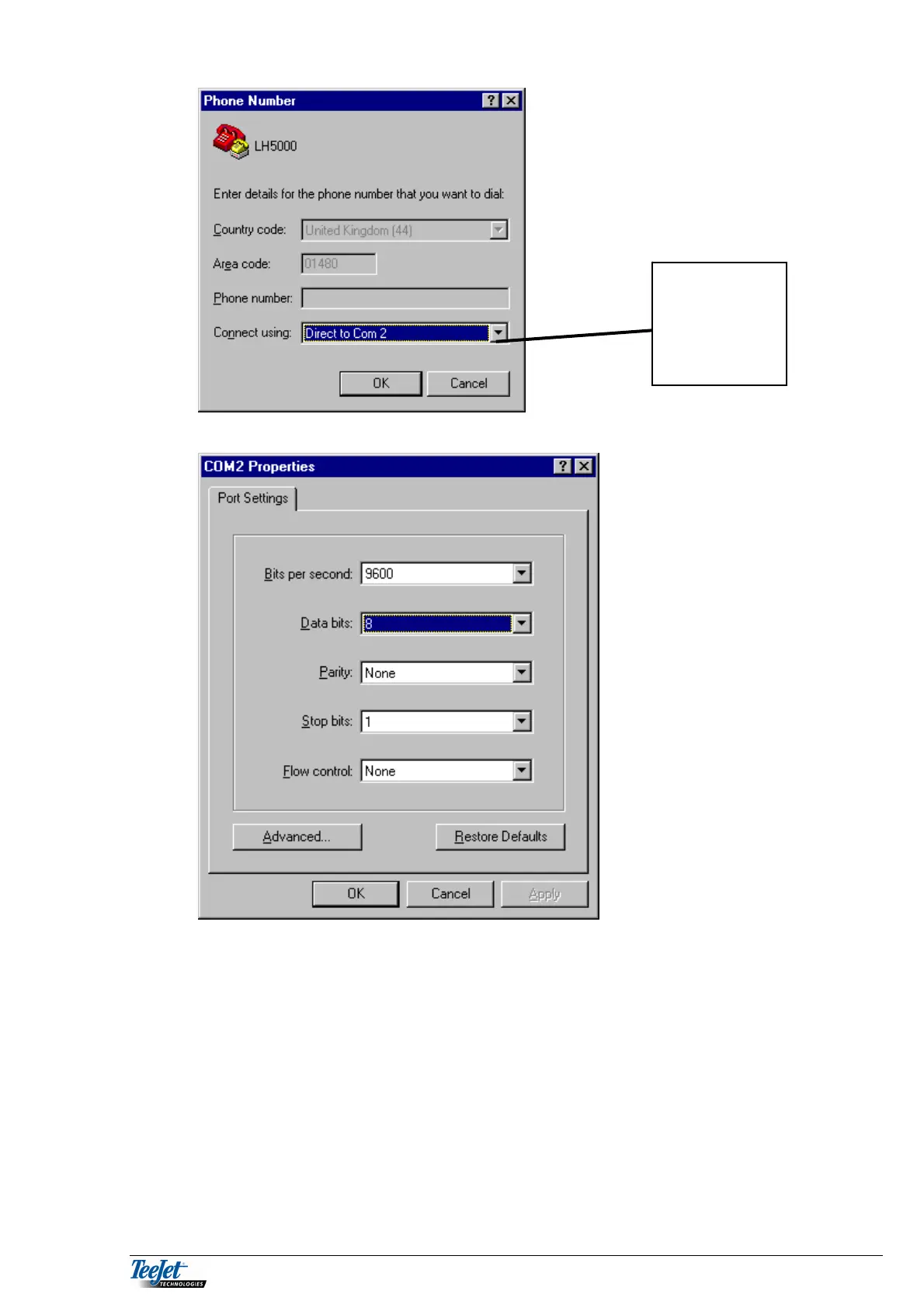
Figure 5 ”Connect Using” (HyperTerminal)
Change the Port settings to the following:
Figure 6 “Serial port properties” (HyperTerminal)
When you have finished set-up, choose “Save As” in the file menu. A dialogue box
is shown where it is possible to save the set-up to a file. The program suggests .ht
as the file type. Next time you wish to transfer data, all you have to do is open this
file and all the settings will be correct.
Choose the
Com. Port that
corresponds to
the serial port
being used



 To Next Page