G3 INTERFACE UNIT TYPE 2045
SM 9 B547
Fax Option
B547
1.4 G3 INTERFACE UNIT TYPE 2045
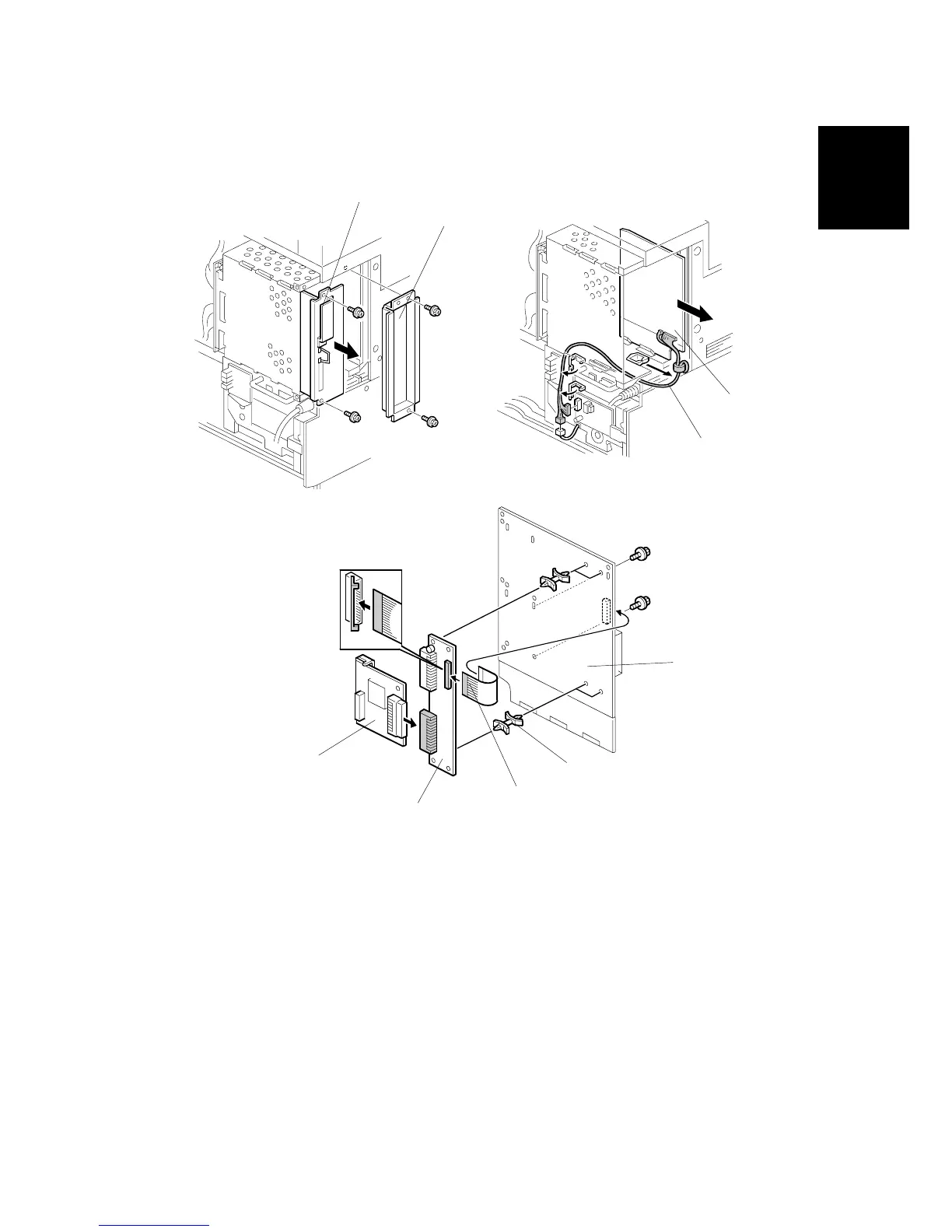
1. Remove the covers. (!1.3)
2. Remove the controller unit [A] ( x 2).
3. Remove the FCU cover [B] ( x 2).
4. Remove the FCU harness [C] and slide out the FCU board [D].
5. Attach the four standoffs [F] to the CCUIF board [E].
6. Attach the CCUIF board to the FCU board [G].
7. Attach the flat cable [H] to the FCU board and the CCUIF board.
8. Attach the option G3 board [I] to the lower connector of the CCUIF board ( x
2).
B547I911.WMF
B547I909.WMF
B547I912.WMF
[D]
[C]
[E]
[F]
[G]
[H]
[I]
[B]
[A]












 To Next Page