FAX OPTION TYPE 2045
B547 8 SM
Fax Option
B547
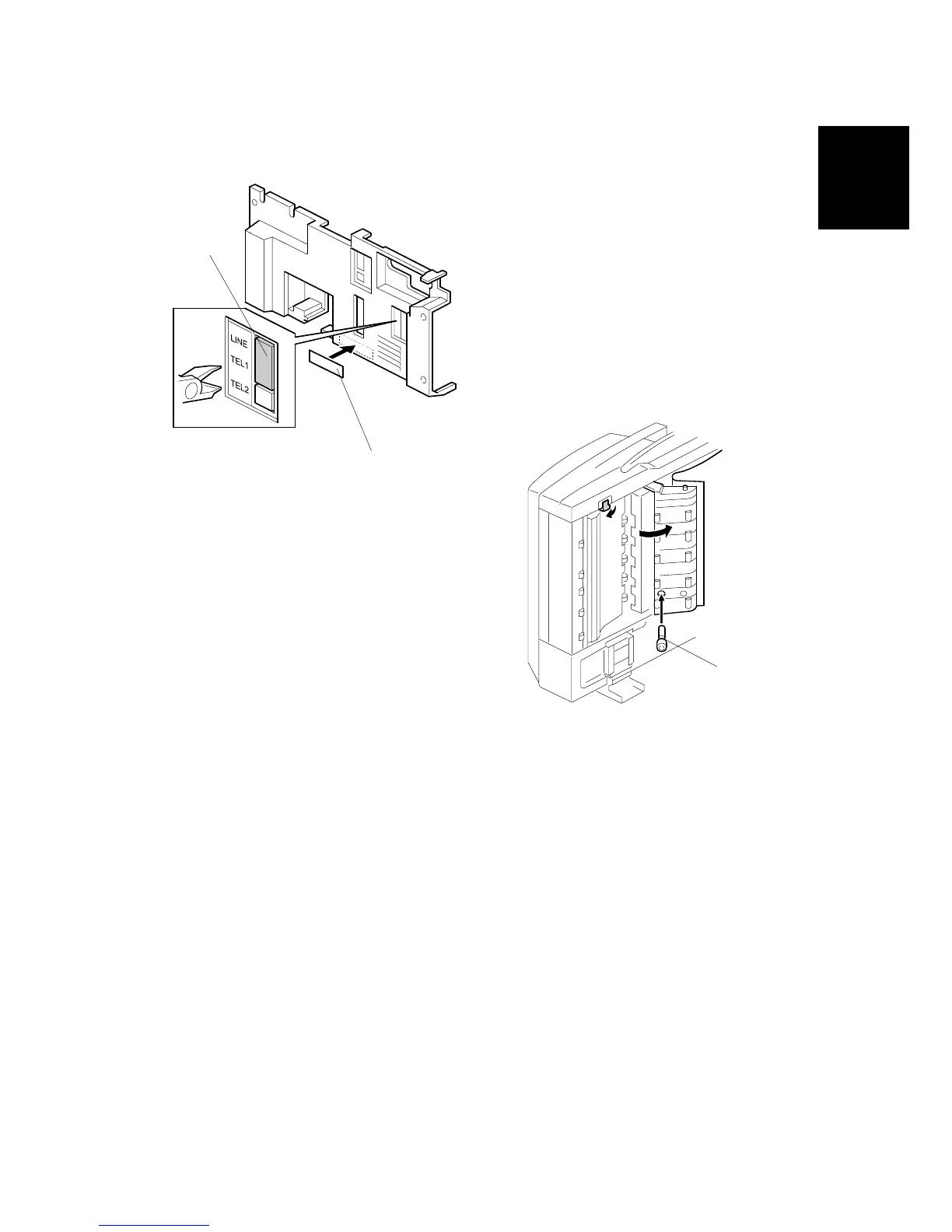
15. Cut away the telephone connector cover [A].
16. Attach the FCC decal and the serial number decal [B] to the rear cover as
shown.
17. Reattach the covers.
18. If the ARDF is installed, raise the ARDF and insert the stamp cartridge [C].
19. Connect the telephone line to the “LINE” jack at the rear of the machine.
NOTE: The copier must be connected to a properly - grounded socket outlet.
20. Plug in the machine and turn on the main power switch.
21. Be sure to set the clock (date and time).
22. Enter service mode and program the serial number into the fax unit (SP-3-102-
000). The serial number can be found on the serial number label (attached to
the machine in step 16).
B547I924.WMF
B547I927.WMF
[A]
[B]
[C]












 To Next Page