TEEJET 5000 OPERATORS MANUAL FERTILISER DISTRIBUTOR, RAUCH AERO
4.97
FERTILISER CALIBRATION:
Prepare the spreader as follows before the fertiliser calibration procedure takes
place:
1. To ease the calibration procedure it is only necessary to calibrate one section of
the spreader. Using the switch box open this one section and shut all of the
other sections. The main on/off switch should be set to off.
NOTE: The calibration procedure can be done using both sections. The
optimal accuracy is achieved using both sections, but an adequate
accuracy can be achieved by measuring the amount of fertiliser from
one section.
If you wish to calibrate using both sections then the TeeJet 5000
knows how many and which sections are open during the test. The
only difference therefore, is that the fertiliser from all of the sections
open must be captured and weighed during the calibration procedure.
2. Open the hydraulic valve and move the main on/off switch to on for a short time
to fill the feed rollers.
3. Empty the bucket and the fertiliser calibration procedure is now ready.
The TeeJet 5000 is now almost able to control the calibration procedure on its
own. Proceed as follows:
1. Press the “CALIB. PROCED.” key and thereafter the “NEW CALIB.” Key.
2. Encode the 3 different application rates that are to
be used in operation. Press the “CALIB PROCED.”
key.
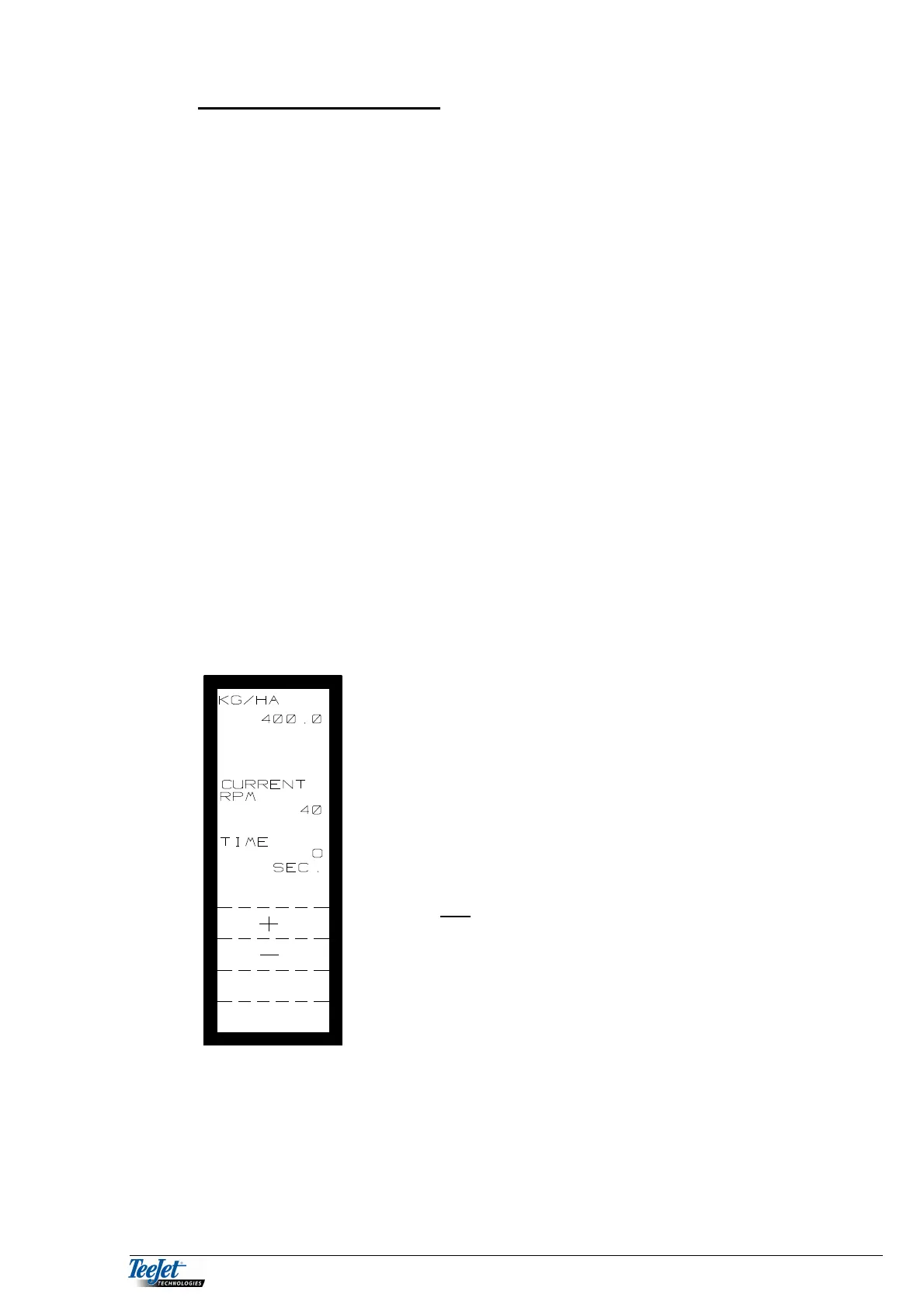
The top of the display shows the application rate to
be calibrated. The computer automatically sets the
speed of the feed rollers to 10% of the required
application rate (400 kg/ha => 40 RPM). If, however,
through experience you know that the speed of the
feed rollers should be higher or lower for this
particular application rate, then the feed roller speed
can be increased or decreased using the + or –
keys.



 To Next Page