Page 210 Job editor Group 8
Release R1.12 en JET2 neo
1 – Both sensors at the same height
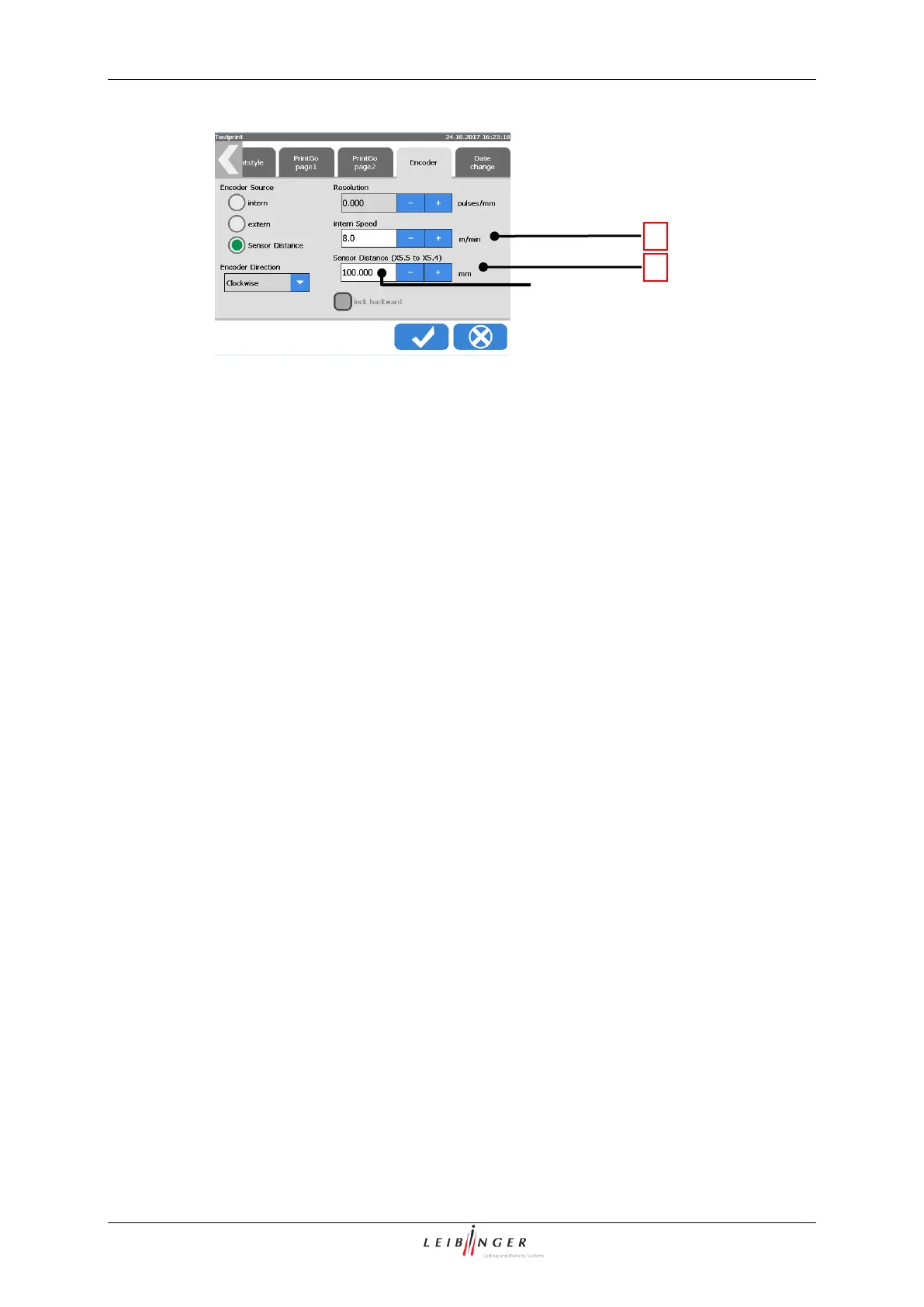
6 – Input field <Sensor distance>
2 – Distance between sensors <A>
7 – Sensor 1 – Start measurement –
Connected to X5.5.
3 – Maximum <Sensor distance>
8 – Sensor 2 – Stop measurement –
Connected to X5.4. This sensors
works also as PrintGo sensor
4 – The Distance A (between the 2 sensors)
has to be smaller than Distance B
(between the products)
9 – Input field <intern Speed>
5 – Wrong setup – more than one product
between the 2 sensors
Speed measuring with two sensors - Continuation
Description of the functionality
The two sensors have to be mounted on the production line in a way that they can be
activated by the products passing by. For this the two sensors have to be mounted on the
same height (1) and at a certain distance from each other (2).
As higher the production (line) speed as larger should be the sensor distance.
The maximum distance allowed is 250 mm (3).
The distance between the two sensors has to be smaller than the distance between two
products (4).
As a rule of thumb there must be never more than one product between the 2 sensors! (5)
The actual distance has to be measured and entered in the corresponding input field (6).
This input field is located on the tab <Encoder> in the dialogbox <Print parameter>



 To Next Page