Page 266 Equipping/Maintenance Group 10
Release R1.12 en JET2 neo
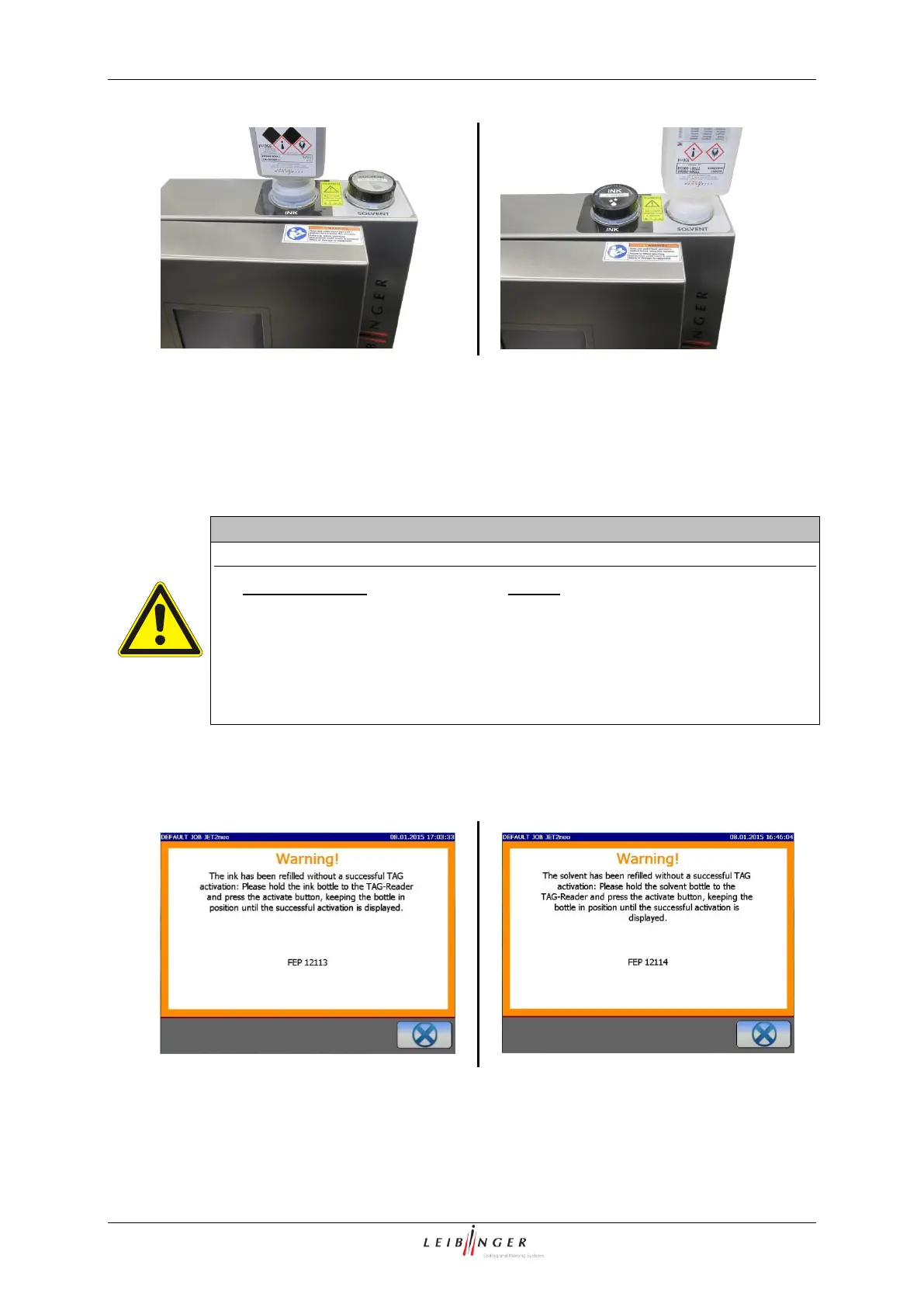
Reservoir tank „Ink“ - left side
Reservoir tank „Solvent“ - right side
Do not remove the re-filling bottle until it is complete empty. When the printer gives
you a refilling message the reservoir tank is empty so that a complete bottle can be
filled in.
Twist off the empty re-filling bottle. The closing valve of the corresponding reservoir
tank will be closed automatically. Finally screw up the cap of the reservoir tank as well
as the empty refill bottle carefully.
Important hints!
Do not dispose the empty bottles before you have activated the ink or the
solvent!
After filling the reservoir tanks as well as the empty refill bottles, they have
to be closed carefully again.
You have absolutely to fill in the complete bottle because the bottle will be
devaluated and can be not activated anymore!
11. When you refilled the reservoir tanks without the activation of an ink or a solvent after
a little while one or both of the following message will be displayed. One is requested
to carry out the TAG-activation of the refilled ink or solvent afterwards.
12. Now you can carry out the TAG activation as described in points 3. to 9.
Now the TAG-activation is finished.



 To Next Page