Group 7 Data entry/Programming Page 81
JET2 neo Release R1.12 en
All settings in this dialog box will overwrite respective settings of the single print jobs on
the job list.
So for instance the settings on the <PrintGo page 2> tab are valid for all print jobs on the
job list. Respective settings made for single print jobs will be ignored. The design of the
dialog box corresponds with the dialog box described in chapter 8.5 Parameter settings.
Functions not available will not be displayed.
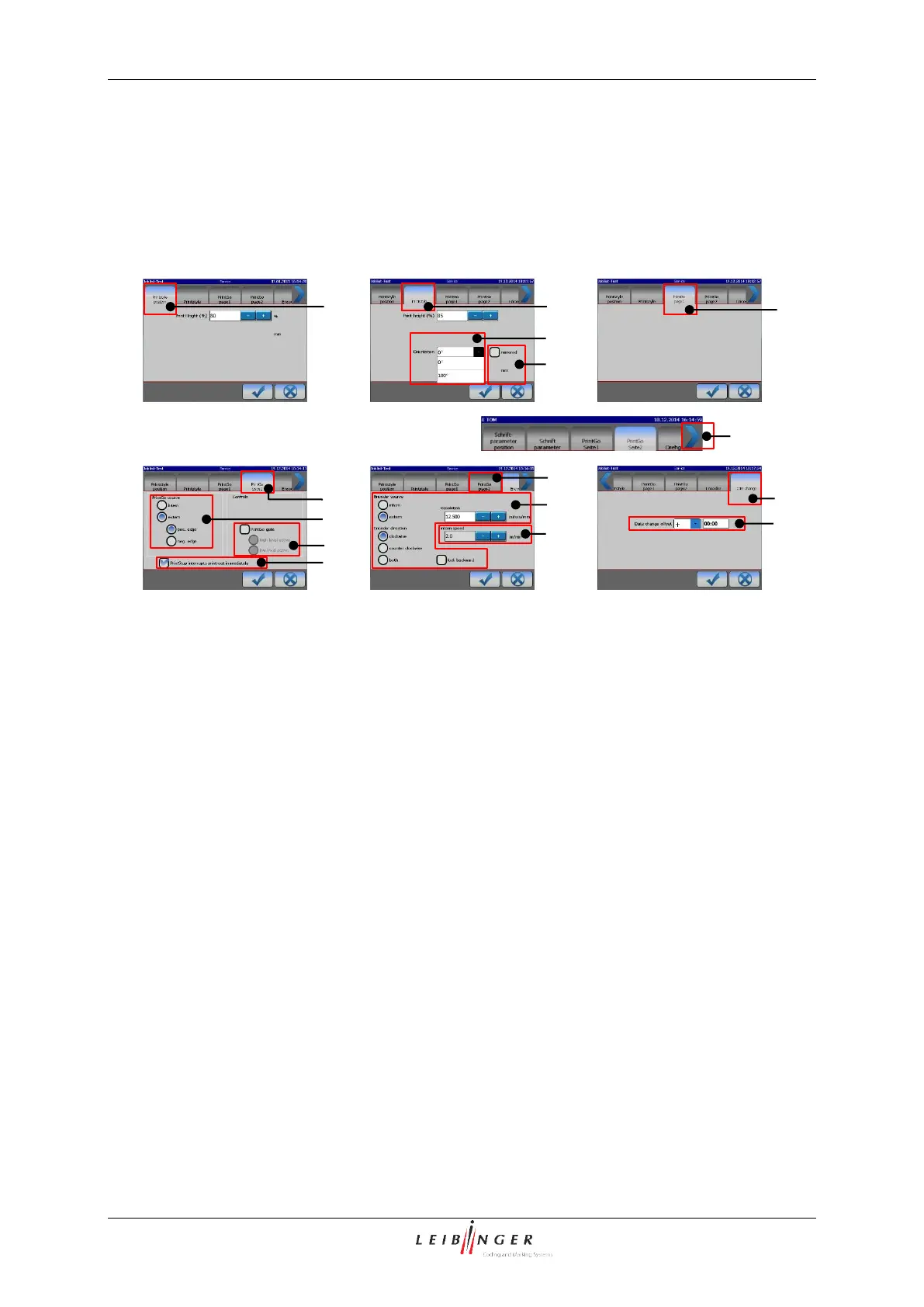
1 – <Printstyle Position> tab
9 – <Print stop> settings
3 – <Orientation> settings
11 – <Externer Drehgeber> settings
12 – <internal speed> settings
13 – <Date change offset> tab
14 – <Shift menu to left> arrow
15 – <Date change offset> setting
The the print height can either be set on the <Printstyle Position> (1) tab or the
<Printstyle> (2) tab. The input fields on both tabs equals each other. Additionally on the
<Printstyle> (2) tab the <Orientation> (3) of the printout and and whether the printout
shall be <Mirrored> (4).
The <PrintGo page 1> tab (5) is empty.
The <PrintGo page 2> tab (6) provides settings for the <PrintGo source> (7), the
<PrintGo Gate> (8) and the <PrintStop> function (9).
On the <Encoder> tab (10) it is defined whether the printing position shall be determined
by an external encoder (11) or an internal speed setting (12).
The <Date change> (13) tab is reached by a left shift of the menu bar using the blue arrow
(14). This tab offers the option to define a <Date change offset> (15).
All settings apply to all print jobs on the job list.



 To Next Page