BOOKLET FINISHER INSTALLATION (B546)
B079/B082 1-58 SM
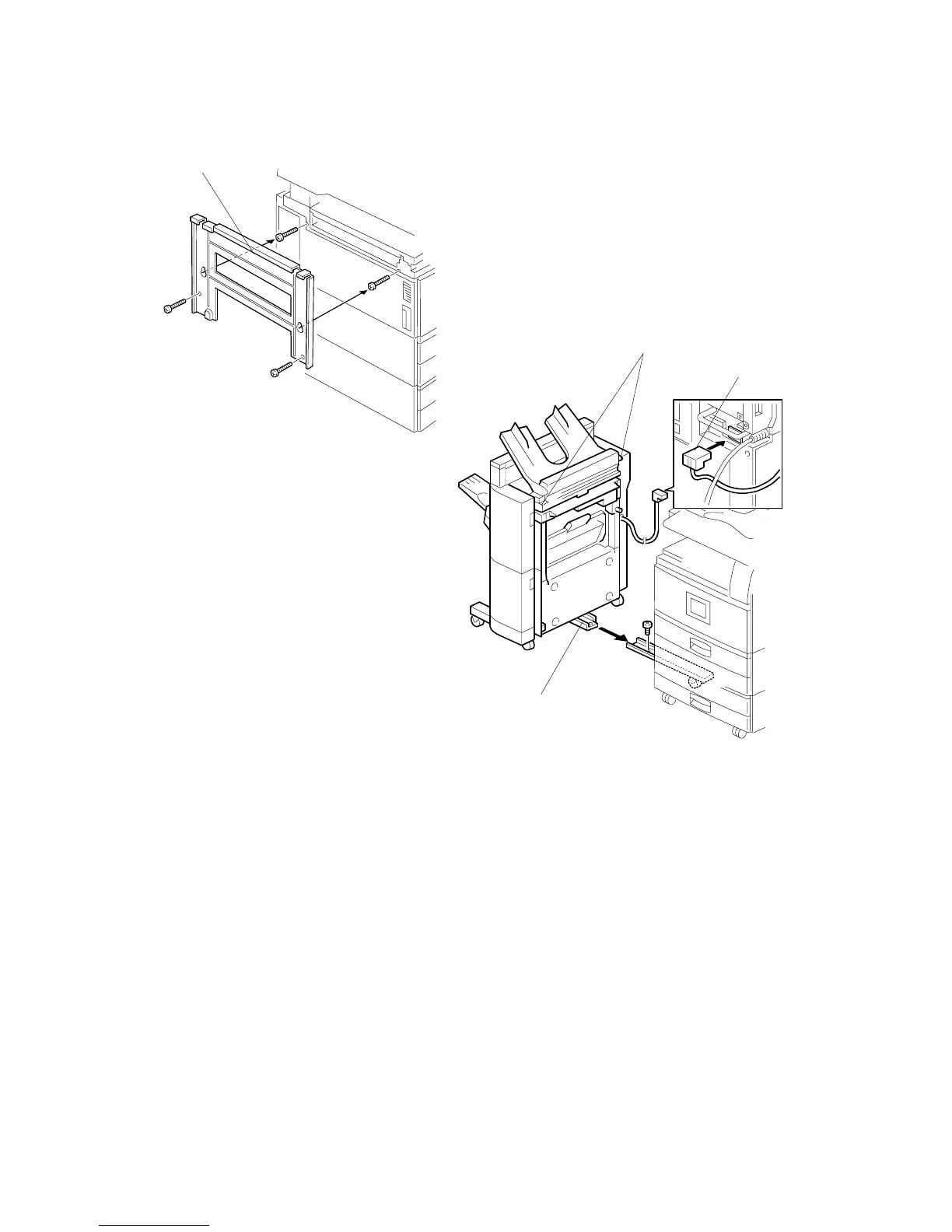
17. Install the joint bracket [A] on the left side of the copier ( x 4).
18. Secure the rail [B] to the booklet finisher with 1 M4 screw.
19. Align the finisher on the joint bracket and lock the 2 hooks [C] of the finisher on
the joint bracket.
20. Connect the finisher cable [D] to the copier.
21. Turn on the main switch and check the finisher operation.
B546I920.WMF
B546I111.WMF
[A]
[B]
[C]
[D]












 To Next Page