3 - 49
IPN 074-397-P1G
HAPSITE Smart Operating Manual
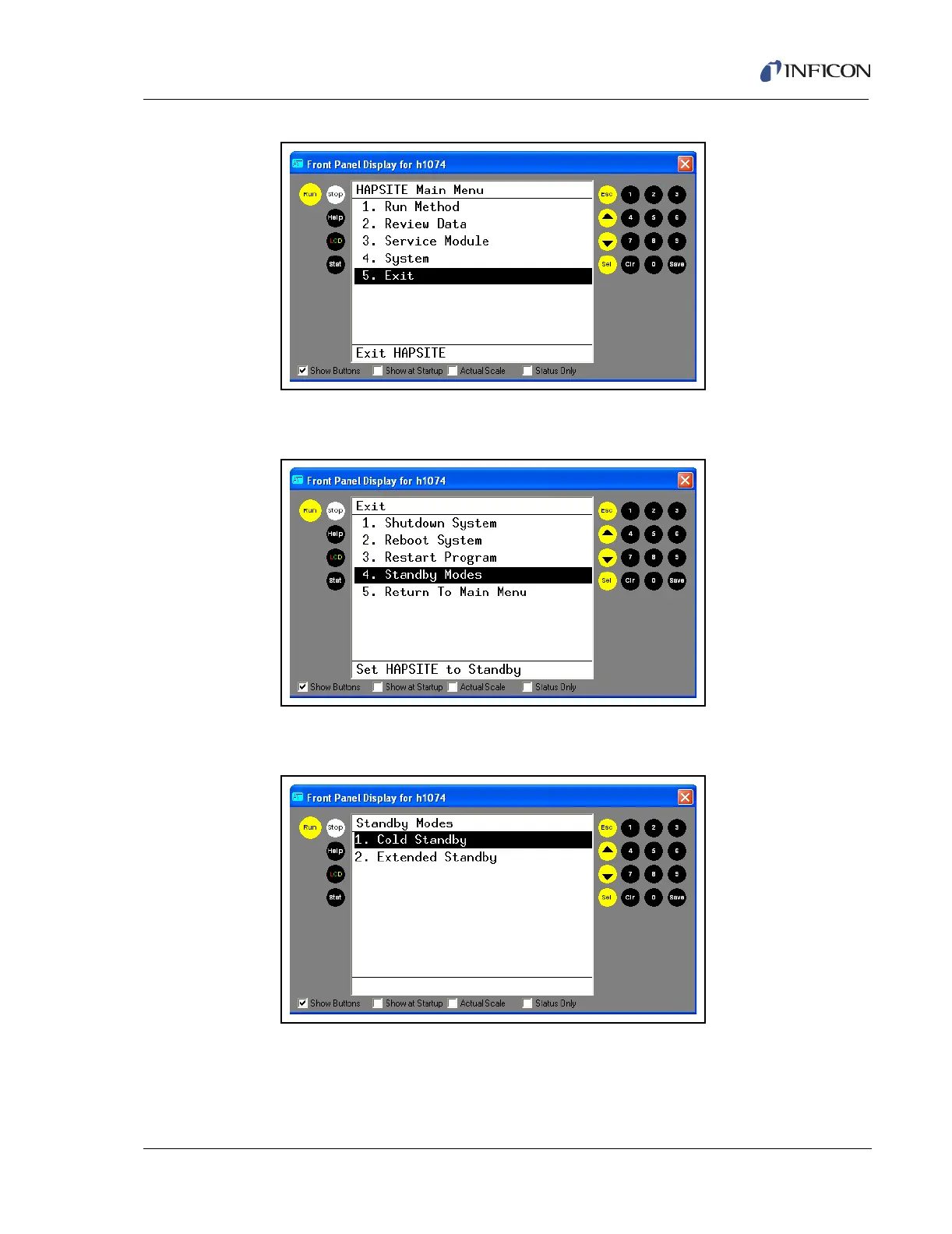
Figure 3-71 Selecting Exit Option from Main Menu
3 Arrow down or press 4 and SEL to select Standby Modes. See Figure 3-72.
Figure 3-72 Selecting Standby Modes
4 Arrow down or press 1 and SEL to select Cold Standby. See Figure 3-73.
Figure 3-73 Selecting Cold Standby
HAPSITE will turn off filaments, heaters, and valves to enter Cold Standby. See
Figure 3-74.













 To Next Page