8 - 14
IPN 074-397-P1G
HAPSITE Smart Operating Manual
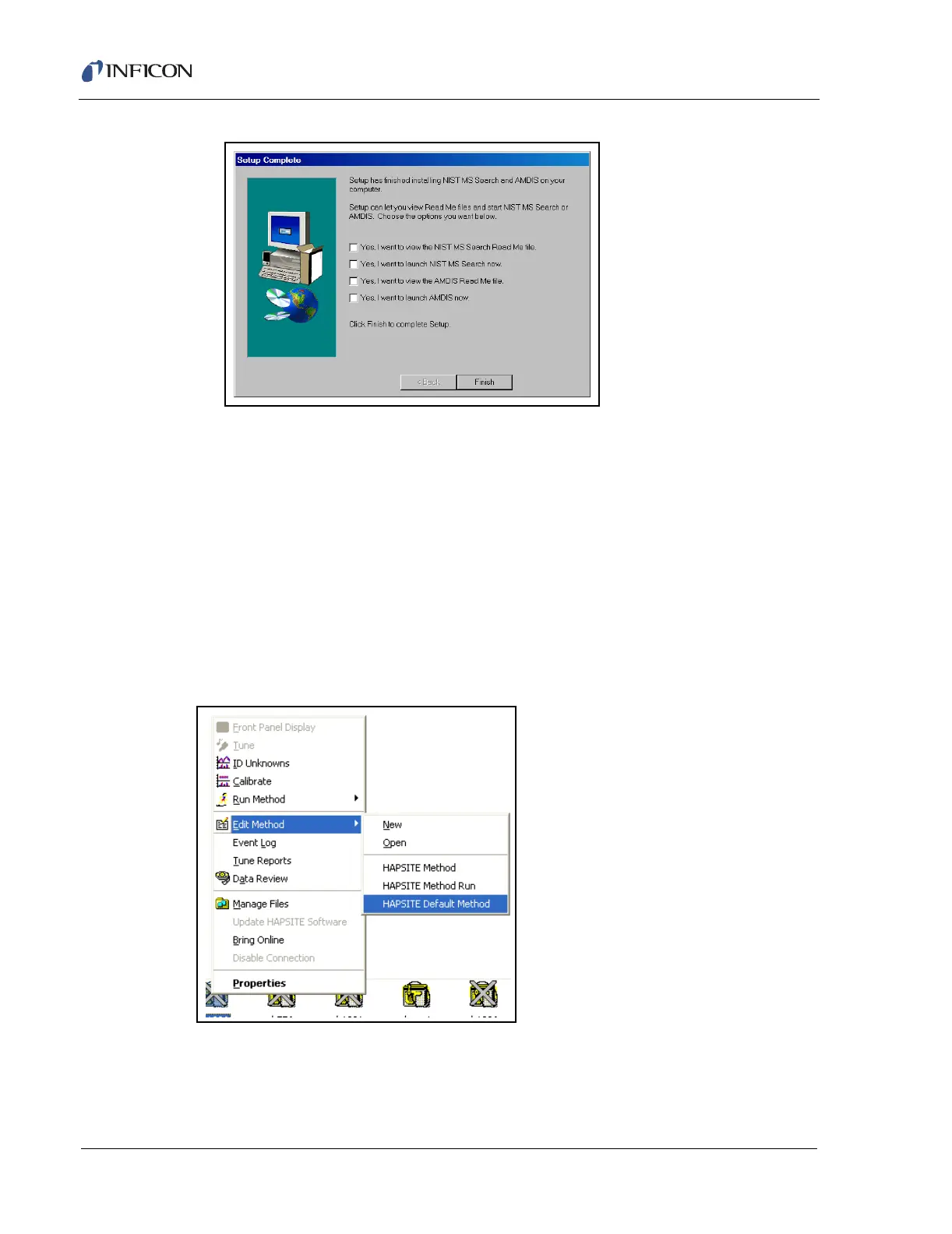
Figure 8-27 NIST and AMDIS Installation Complete Window
8.5 Reloading Default HAPSITE Methods
All of the default methods are saved on the laptop. These methods can be loaded
and modified or used as they are.
8.5.1 Locating Default Methods
Right click on the HAPSITE icon to access the menu. Highlight the Edit Method
option and a second menu will appear. On this menu the bottom choice is
HAPSITE Default Method, which provides access to the default methods. See
Figure 8-28.
Figure 8-28 Finding Default Methods
Clicking on the HAPSITE Default Method option will bring up a window with the
default methods. Refer to Figure 8-29.













 To Next Page