9 - 13
IPN 074-397-P1G
HAPSITE Smart Operating Manual
9.5.2.2 Background Subtraction Using a Range of Points
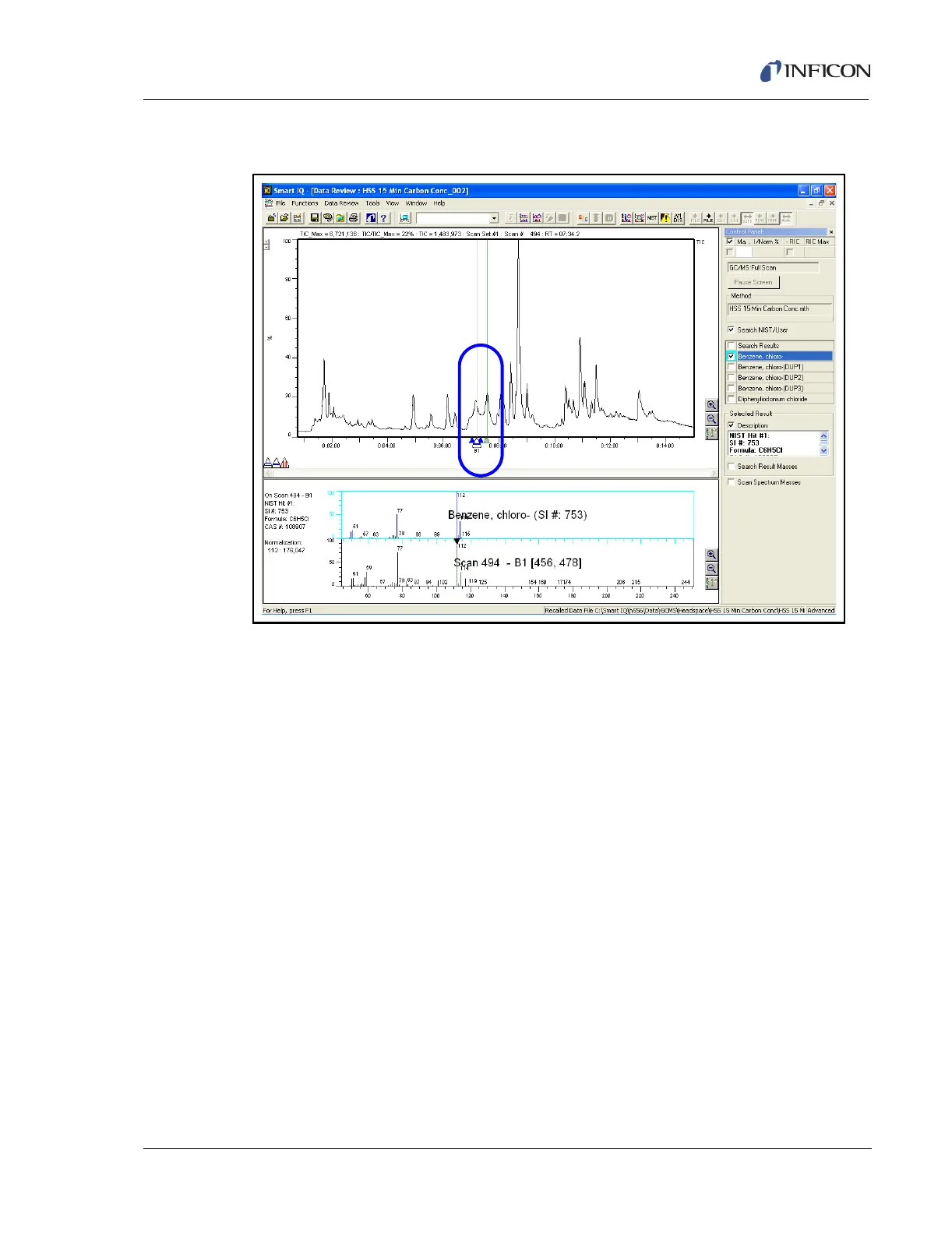
Figure 9-12 Using Background Subtraction to Remove a Smaller Peak
When multiple points in an area such as a smaller peak on the side of a larger peak
complicate the chromatograph, the background can be widened to remove an
area. Refer to Figure 9-12.
1 Place the cursor on the triangle with ONE blue line (B1). Click and hold the
LMB, then drag B1 to the location where the background should be subtracted.
2 Move the cursor to the tip of the B1 marker. The cursor should change to a
vertical double headed arrow. Holding the Left Mouse Button while moving the
double headed arrow up widens or selects a range for the background. Moving
it down narrows the range of the background.
3 Repeat Step 2 for Background 2 (if desired) using the triangle with TWO blue
lines (B2).













 To Next Page