7 - 22
IPN 074-397-P1G
HAPSITE Smart Operating Manual
Max OK Target Percentage . . . . . . Displays the maximum percentage required
for the mass peak to meet the OK High
criteria.
Base Peak . . . . . . . . . . . . . . . . . . . . Displays the base peak that the mass peak
percentage is measured against.
7.5.7 Mass Calibration Status
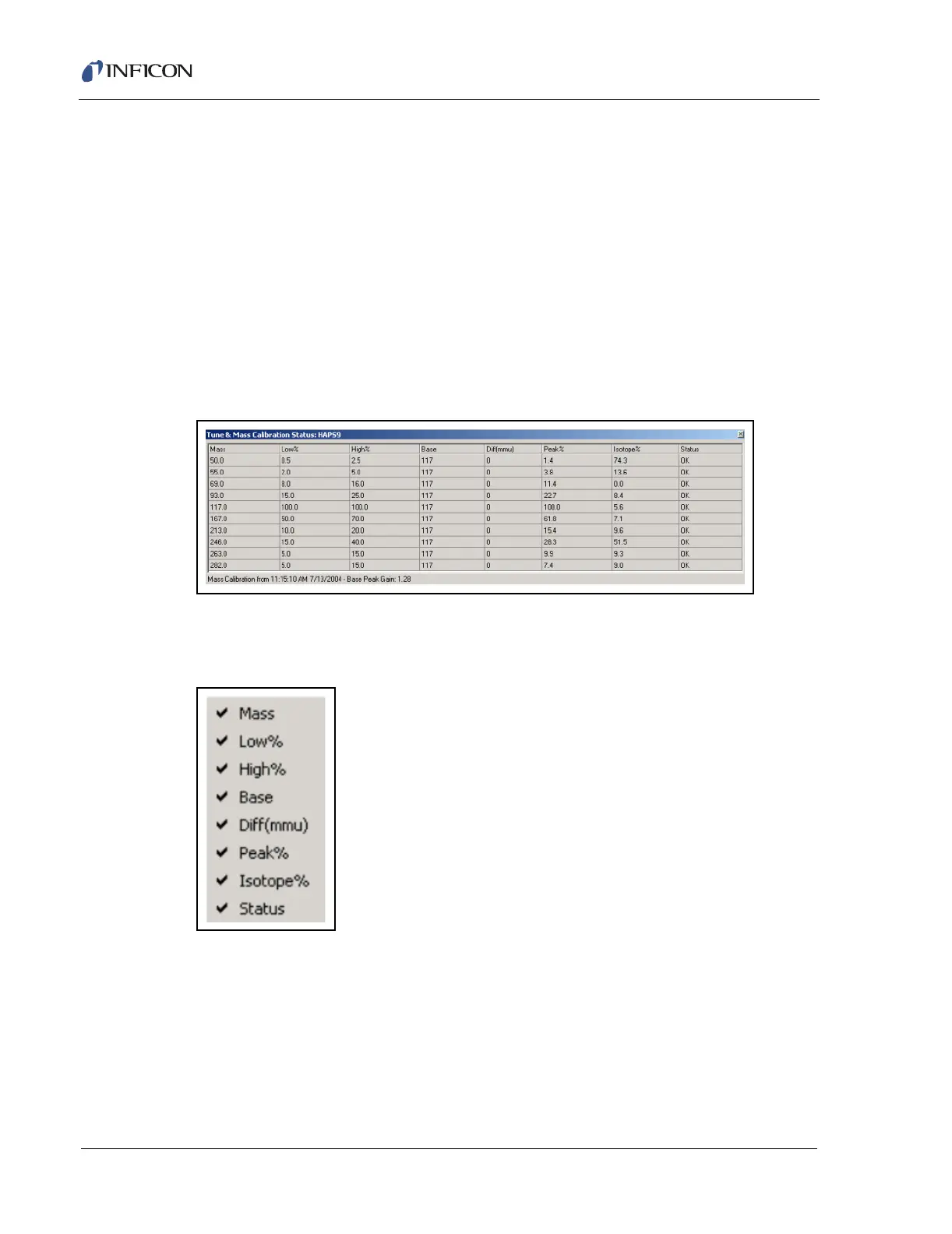
The dark gray Tune and Mass Calibration Status panel displays the status of the
last Mass Calibration Tune. See Figure 7-26. The Mass Calibration Status panel
can be displayed by Right Mouse Button (RMB) click in the Peak Scan window, or
by using the Tune drop down menu and selecting the Mass Calibration Status.
Figure 7-26 Mass Calibration Status
Columns can be displayed or hidden with a right mouse button click on the column
headings. See Figure 7-27.
Figure 7-27 Mass Calibration Menu
Mass . . . . . . . . . . . . . . . . . . . . . . . . Mass number.
Low%. . . . . . . . . . . . . . . . . . . . . . . . Minimum percentage for peak status OK.
High% . . . . . . . . . . . . . . . . . . . . . . . Maximum percentage for peak status OK.
Base. . . . . . . . . . . . . . . . . . . . . . . . . Reference mass for peak percentage
calculations.













 To Next Page