8 - 20
IPN 074-397-P1G
HAPSITE Smart Operating Manual
8.6 Establishing Communications between the HAPSITE and
Laptop Computer with a Crossover Ethernet Cable
Establishing communications between the HAPSITE, laptop and Service Module
(if connected) is necessary to perform many advanced functions. The sections
which follow explain the steps needed to establish communications.
8.6.1 Setting Up Communications
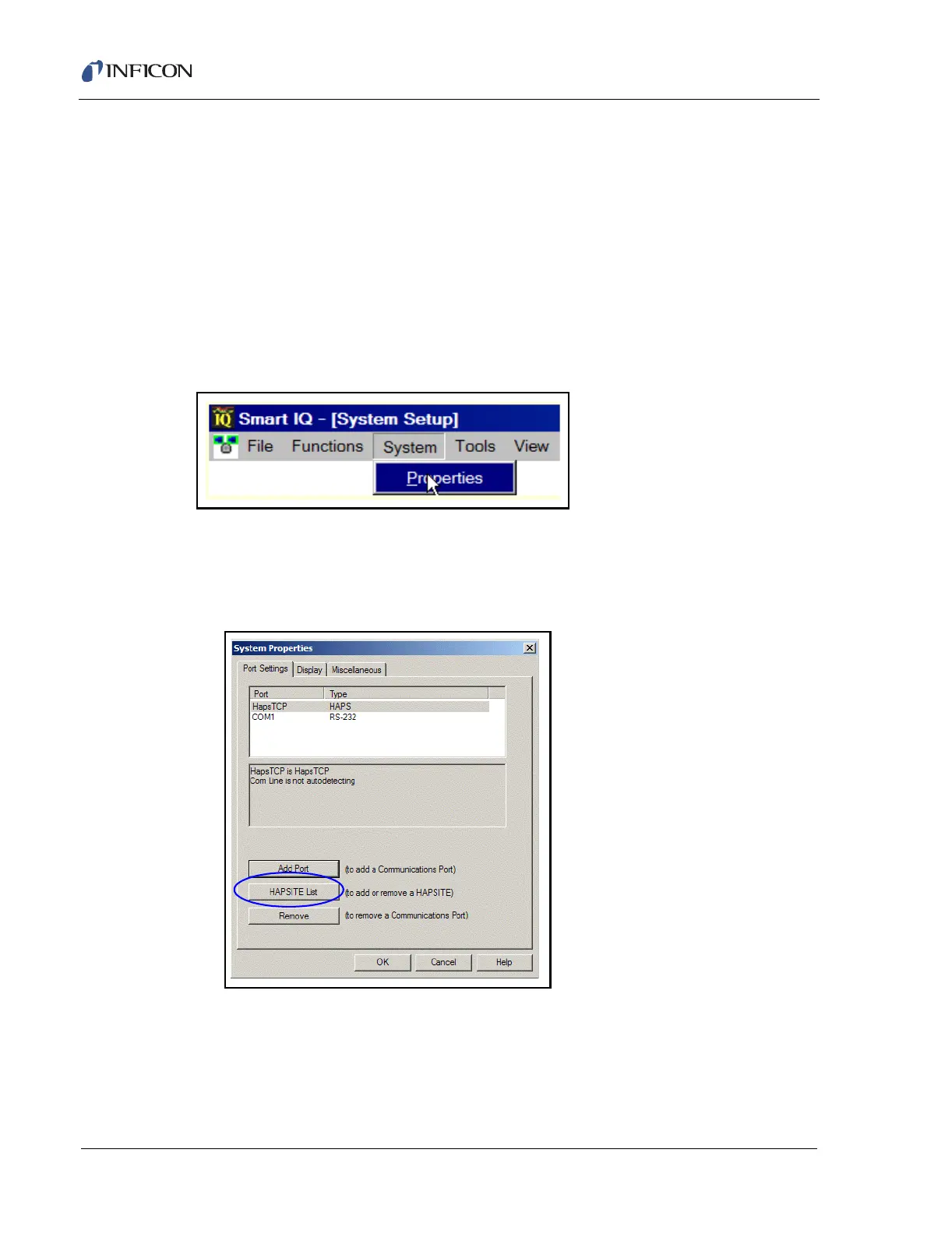
1 Open Smart IQ. From the System drop-down menu, select Properties. See
Figure 8-33.
Figure 8-33 Selecting Properties from the System Drop-down Menu
NOTE: You must be in Advanced User Mode to set up communications. See
Section 8.10, Access Levels, on page 8-34.
2 Press the HAPSITE List button. See Figure 8-34.
Figure 8-34 HAPSITE List Button
3 Enter the letter "H", followed by the last 3 or 4 significant digits of the Serial
Number of the HAPSITE that requires communication setup. (The Serial
Number can be found on the inside front cover of the HAPSITE.) For example:
"H1086". Select Add. See Figure 8-35.













 To Next Page