10 - 9
IPN 074-397-P1G
HAPSITE Smart Operating Manual
10.2.1 Method Files
Method files are created using the HAPSITE Smart IQ software to direct the
instrument how to collect and analyze samples. Once created and saved, a Method
file can be selected to run samples. Method files are created and saved using the
Method Editor, either to a folder on the PC or to the HAPSITE hard drive.
After method parameter changes are entered, the method needs to be saved.
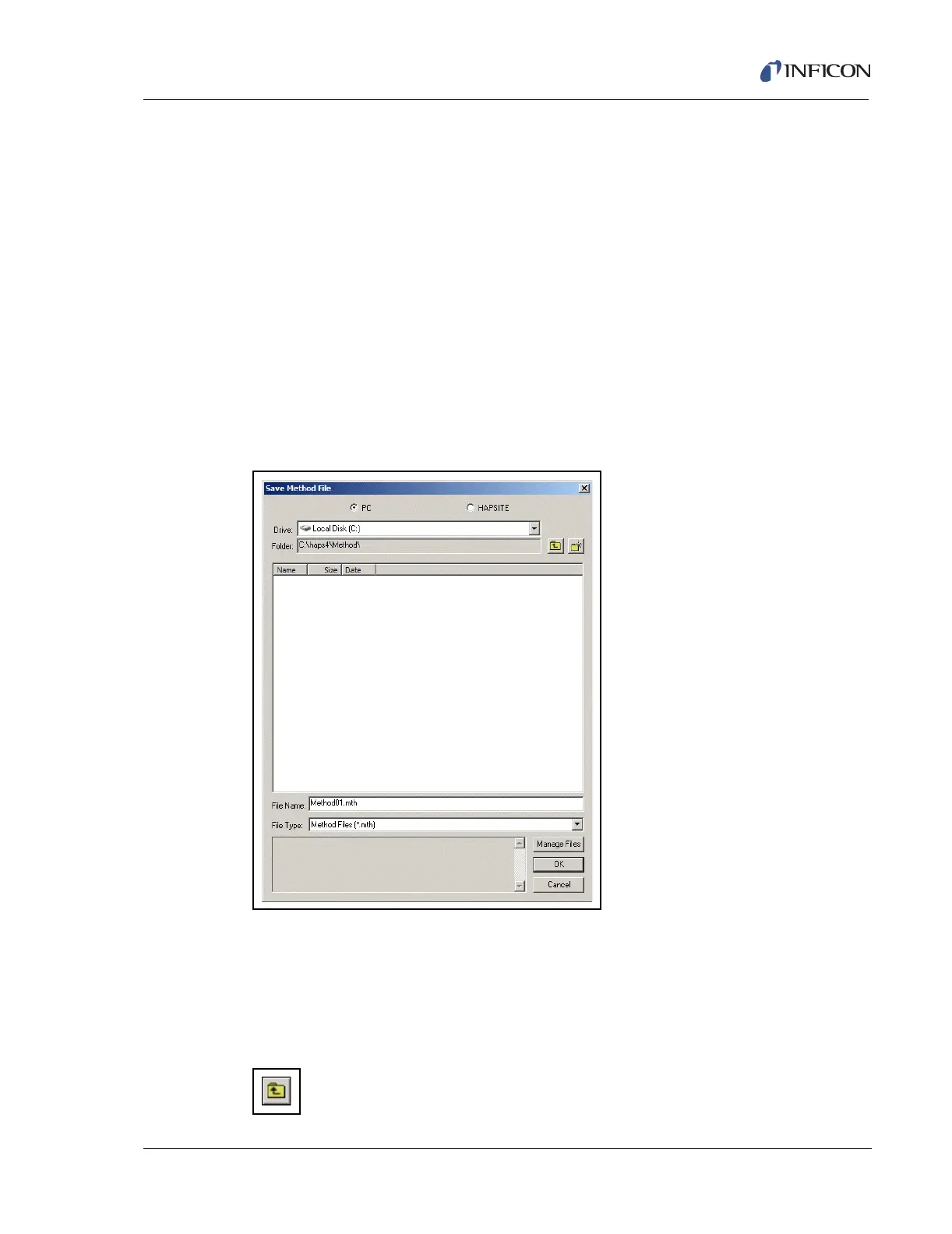
When ready to save the method, press the Save button at the bottom of the Method
Editor window and the dialog window below is displayed. Notice that the default
location to save a method file is to the HAPSITE. Method files are created using
the Method Editor. Method files may be saved to the PC hard drive similar to the
way they are saved to the HAPSITE.
To save Method files to the PC, select the PC option as shown below in Figure
10-12.
Figure 10-12 Save Method File Dialog Window - PC Option Selected
Selecting a different PC disk drive is achieved by clicking on the drop-down box
(Figure 10-12 shows Local Disk (C:) selected). To change folders, move up using
the Up One Level button (shown in Figure 10-13), or by double-clicking on an entry
in the main file list. New folders may be created by selecting the New Folder
button.
Figure 10-13 Up One Level Button













 To Next Page