9 - 23
IPN 074-397-P1G
HAPSITE Smart Operating Manual
9.8 NIST Library Searches
A TIC or sequential SIM peak qualitative identification can be accomplished using
the Smart IQ software utilizing the integrated features of the NIST Mass Spectral
Database.
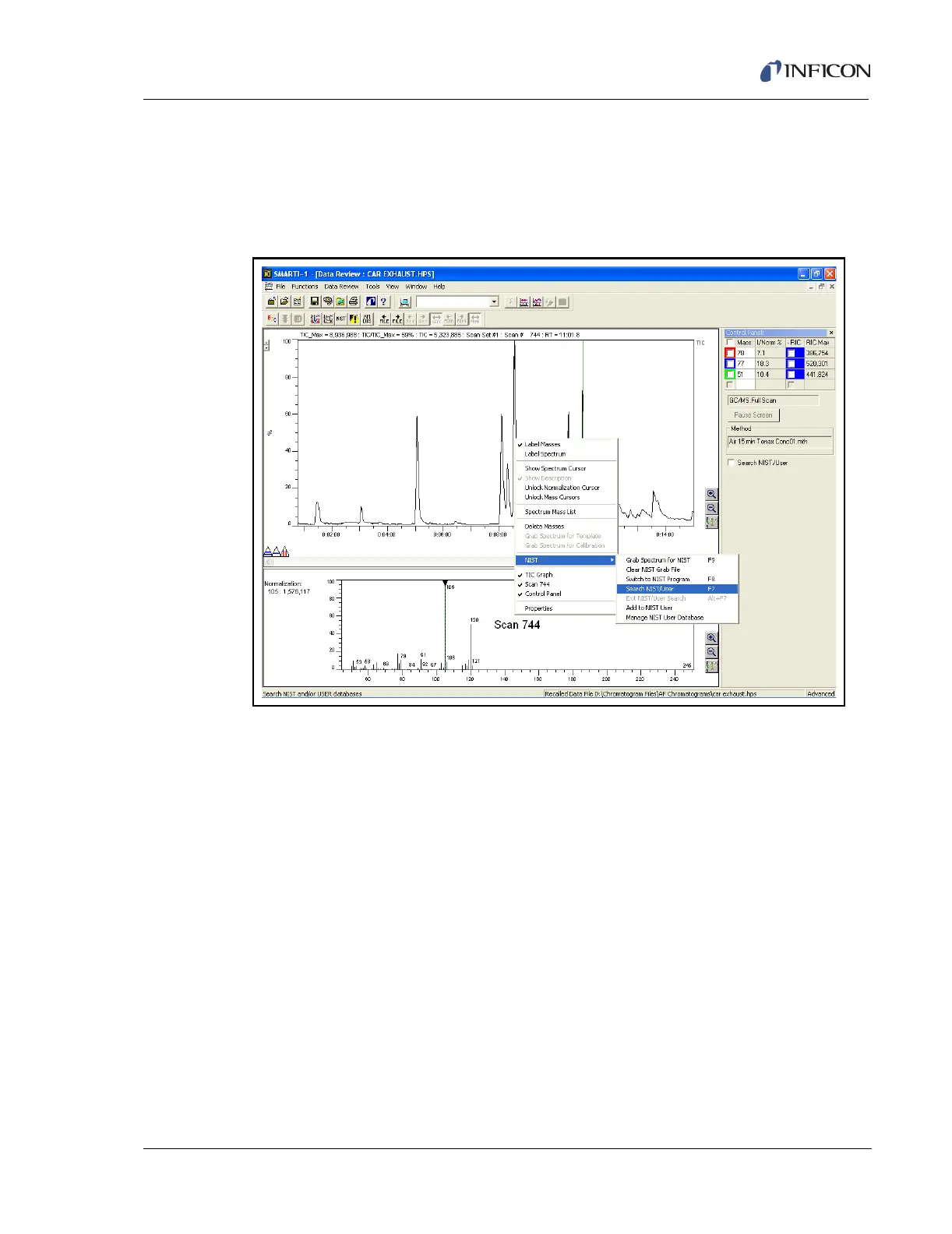
Figure 9-28 Searching a Library
Figure 9-28 shows the TIC Window, the Spectrum Window and the Control Panel
Window. Steps required to invoke a qualitative search are:
1 Click the cursor on the TIC of interest in the TIC window
2 The spectrum will be displayed in the Spectrum window.
3 Press the F7 key, or use the RMB to display the pop-up windows as shown, or
check the Search NIST/User box in the Control Panel window to initiate a NIST
search.
4 The search results are displayed both in the Spectrum window as well as the
Control Panel window. See Figure 9-29.













 To Next Page