11 - 9
IPN 074-397-P1G
HAPSITE Smart Operating Manual
Probe . . . . . . . . . . . . . . . . . . . . . . . . The target temperature the system will
achieve in the Probe before starting data
acquisition. This setting is not available when
the Headspace or SituProbe is enabled.
Headspace. . . . . . . . . . . . . . . . . . . . This system is used for analyzing solids and
liquids for volatile organic compounds.
SituProbe . . . . . . . . . . . . . . . . . . . . This instrument is used for analyzing liquid
samples directly in the environment of
interest. For example directly in a river.
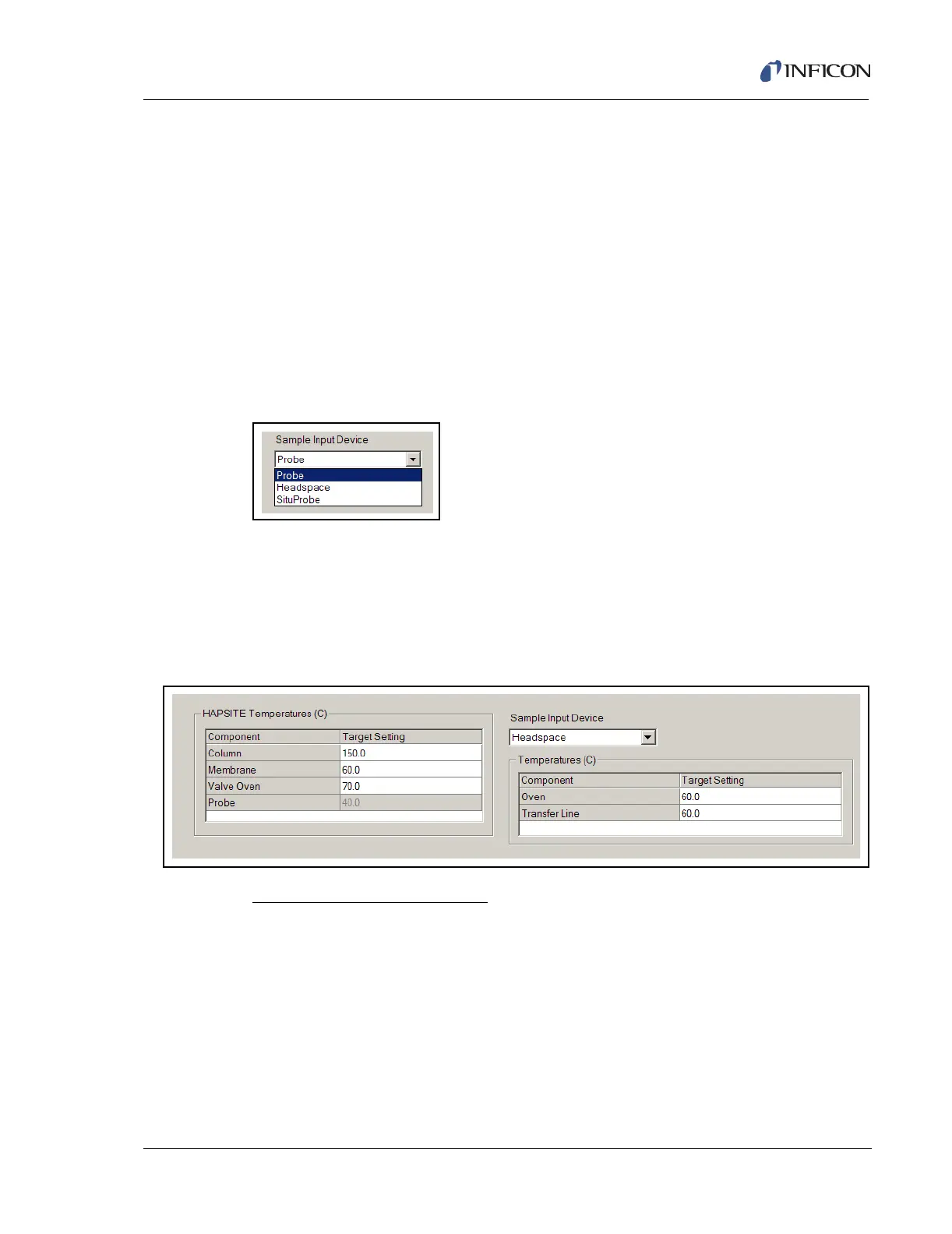
In selecting a method, the Probe will automatically be highlighted in the drop down
box for the Sample Input Device Options. See Figure 11-7.
Figure 11-7 Sample Input Device Options
11.3.1 Headspace
To create a Headspace method, choose the Headspace Sample Input Device.
This will bring up another temperature setting window for setting the headspace
oven and transfer line temperature. See Figure 11-8.
Figure 11-8 Headspace Parameters
Headspace Temperatures (C)
Oven . . . . . . . . . . . . . . . . . . . . . . . . The target temperature the system will
achieve in the Oven before starting data
acquisition. This setting is not available when
the Headspace or SituProbe is disabled.
Transfer Line. . . . . . . . . . . . . . . . . . The target temperature the system will
achieve on the Transfer Line before starting
data acquisition. This setting is not available
when the Headspace or SituProbe is
disabled.













 To Next Page