11 - 36
IPN 074-397-P1G
HAPSITE Smart Operating Manual
Reject Bin . . . . . . . . . . . . . . . . . . . . Rejects peaks with less than set number of
scans.
Deconvolution Level . . . . . . . . . . . High/Medium/Low, Default Medium: As the
level of resolution goes up, the program
separates peaks that are closer together.
Peak Shape . . . . . . . . . . . . . . . . . . . The shape requirement is a way of forcing all
of the deconvoluted peaks to have the same
shape. As the shape requirement increases,
the shape of the individual ions must be more
nearly the same.
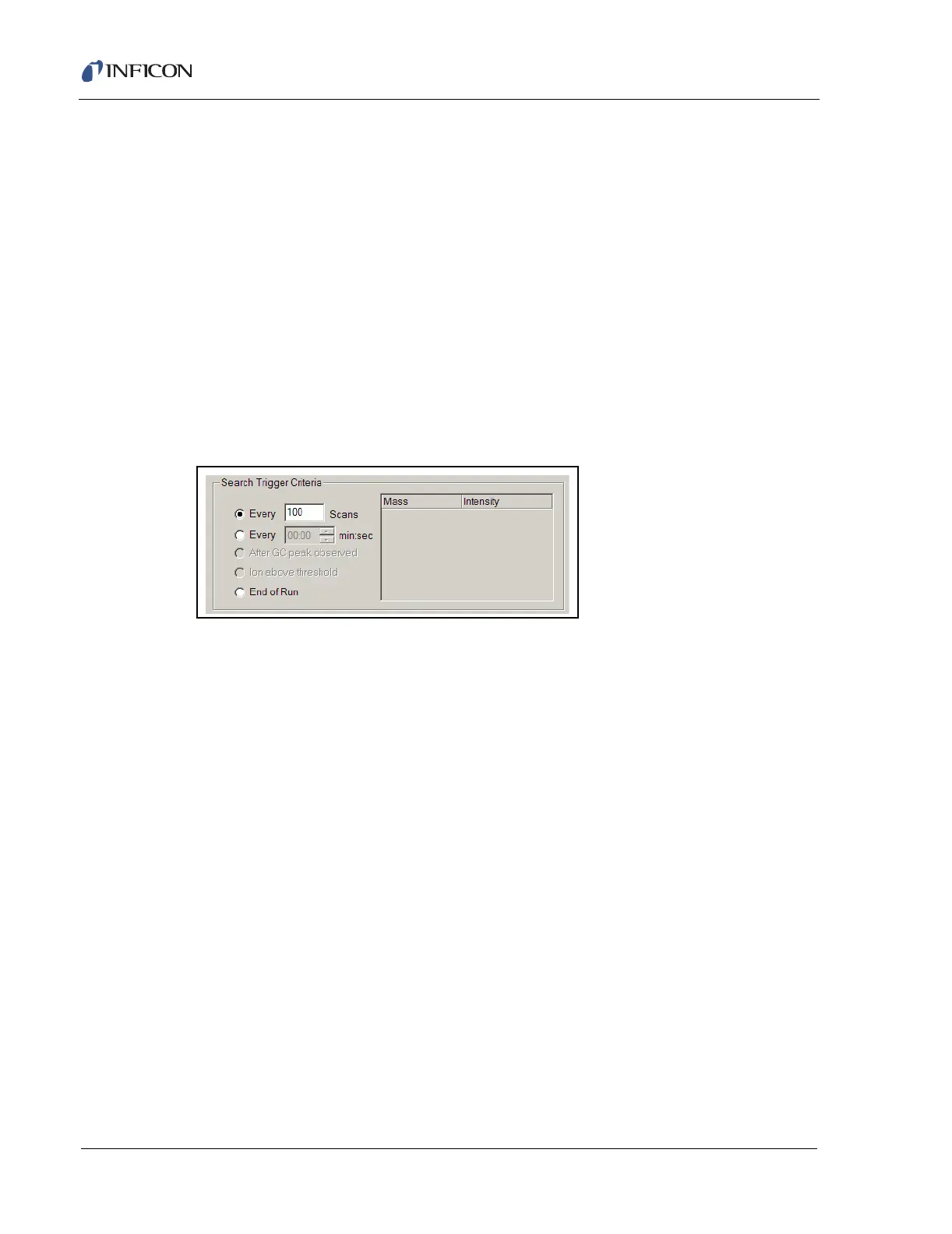
In the Search Trigger Criteria section of the Search page, the decision of how
often and when to run an AMDIS search is determined. There are three choices,
see Figure 11-33.
Figure 11-33 Search Trigger Criteria
Every ____ Scans. . . . . . . . . . . . . . The value typed into the box determines the
interval at which AMDIS will run a search.
The default value for this is 100 scans.
Every ____ min:sec . . . . . . . . . . . . The value typed into the box determines the
time interval in which AMDIS will run a
search.
End of Run . . . . . . . . . . . . . . . . . . . If this is selected, an AMDIS search will only
be conducted at the end of a run.
11.8.2 Setting Up a Quantitative Search
When setting up a quantitative method, a quantitative library needs to be created
using the Calibration function of the software. See Chapter 12, Target Compound
Methods.
Writing a quantitative method still begins with Method Editor, but certain buttons will
not be available until the library is created. All the settings described in section
11.8.1, Setting Up a Qualitative Search, on page 11-31 still apply to the creation of
a quantitative method. In addition two more options become active, The Library
Search Parameters button and the Library Actions window, see Figure 11-34.













 To Next Page