3 - 52
IPN 074-397-P1G
HAPSITE Smart Operating Manual
3.10.4 Rebooting the HAPSITE
Rebooting the HAPSITE is the same as powering off and powering on, similar to
Ctrl+Alt+DEL on the laptop. This option can be used to force the HAPSITE to
autotune or if the HAPSITE has frozen similar to a PC.
1 Press the ESC button on the front panel until reaching the Main Menu.
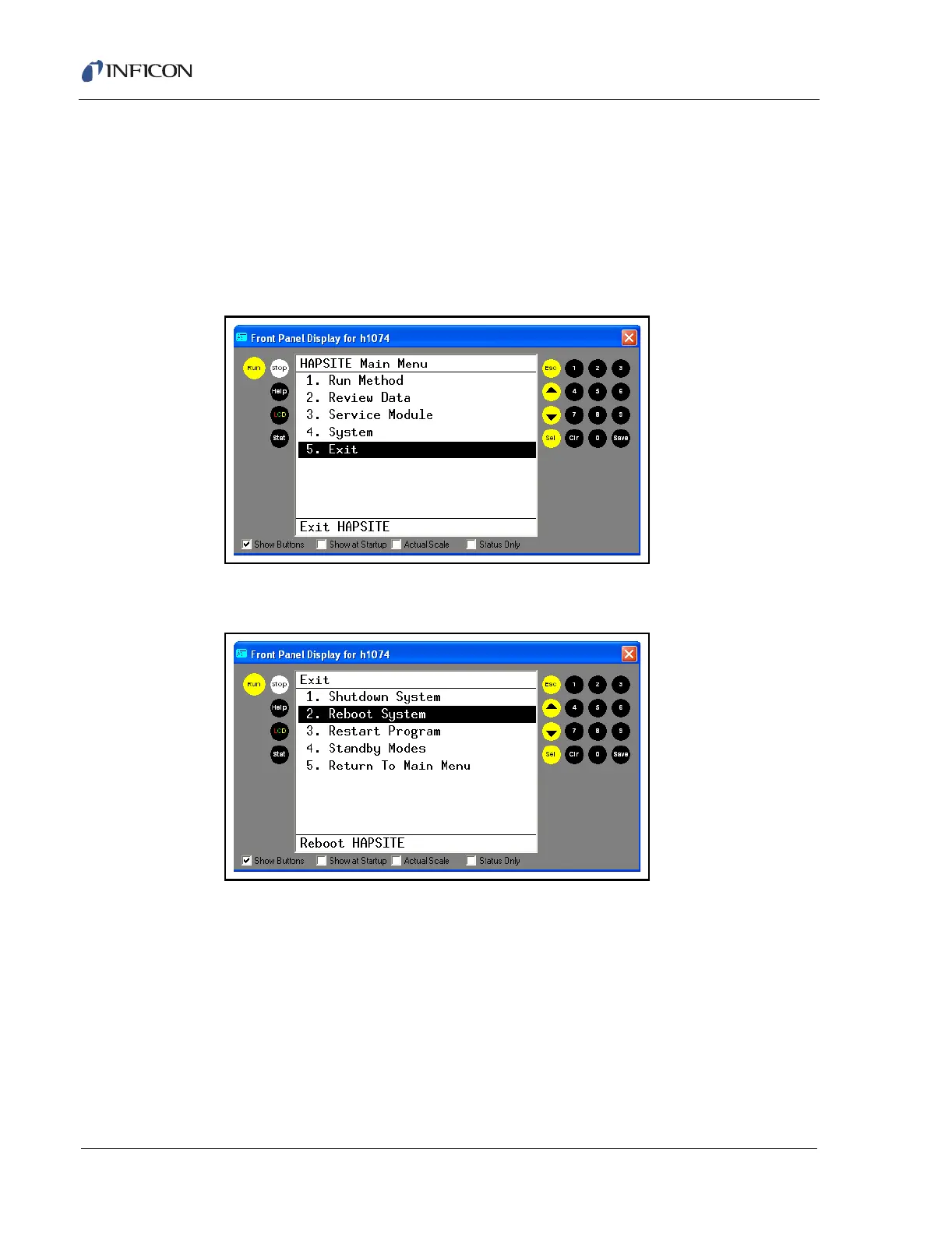
2 Arrow down or press 5 and SEL to select the Exit Menu. See Figure 3-76.
Figure 3-76 Exit Option on Main Menu
3 Arrow down or press 2 and SEL to select Reboot System. See Figure 3-77.
Figure 3-77 Reboot Option on Exit Menu
4 Arrow down or press 1 and SEL to confirm. See Figure 3-78.













 To Next Page