2 - 40
IPN 074-397-P1G
HAPSITE Smart Operating Manual
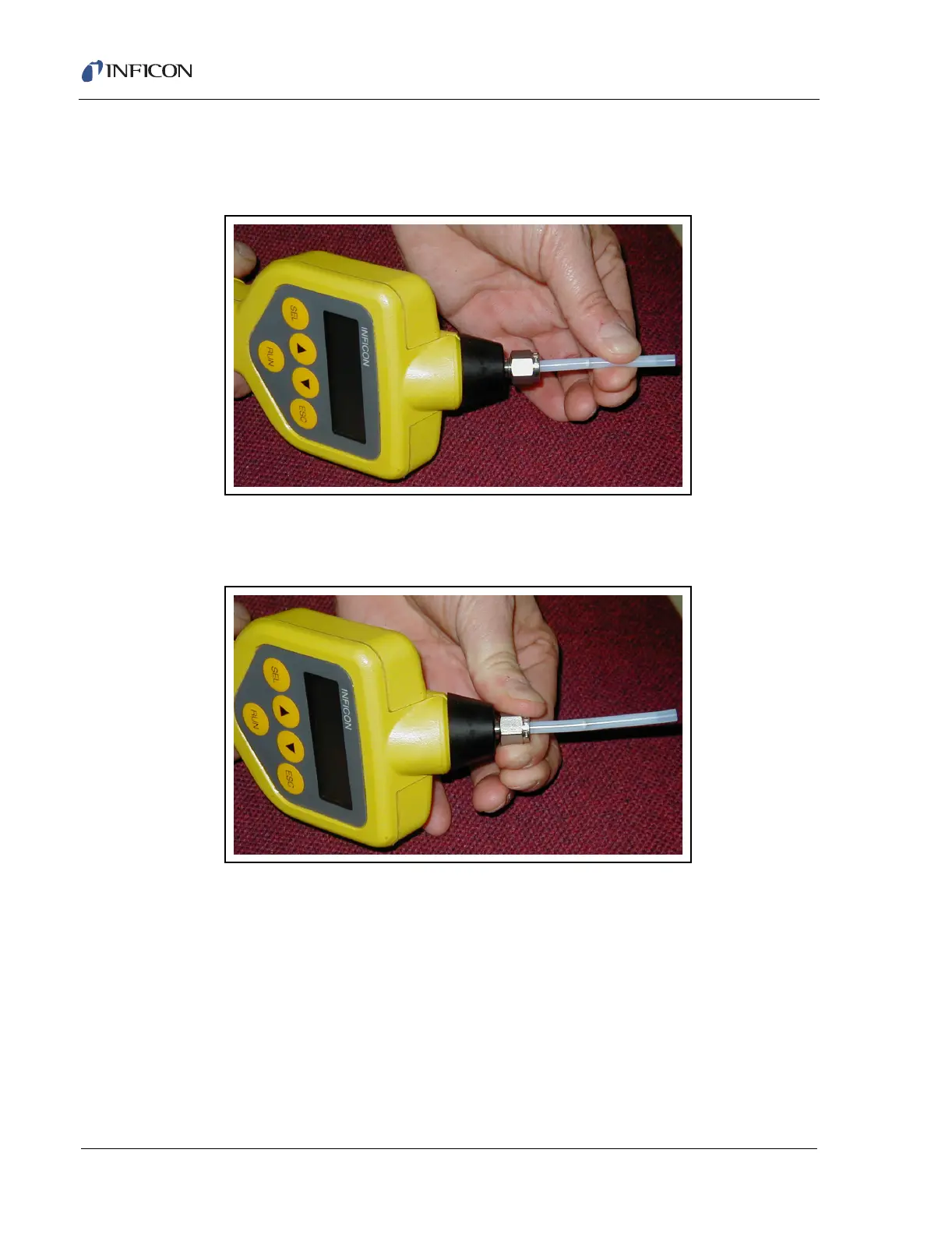
3 Insert the VX-G Conversion Tube into the Swagelok nut. Make sure the tube is
firmly seated into the front ferrule. This positions the nut approximately 1/2 inch
from the end of the tube. See Figure 2-54.
Figure 2-54 Inserting the Swagelok Tube
4 Tighten the Swagelok nut finger tight. Pull gently on the conversion tube, it
should be held firmly in place. See Figure 2-55.
Figure 2-55 Tightening the Swagelok Nut
2.10.3.2 VX-G Conversion Tube Removal
1 Loosen the Swagelok nut.
2 Gently pull the VX-G Conversion Tube out of the probe.
3 Make sure the ferrules remain properly seated in the Swagelok nut.
4 Finger tighten the Swagelok nut.













 To Next Page