5 - 13
IPN 074-397-P1G
HAPSITE Smart Operating Manual
5.3 GC/MS Mode with Loop
This method is used for analyzing samples with concentration levels in the low part
per million (ppm) to high part per billion (ppb) range. This is commonly the second
method used when trying to detect unknowns in the environment. Depending on
circumstances, the Survey mode may be used to quickly and tentatively identify
chemicals prior to the use of this GC/MS method. Refer to Chapter 6, Methods for
additional information on GC/MS methods.
HINT: Remember that the Survey method must be followed by a GC/MS method
in order to give a positive identification of the unknown.
This section will describe the process required to run a sample with the sample loop
installed. Refer to Section 2.3, Basic Assembly, on page 2-4 and Section 2.9.1,
Installing the Sample Loop, on page 2-26. Assumptions made are that the
HAPSITE is heated up, tuned and ready to go. If the HAPSITE is not warmed-up,
follow the instructions in Section 5.1, Starting the HAPSITE in Laptop Mode, on
page 5-1 before proceeding to this section.
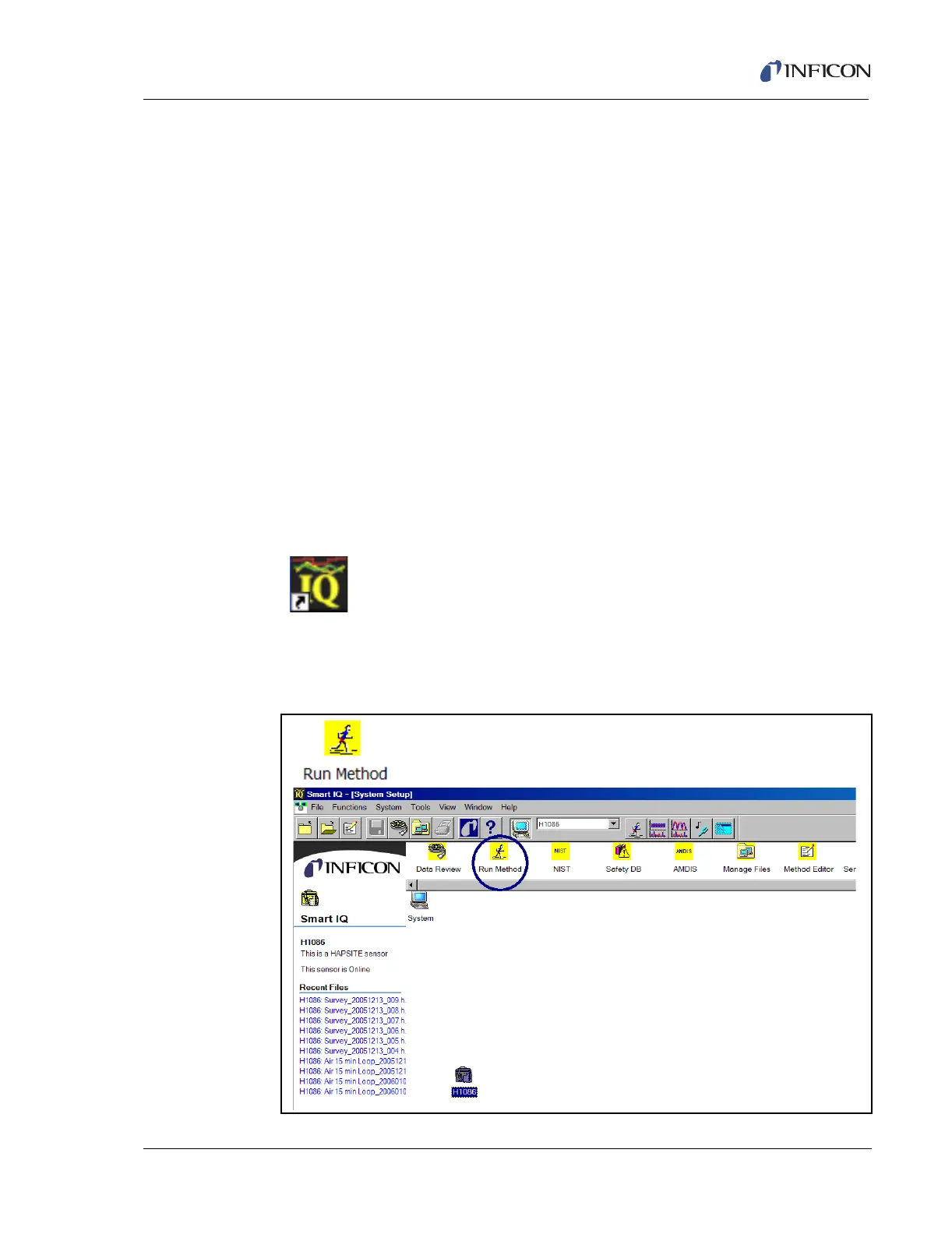
1 Double-click the Smart IQ icon to open the software. See Figure 5-18.
Figure 5-17 Smart IQ Icon
2 Double-click the Run Method icon on the System Setup window in the
software. See Figure 5-18.
Figure 5-18 Software Icons and Setup Page













 To Next Page