2 - 8
IPN 074-397-P1G
HAPSITE Smart Operating Manual
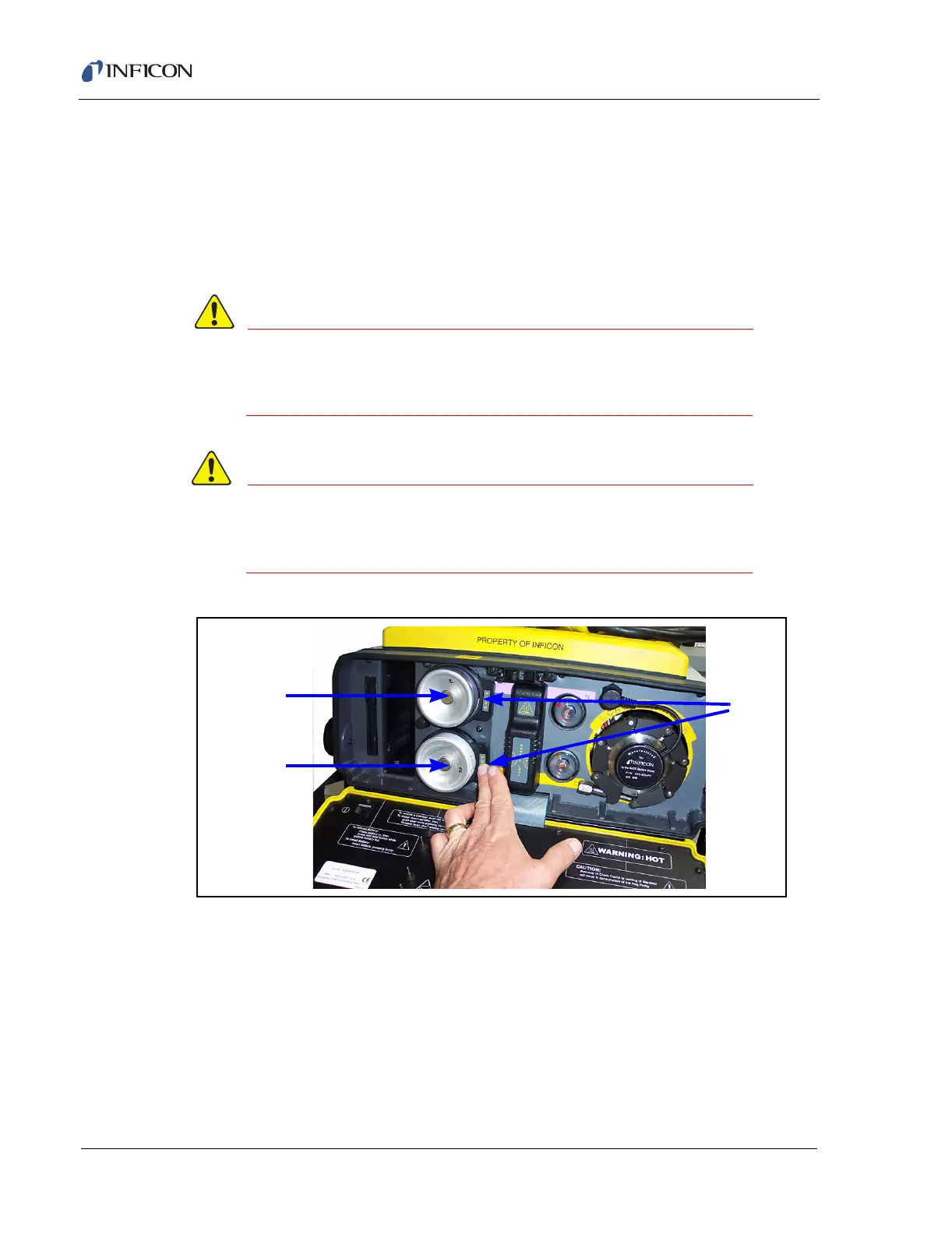
2.3.3.1 How to Change or Remove a Gas Canister
Push the lever located on the right of the canister. The canister will release.
Remove the canister. Refer to Figure 2-12 on page 2-8.
HINT: The nitrogen canister will need to be replaced after roughly 8 hours of use.
The internal standard canister will need to be replaced after 3 to 4 days of
continuous use. These numbers are guidelines and will vary.
Do not re-fill the canisters after use. These canisters are
disposable and not designed for re-filling. Canisters may
fail upon refilling, causing bodily injury.
Closing the front panel when the canisters are not
properly installed may damage the HAPSITE and/or
canisters.
Figure 2-12 Canister Removal
Carrier Gas
Canister
Internal
Standard
Canister
Press
Lever













 To Next Page