11 - 12
IPN 074-397-P1G
HAPSITE Smart Operating Manual
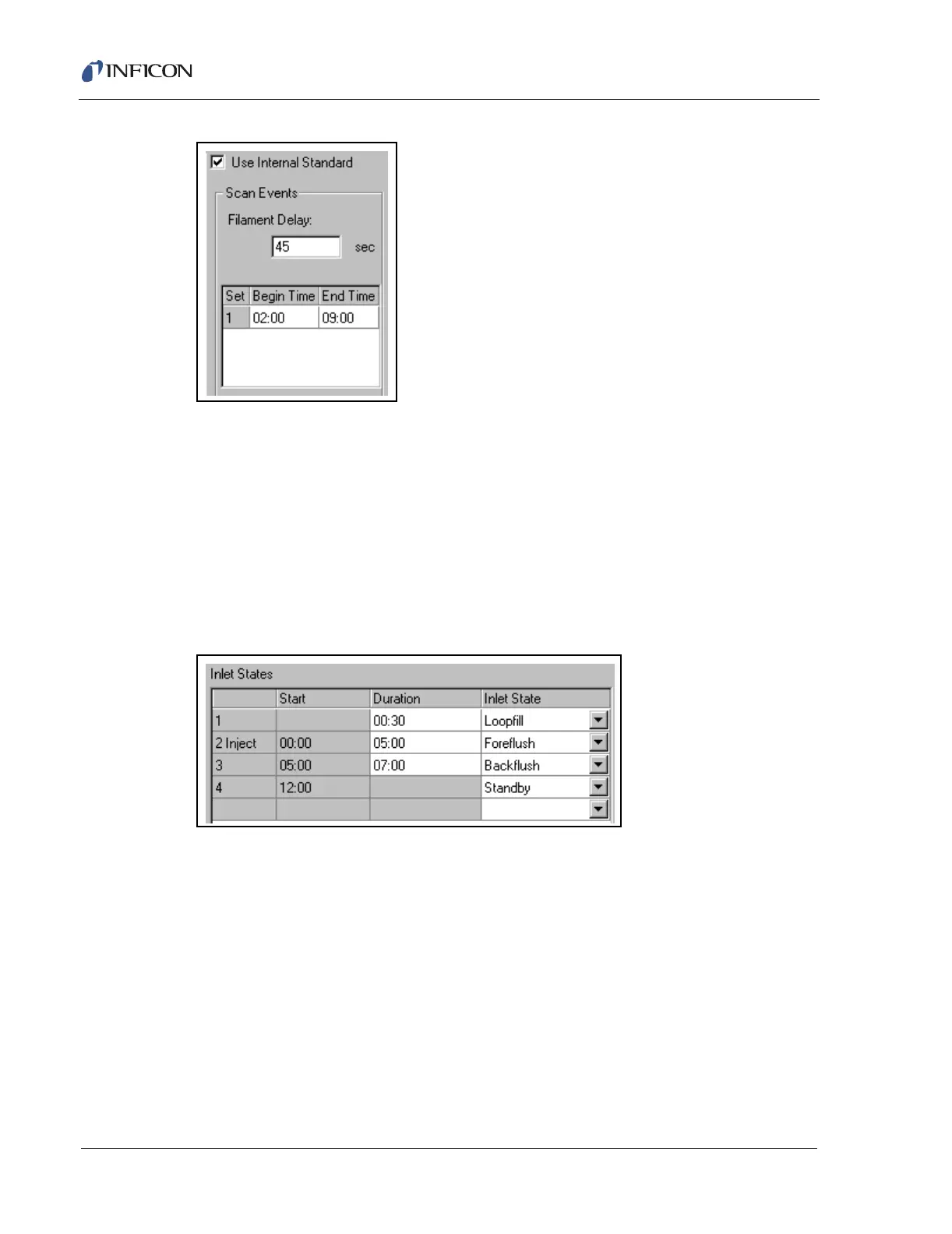
Figure 11-11 Inlet Page for GC/MS SIM
11.4.1 Inlet States
Inlet States specify the valve settings for the HAPSITE and control the sampling,
analysis and clean-out of the HAPSITE or HAPSITE with Headspace Sampling
System. The Inlet component of the Method will contain multiple Inlet States, which
are programmable for duration but not for valve settings. One generic Inlet State,
Other, is available for creating a custom set of valve settings. Figure 11-12 shows
the grid used to program the Inlet States in a GC/MS Method. All Grid Controls are
in effect for this grid.
Figure 11-12 Method Editor Inlet Page: Inlet States
The basic steps when editing the Inlet States grid is that, first, the desired Inlet State
is chosen in the Inlet State column and then the duration for that Inlet State is
entered in the Duration column. After the duration is entered, the editor will
automatically calculate and enter the Start time for the next Inlet State. There is
always a default Inlet component of Method; this can be modified by highlighting
any cell in the grid and pressing the Delete key, to remove a row, or the Insert key
to add a row. After adding a row the first thing entered must be the Inlet State.
HINT: When editing from the keyboard, the Alt+DownArrow key combination will
"pull" the pull-down in the Inlet State column. Also, the Insert and Delete
keys work for this grid.
The following parameters are contained in the Inlet States section of the Inlet
page:













 To Next Page