7 - 23
IPN 074-397-P1G
HAPSITE Smart Operating Manual
Diff(mmu) . . . . . . . . . . . . . . . . . . . . Adjustment to DAC value for mass peak
alignment, since the last mass calibration
check. 100 mmu = 0.1 AMU.
Peak% . . . . . . . . . . . . . . . . . . . . . . . Actual peak percentage.
Isotope% . . . . . . . . . . . . . . . . . . . . . Percentage of the Carbon 13 isotope peak as
measured against the mass fragment.
Status . . . . . . . . . . . . . . . . . . . . . . . Status of mass peak.
OK . . . . . . . . . . . . . . . . . . . . . . . Within minimum and maximum values.
OK LOW. . . . . . . . . . . . . . . . . . . Outside of minimum value but within
acceptable tolerance.
OK HIGH . . . . . . . . . . . . . . . . . . Outside of maximum value but within
acceptable tolerance.
LOW . . . . . . . . . . . . . . . . . . . . . . Below minimum value; needs adjustment.
HIGH. . . . . . . . . . . . . . . . . . . . . . Above maximum value; needs adjustment.
FAILED. . . . . . . . . . . . . . . . . . . . Cannot located mas peak within window.
Autotune or Manual Tune is required.
7.5.8 Right Mouse Button (RMB) Menus
In addition to the functions described above, the following menu items are available
by pressing the right mouse button (RMB).
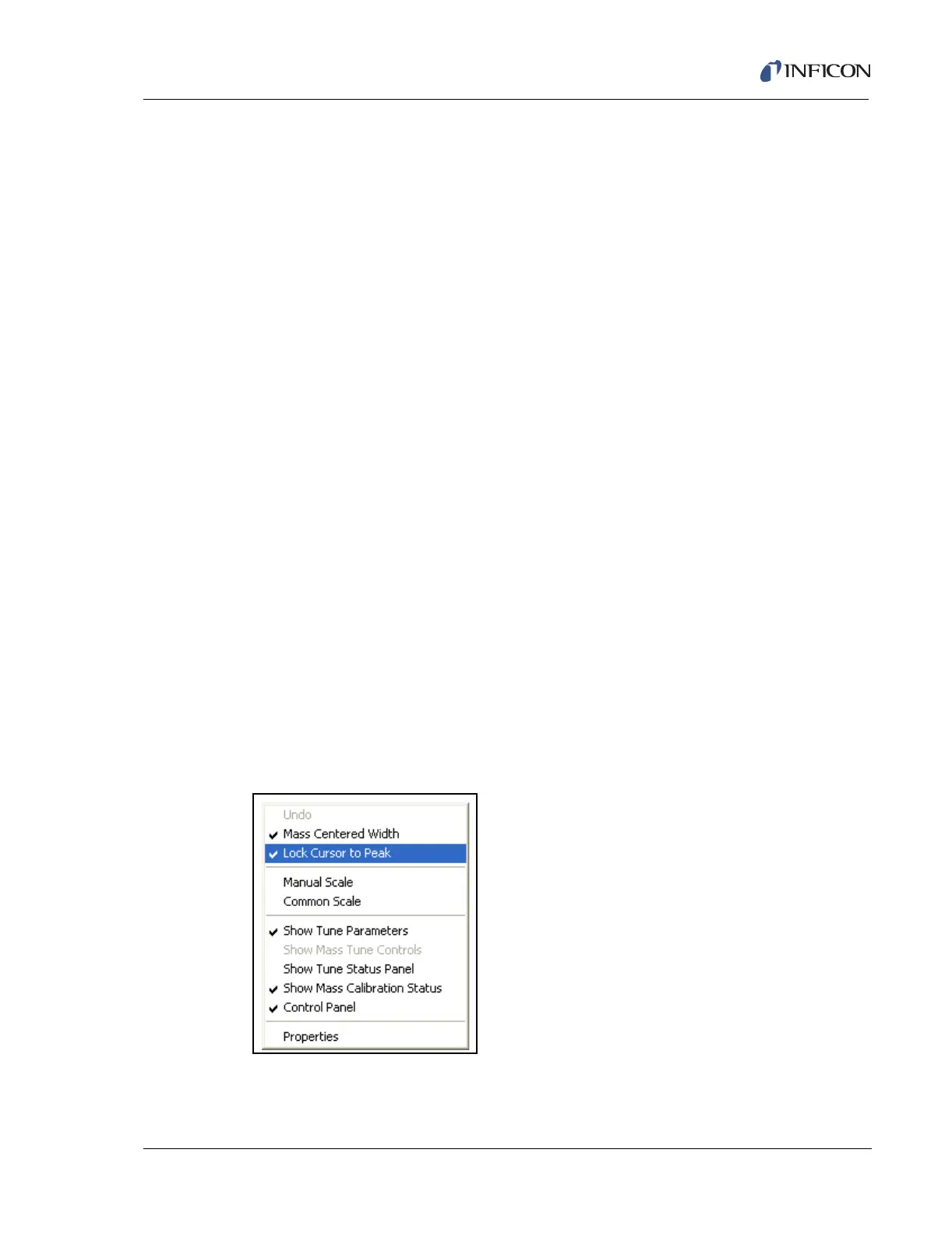
7.5.8.1 RMB in Scan Window
Placing the Mouse Cursor in the Peak Scan or Full Scan Window and pressing the
RMB displays the menu shown in Figure 7-28.
Figure 7-28 Scan Window Options
Undo . . . . . . . . . . . . . . . . . . . . . . . . Undo last function.













 To Next Page