13 - 14
IPN 074-397-P1G
HAPSITE Smart Operating Manual
Once the HAPSITE has been tested, test the Transfer Line by reconnecting it to the
HAPSITE and disconnecting it from the HSS. Perform an analysis of clean air with
the Transfer Line connected. If the contamination is not present, then the
contamination is in the HSS.
13.3.2.1 Flush Procedure
Contamination may be flushed from the HSS by disconnecting the Transfer Line
from the HAPSITE but leaving the line connected to the HSS. Once the Transfer
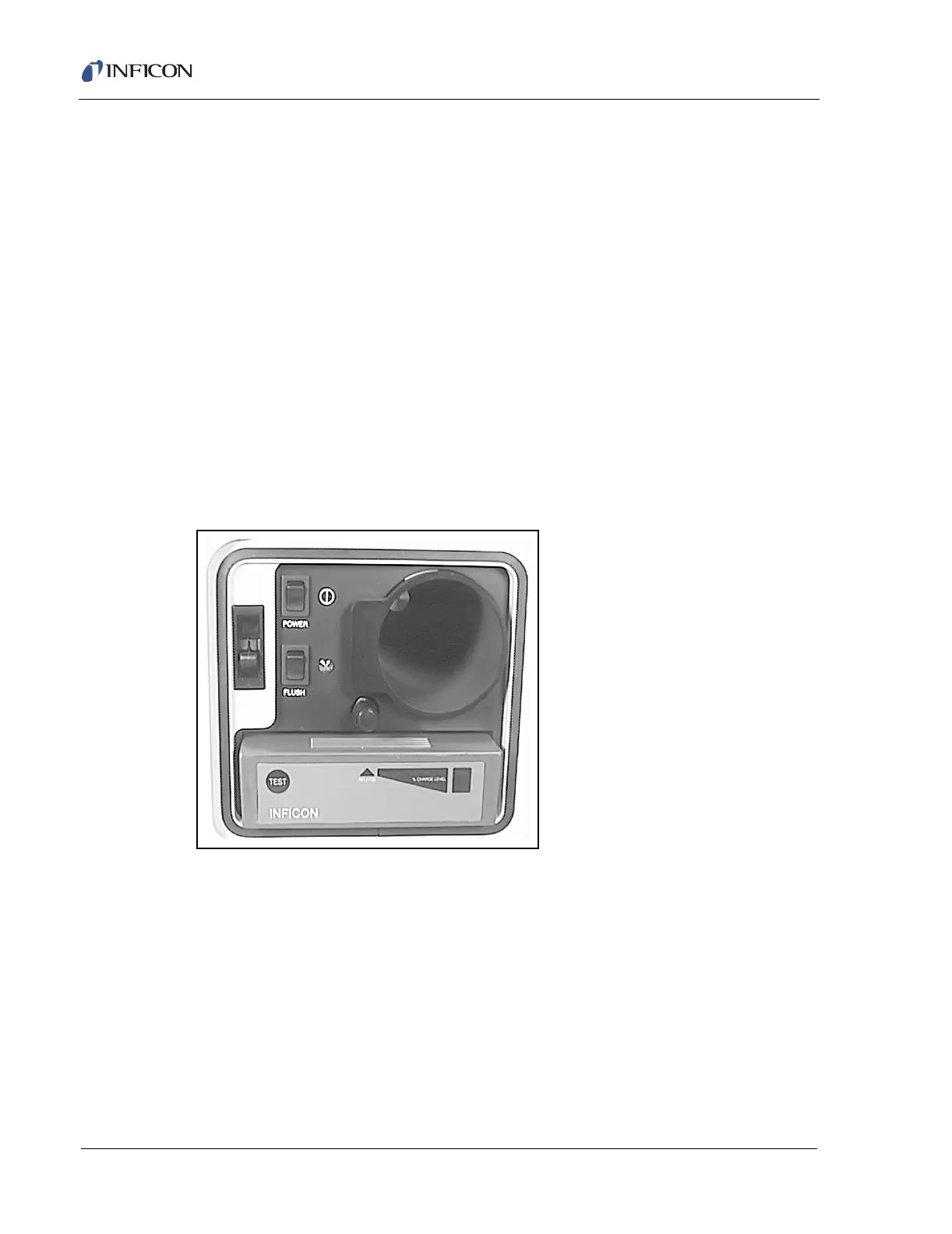
Line to the HAPSITE is disconnected, press the FLUSH switch inside the front
panel of the HSS (see Figure 13-9). This will pass nitrogen through the system
while heating the sample well to 80 °C. The length of time the flush will need to
operate will depend on the level of contamination.
NOTE: The Flush function will continue to operate until the FLUSH toggle switch
is pressed again to turn it off.
HINT: Make sure that the needle is inserted into a clean, new, empty vial during
flushing.
Figure 13-9 Flush Switch Inside The Headspace Instrument













 To Next Page